What’s New in LiveDebugger v0.2.0?
 kraleppa•May 7, 2025•4 min read
We are excited to release LiveDebugger v0.2.0, a major advancement in our effort to boost LiveView developers productivity and debugging capabilities. With this new version, we’ve introduced several powerful features designed to make your development process smoother and more intuitive.
In this blog post, we’ll dive into the details of what’s new in v0.2.0, explore the improvements we’ve made, and give you a preview of our roadmap.
New features of our debugging tool for LiveView applications
We are thrilled to present a series of new features in LiveDebugger v0.2.0, each designed to improve the debugging process and enhance your experience with our debugging tool for LiveView apps.
Let’s take a closer look at each of these new capabilities to see how they boost your productivity.
Chrome DevTools extension
In LiveDebugger v0.2.0, one of the standout features is the new Chrome DevTools extension. This addition integrates our powerful debugging tool directly into your browser, placing LiveDebugger at your fingertips while you work on your projects.
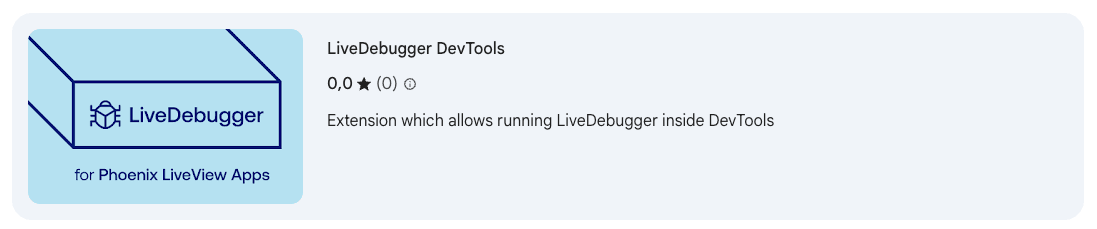
You can install LiveDebugger plugin directly from Chrome Web Store, by simply clicking the Add to Chrome button. It’s important to note that installing the browser plugin doesn’t replace the need for the core LiveDebugger dependency. Ensure that the main LiveDebugger library is installed in your mix project for the DevTools extension to function correctly.
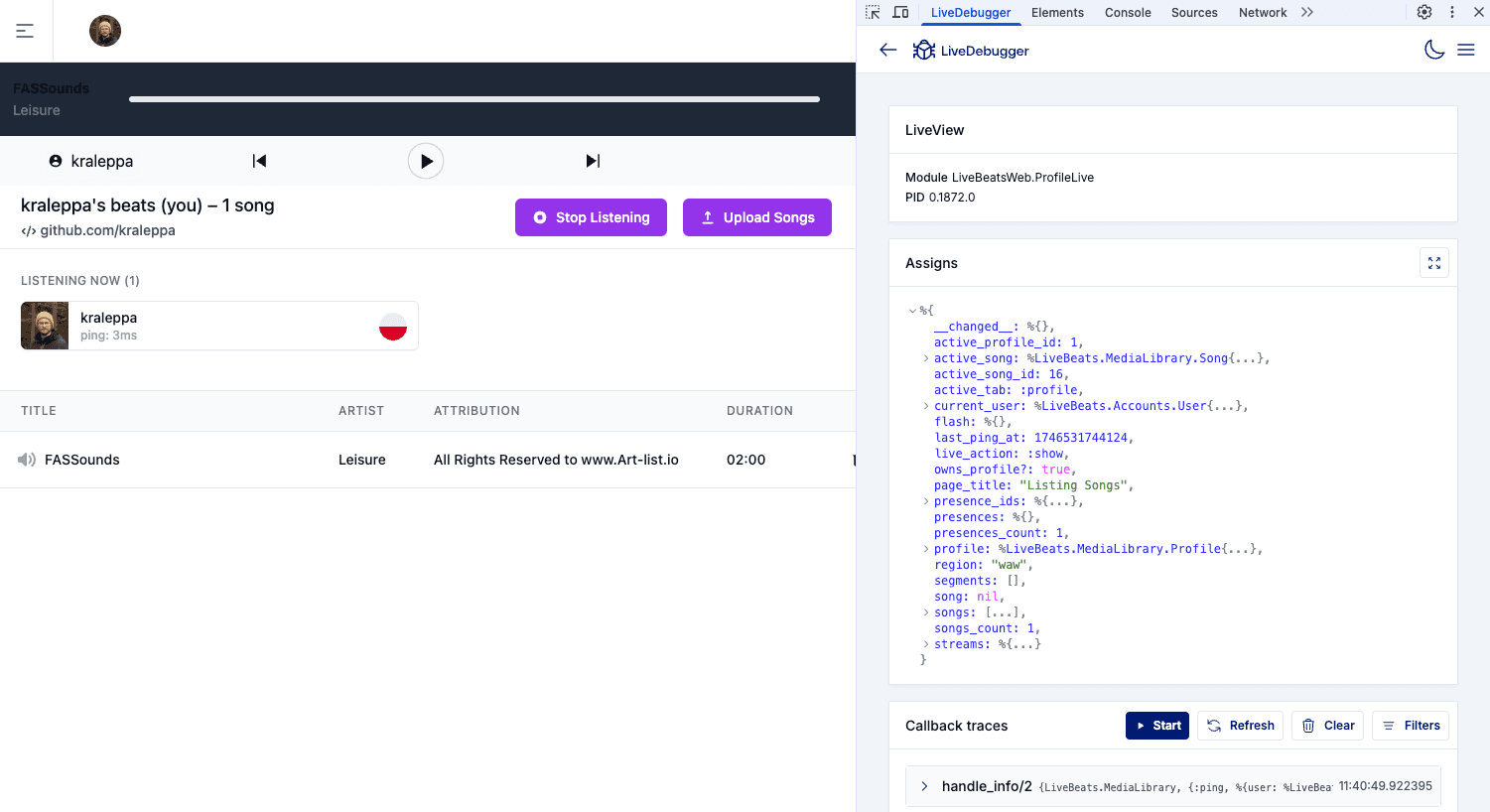
Once you have the plugin installed and set up, simply open your browser’s DevTools. You’ll notice a new section labelled LiveDebugger. This dedicated panel will automatically detect currently displayed LiveView and start a new LiveDebugger session for it, giving you the ability to interact with its features alongside your application’s runtime:
Components highlighting
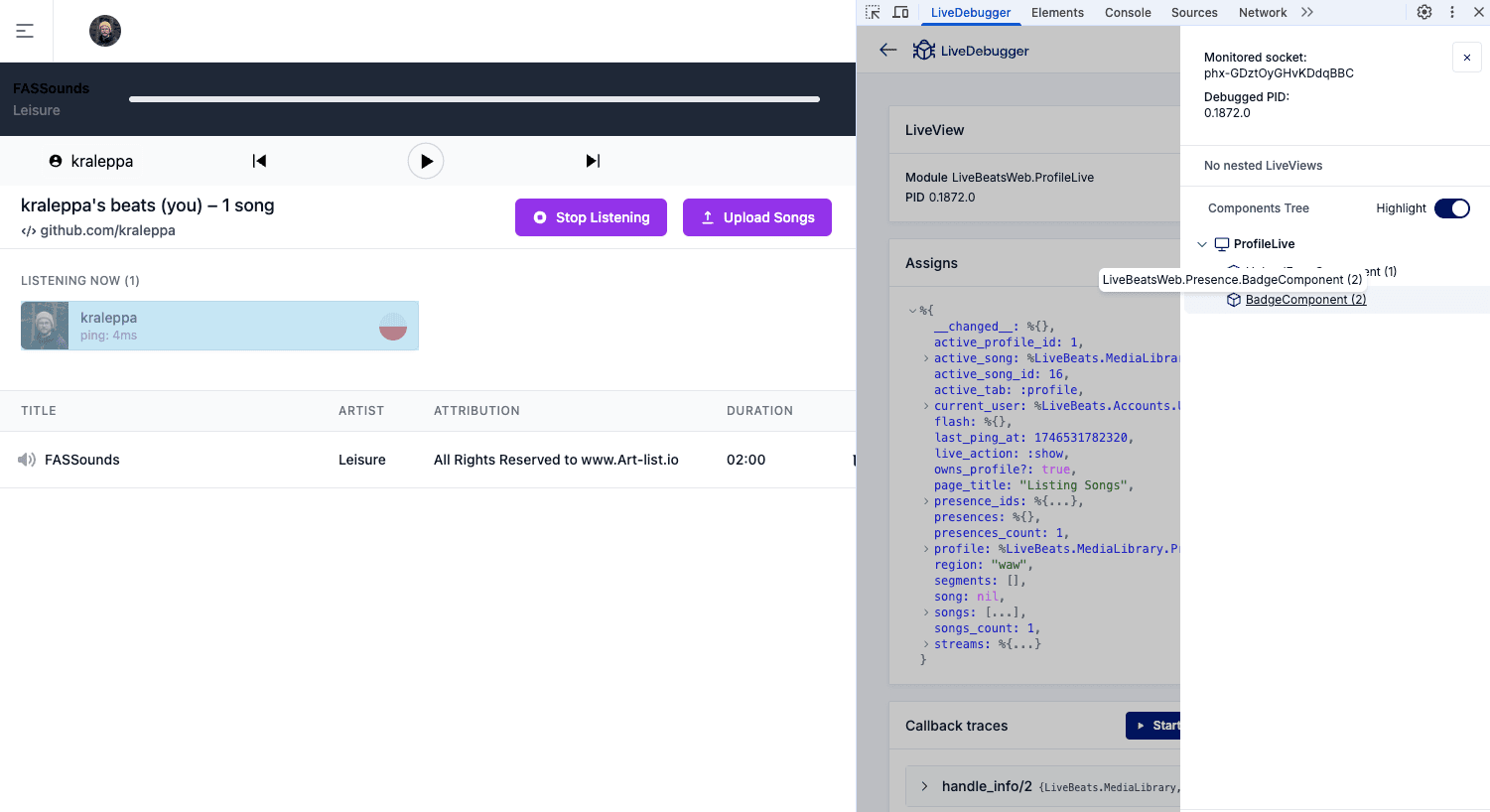
A new and impactful feature in LiveDebugger v0.2.0 is component highlighting. This functionality simplifies identifying and diagnosing component-related issues by making the navigation of complex component architectures intuitive. It’s similar to the familiar inspection tools found in standard browser DevTools, but adjusted for LiveView architecture.
Highlighting works in two modes:
- By default, components are temporarily highlighted when selected in the nodes tree.
- Alternatively, LiveDebugger allows you to engage a persistent highlight mode, which is particularly useful during in-depth examinations. In this mode, hovering over any component keeps it highlighted.
Component highlighting is designed to simplify how developers interact with their code visually. Whether you’re a new developer getting acquainted with a project or an experienced coder, component highlighting makes it easier to understand and manage your application’s structure.
Filtering of callback traces
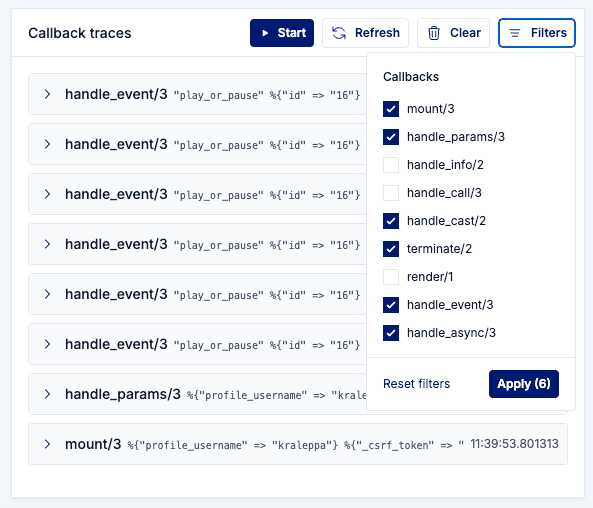
The enhanced trace filtering feature in LiveDebugger v0.2.0 is designed to refine the debugging experience by allowing developers to isolate specific callback traces. This capability is particularly useful when addressing issues in environments with high data traffic.
With this feature, developers can choose to filter out specific callbacks, such as handle_info/2 or handle_event/3. This allows developers to quickly identify and address issues without digging through irrelevant information, leading to more efficient problem-solving.
Dark mode
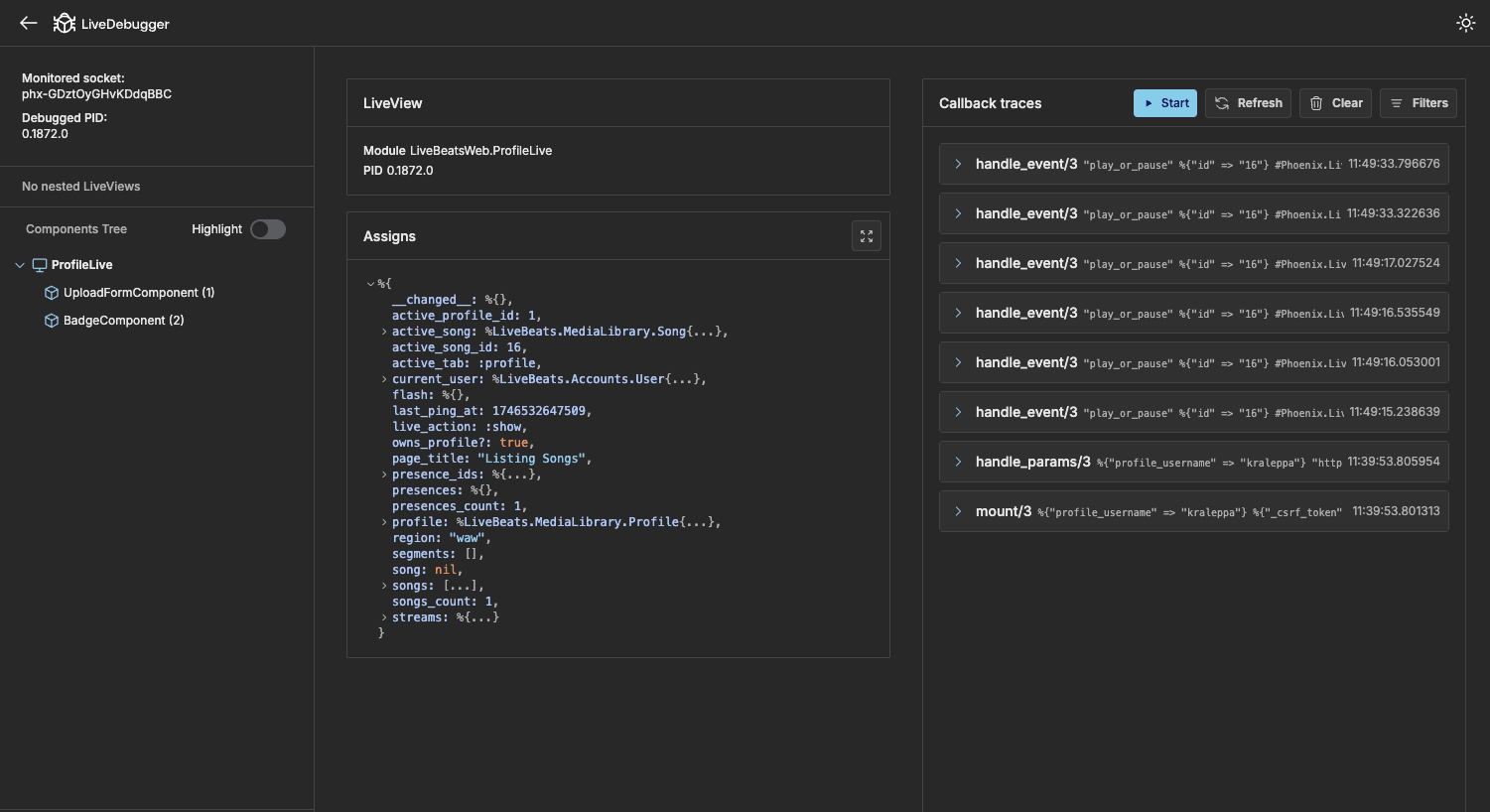
Version 0.2.0 of LiveDebugger introduces a dark mode that automatically aligns with your browser settings for seamless integration. With the simple click of a toggle, you can switch between dark and light modes to suit your preference.
What’s next?
As we continue to expand LiveDebugger, listening to your feedback and input is more important than ever. Our roadmap presents enhancements for future releases, and we value your ideas and perspectives to help shape these developments.
Upcoming in v0.3.0 (June 2025)
- Firefox extension: expanding support to Firefox, enhancing accessibility across different browsers.
- Global callback traces view: introducing a comprehensive view that aggregates all callback traces for easier monitoring and filtering.
- Callback execution time: new metrics to measure and analyze the execution time of callbacks that can be used for performance optimization.
- Enhanced redirect debugging: improvements to maintain debugging session integrity during redirects.
Join the conversation
- Discuss and give feedback: Check out the roadmap on our GitHub and share your thoughts in the discussion section. Whether it’s feature suggestions or general improvements, your input is invaluable.
- Slack community: For a more direct line of communication, join us on the Elixir-lang Slack in the LiveDebugger channel. Whether you have questions, feature ideas, or need assistance, we are ready to help.
Stay connected
Follow us on our social media platforms and check out LiveDebugger on GitHub to get the latest updates, insights, and more.
We’re Software Mansion: multimedia experts, AI explorers, React Native core contributors, community builders, and software development consultants.