Kotlin Multiplatform: Benefits, Limitations & Our Contributions
 Justyna Gręda•Dec 8, 2025•7 min read
The popularity of cross-platform mobile app development is rising each year — according to RipenApps, 55% of developers prefer to use a framework over native code. Maintaining a single codebase for both Android and iOS can be simpler and more time-efficient, especially for small enterprises and startups, which require focus on rapid product development but have limited human resources. With popular frameworks like React Native and Flutter already well established, we wanted to take a closer look at a newer option: Kotlin Multiplatform.
In this article, we break down what it does well, where it falls short, and share a few examples of how it can be used in real projects.
What is Kotlin Multiplatform?
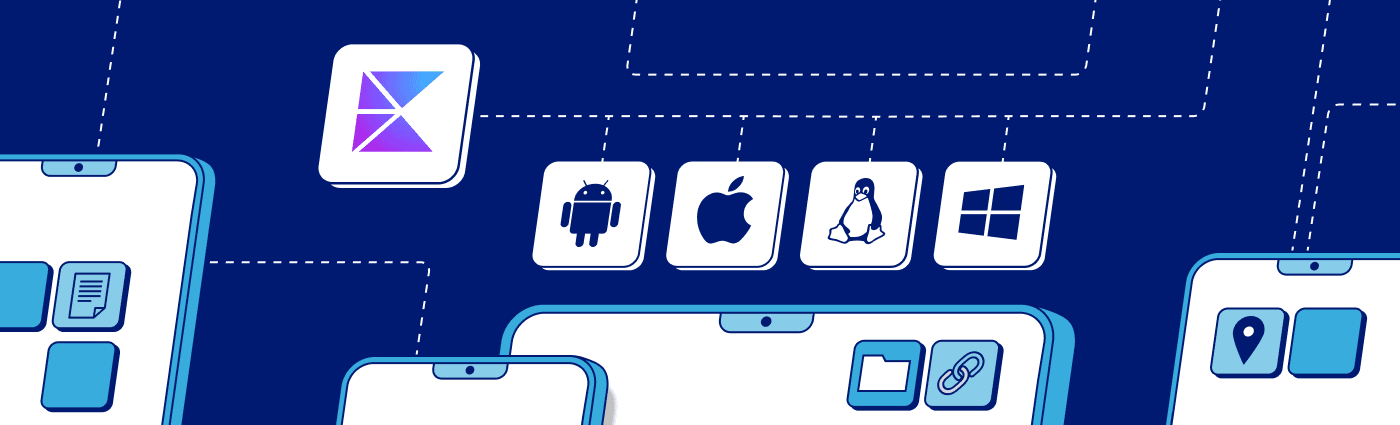
Kotlin Multiplatform (or KMP) is an open-source tool that allows sharing code between Android, iOS, and even desktop or web — all while preserving the benefits of native development. It was introduced in 2017 by JetBrains, the company behind IntelliJ IDEA and Kotlin. KMP uses Kotlin code and compiles it into platform binaries for seamless integration. Combined with Compose Multiplatform, it allows for development of shared UIs for all the platforms without maintaining multiple implementations.
The code is divided into source sets — the common one includes the business logic that can be shared between all the platforms. For the platform-specific code, use the designated source set:
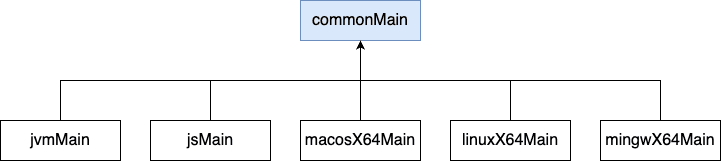
The code-sharing feature introduces more flexibility to the project — for example, only the logic (or a piece of it) can be written using KMP while keeping the UI native. It supports interoperability with Swift/Objective-C, so that Kotlin code can be used directly from iOS and macOS applications. On top of that, KMP offers near-native performance, which is a key advantage for any cross-platform tool or framework. For more information, visit the Kotlin documentation.
KMP vs React Native — key characteristics and differences
It’s time to compare the two tools from a developer’s point of view. It has been a very valuable experience to try writing apps using both of them and to see the differences.
Native compilation and performance
Kotlin Multiplatform significantly enhances performance through native compilation. There is no need for a virtual machine or an additional engine to interpret the code, like in React Native. Even compared to the bridgeless architecture, KMP still has an advantage over React Native, as it compiles to true, native code. This allows for avoiding bottlenecks associated with any overhead, leading to improved performance and a smooth user experience.
Simplified cross-platform development of existing apps
For developers with an existing Android app, it is easy to introduce KMP to their project. Because the main business logic is written in Kotlin, you don’t have to rewrite everything when adding support for a new platform — it really cuts down on the amount of extra work.
User interface
React Native drives native views from JavaScript, while KMP focuses on shared business logic and lets you choose your UI approach: fully native per platform or built with Compose Multiplatform. The latter uses its own rendering pipeline, drawing components onto a canvas rather than relying on platform-specific views. Compose Multiplatform can incorporate Material Design through official libraries if desired, but it also supports building UIs with basic primitives for a more neutral or custom look.
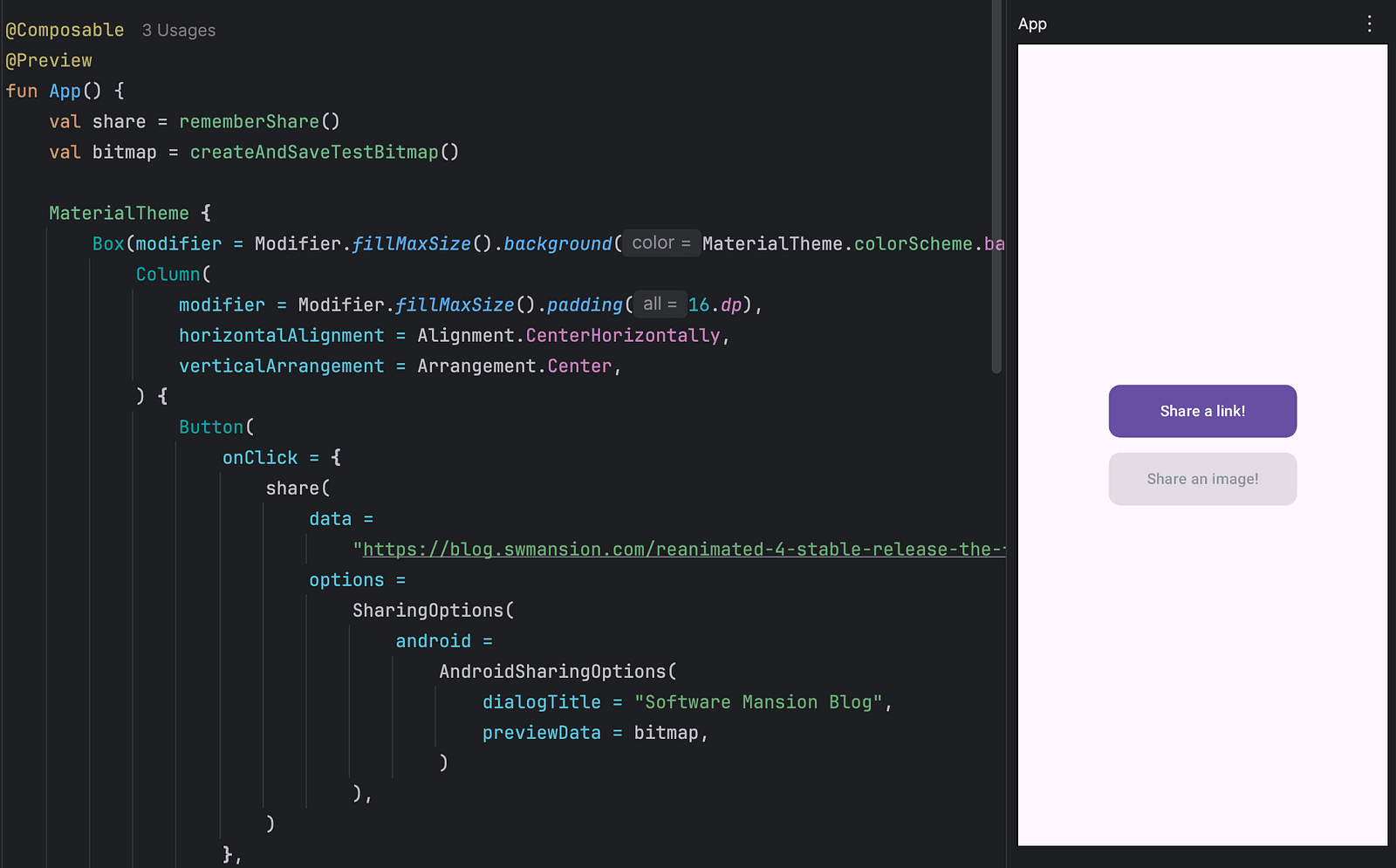
Composable preview
This feature is available when using KMP with Compose Multiplatform and allows to preview the UI in Android Studio by adding a Preview annotation. This way, the UI can be examined without launching the entire app on a device.
Hot reload
This might be the feature that is deeply missed when using KMP. With React Native, you usually don’t need to rebuild the entire project when making small updates, but KMP apps typically require a full re-run. This may change in the near future, since Compose Hot Reload has been introduced, but it will likely take some time before it’s widely adopted.
Debugging
As KMP relies on Kotlin and an IDE plugin, debugging doesn’t require any external resources and is done using standard IDE tools (for iOS, the code can be run directly in Xcode). The React Native debugging experience is split — the IDE tools are still available for the native code, but investigating JavaScript code requires using additional means, like React Native DevTools. If you’re looking for an IDE for React Native, with DevTools included, you can check out Radon, which now comes with a free plan.
Differences in maturity
KMP reached its stable version in 2023, six years after being introduced. While there are a lot of packages available and some significant companies are using KMP in their apps (Duolingo, H&M, Bolt, X), it’s still a relatively new tool, so its solutions aren’t as fully developed yet, and its community support may not be as strong as React Native’s.
It is crucial to note that there is no generic answer to which tool you should choose for your app. Each of them solves different problems, and integration should depend on a use case, available resources, and knowledge.
Software Mansion and KMP
Our software agency is well-known for its significant contribution to the React Native community, but this is not our only focus. We diversify our development paths and commercial projects, and so far we have been successful in such fields as multimedia (Membrane, Fishjam), AI, and blockchain. There are some skilled Kotlin developers in our ranks, and we devote part of our work to open-source projects — this, connected with the rising popularity of KMP, made us start a team centered around KMP research and package development. It’s still in a very early stage, but we already provide a few tools along with examples of usage — you can learn more about them below.
Contributions to the KMP world
Over the past few months, our new team has concentrated on researching the topic of Kotlin Multiplatform. We shared our ideas with JetBrains, searching for a field to focus our development on. That’s how we started our journey and developed a few valuable tools:
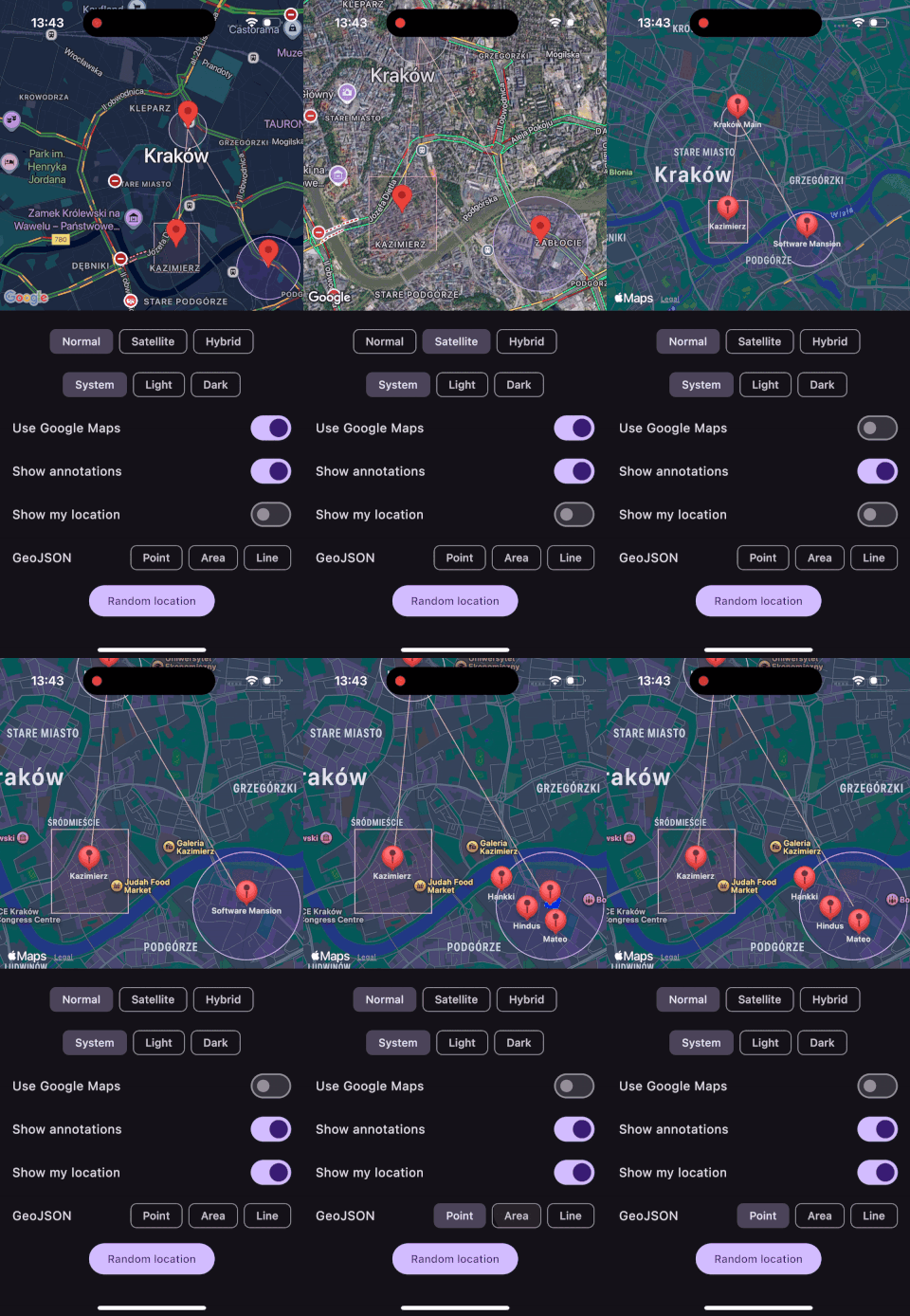
KMP Maps
A universal map component for Compose Multiplatform applications, offering seamless integration with native map APIs on both Android and iOS platforms. It uses Google Maps SDK on Android and Apple Maps (MapKit) on iOS. We also added Google Maps support for iOS, the possibility to display GeoJSON data, and custom markers are on their way. The location permission handling is built in, and user interactions like clicks, camera movements, and gestures are handled.
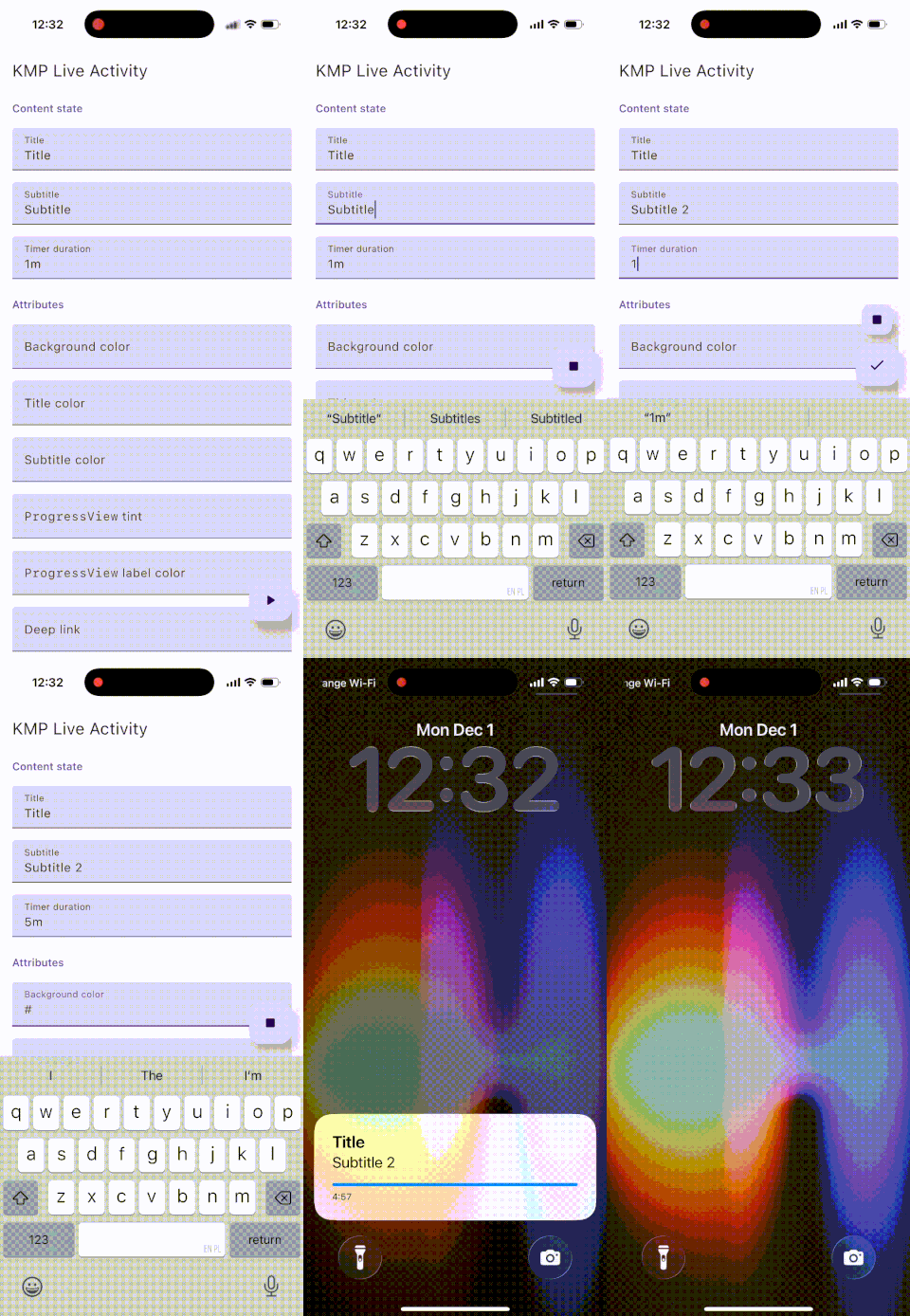
KMP Live Activity
It offers a Live Activity API for KMP. It’s based on the well-received Expo Live Activity and uses a novel dual architecture to meet the technical requirements for Live Activities. The core logic lives in a Swift package, and a KMP sidecar is provided separately; these two are bound by the consumer and communicate via Kotlin’s Swift interop.
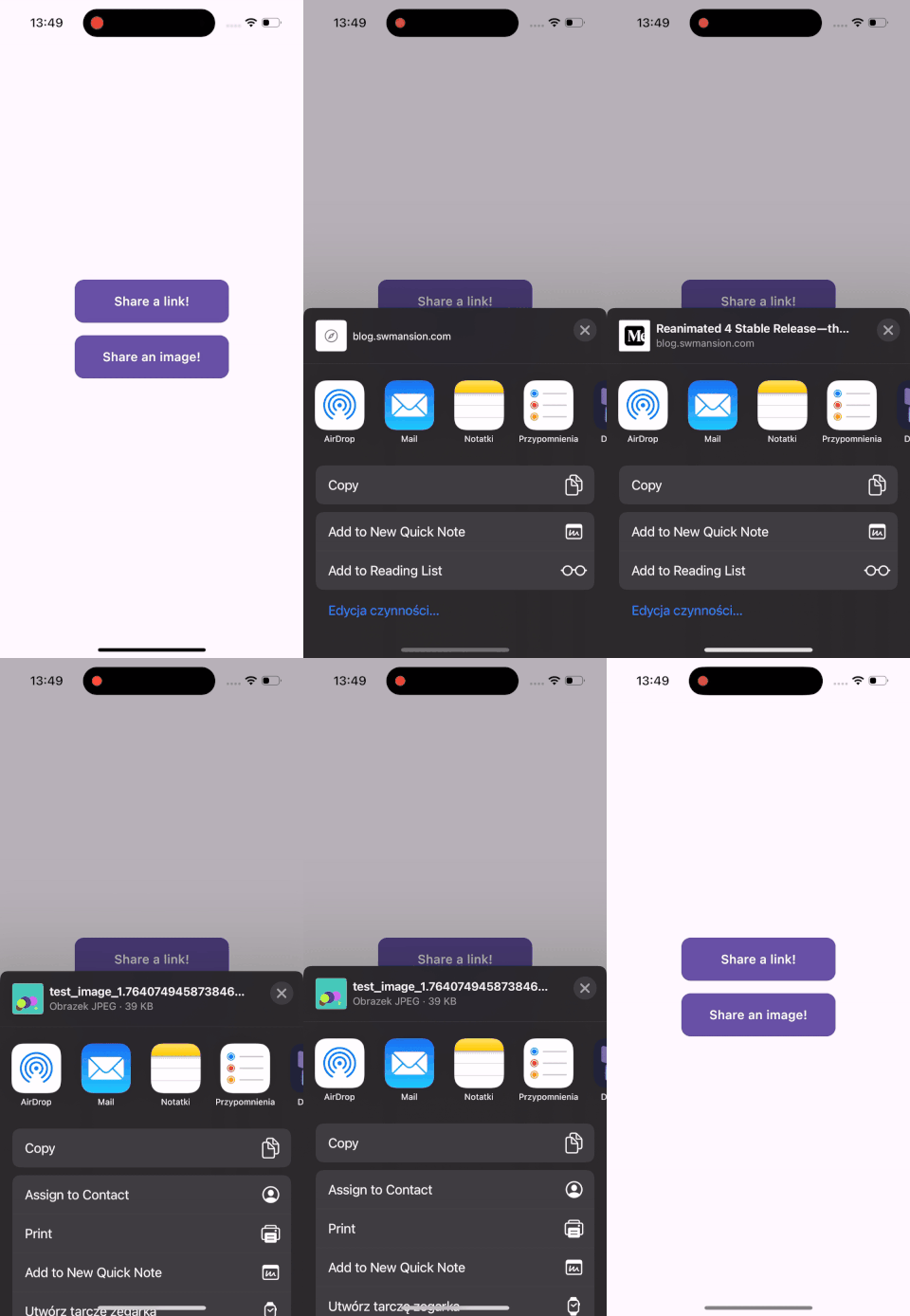
KMP Sharing
A universal sharing function for Compose Multiplatform. It uses the Android Intent system and iOS UIActivityViewControllerto provide a native experience. Various customization options, like personalizing the title of the thumbnail, are also available.
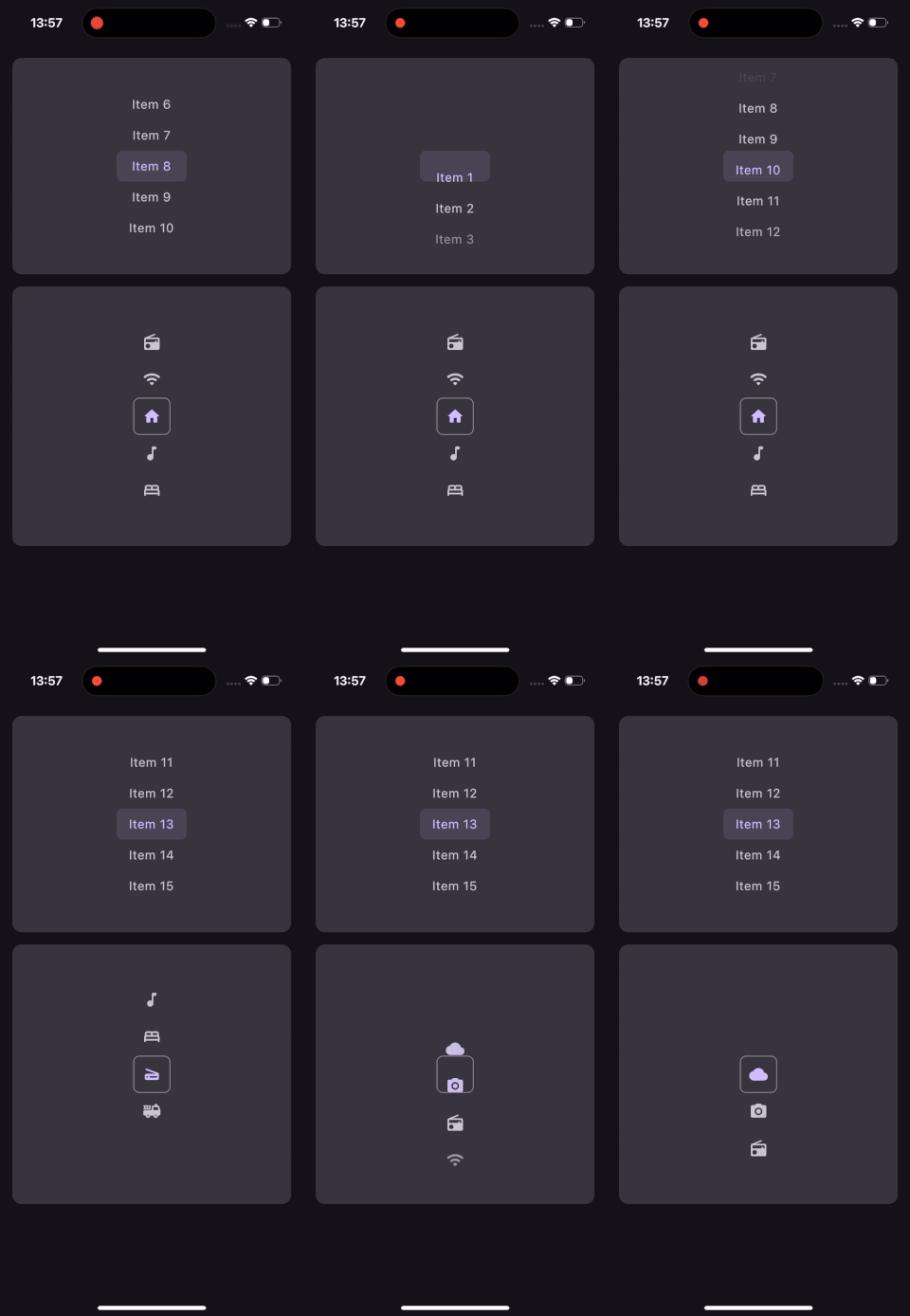
KMP Wheel Picker
A modular wheel picker for Compose Multiplatform. It provides multiple customization options, like styling items based on position, changing scroll friction, or scrolling programmatically with an animation.
Our contributions demonstrate that there is still a need for production-ready tools within the maturing Kotlin Multiplatform ecosystem. The team is already working on new ones and some further improvements to KMP Maps will also be released soon. We are proud to be a part of this new cross-platform tool, and we hope for further success in maintenance and development in the future.
If you need help with KMP, or have any suggestions for future projects, feel free to contact us at [email protected].
We are Software Mansion — software development consultants, a team of React Native core contributors, multimedia and AI experts. Drop us a line at [email protected] and let’s find out how we can help you with your project.