Introducing Telemetry Tracing in membrane_core v1.2
 Krzysztof Wende•Mar 24, 2025•3 min read
Observability is a crucial aspect of any modern media pipeline, and we’re excited to introduce a new feature since membrane_core version v1.2 that enhances visibility into Membrane’s inner workings — :telemetry events for Membrane Components!
With this new capability, you can monitor and analyze component interactions in real-time, gaining valuable insights into performance and potential bottlenecks.
Why Telemetry Tracing??
Membrane is designed to build highly efficient multimedia pipelines, but as complexity grows, debugging and performance tuning can become challenging. Telemetry tracing provides:
- Real-time insights into component execution - Detailed breakdown of component execution, with a customizable level of granularity down to tracing each callback execution - Performance monitoring to detect slow operations - Seamless integration with Grafana for visualization
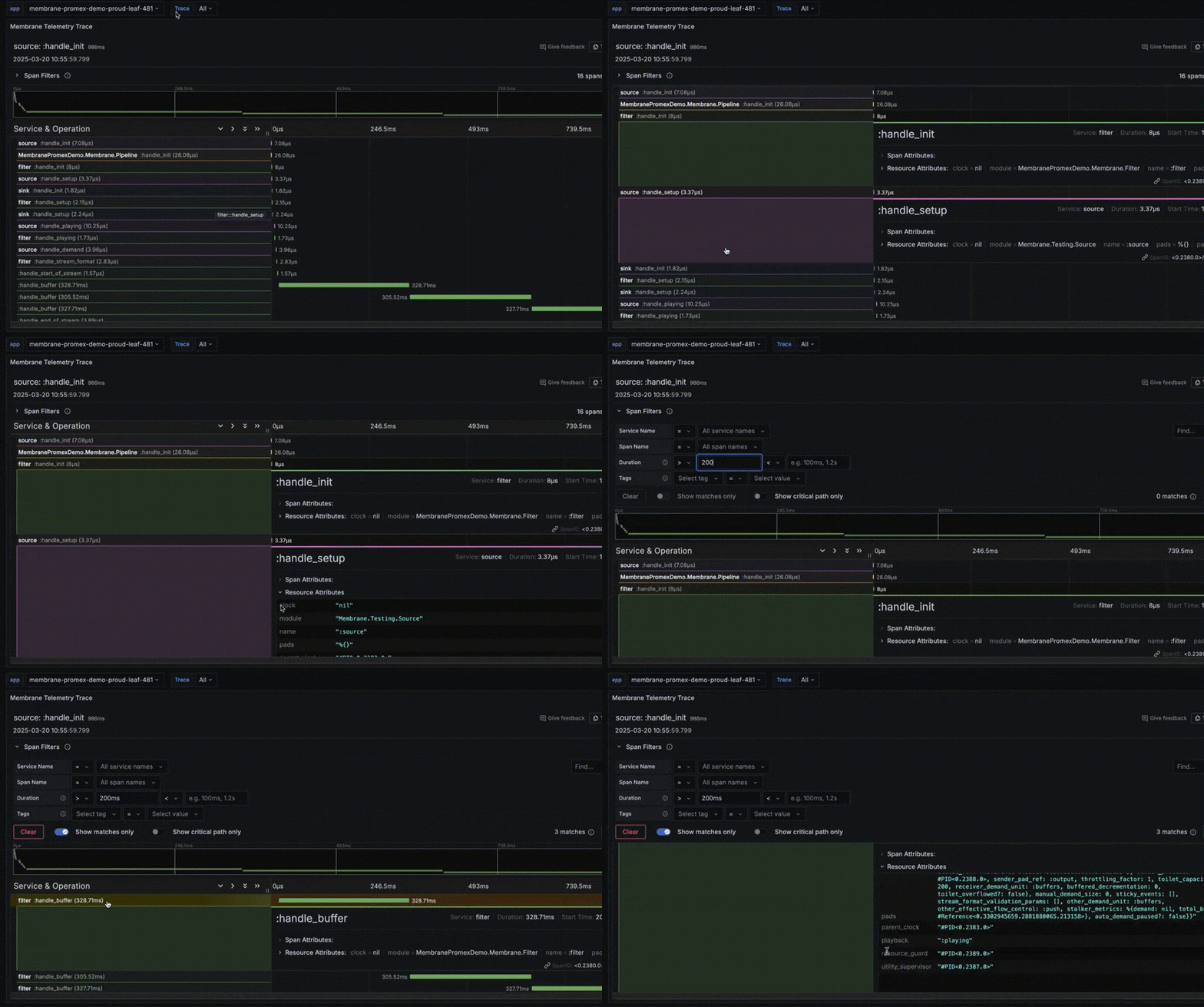
Visualizing traces in Grafana with PromEx
PromEx is an Elixir library that simplifies exposing application metrics and traces to Prometheus and Grafana. It provides a plug-and-play approach for integrating with various Elixir components, making it easy to monitor and analyze system performance. By leveraging PromEx, Membrane users can now seamlessly visualize telemetry data in Grafana without extensive manual configuration.
To make the most of these traces, we’ve created a PromEx plugin to seamlessly integrate Membrane’s telemetry and tracing data into Grafana. It enables developers to inspect component-level telemetry in a structured and visually appealing format. By leveraging Grafana dashboards, you can track e.g. execution time of callbacks in your Membrane pipeline.
Demo project
To showcase this feature, we’ve prepared a demo project: Membrane PromEx Demo. This project demonstrates how to:
- Enable telemetry in a Membrane pipeline - Collect and export traces of all membrane components and their operations - Deploy to Fly.io with a single command - Visualize them using out-of-the-box Grafana instance provided by Fly.io
Getting started
To enable telemetry and tracing in your Membrane project, follow these steps:
- Configure telemetry in your
config.exsaccording to your needs. Follow Membrane.Telemetry if uncertain what to trace:
 config :membrane_core,
 telemetry_flags: [
   tracked_callbacks: [
   bin: :all,
   element: :all,
   pipeline: :all
   ]
 ]
2. Use simple Console reporter to gain telemetric insight:
Telemetry.Metrics.ConsoleReporter.start_link(metrics: [
 Telemetry.Metrics.last_value("membrane.element.handle_buffer.stop.duration")
])
3. Or integrate PromEx to expose tracing data to external metrics server:
defmodule MyApp.PromEx do
  use PromEx, otp_app: :my_app
  def plugins do
     […
     Membrame.PromEx
     …]
   end
end
4. Set up a Grafana dashboards to consume and visualize the trace data.
What’s next?
This is just the beginning of improved observability in Membrane! Future enhancements will include deeper integration with tracing tools and even more detailed performance metrics.
Check out the Membrane PromEx Demo and our PromEx plugin for Membrane .
We’re Software Mansion: multimedia experts, AI explorers, React Native core contributors, community builders, and software development consultants. Hire us: [email protected].