


Top 6 Local AI Models for Maximum Privacy and Offline Capabilities (2026)
Artificial Intelligence has already become an important part of the applications we use on our devices. It’s recommending us the next video to watch, correcting our spelling, generating photos or answering our questions.
But while the experience feels seamless, relying on an AI provider doesn’t come without its problems. Every interaction you have with an AI system typically involves sending your data (including private information) off to a remote server, waiting for a response, and hoping nothing goes wrong along the way.
We’re entering a new era: one where AI lives on your device. Read on to learn the benefits of using local AI, which models are worth your time, and how to introduce local AI models in your own mobile app.
How do the most popular AI models work?
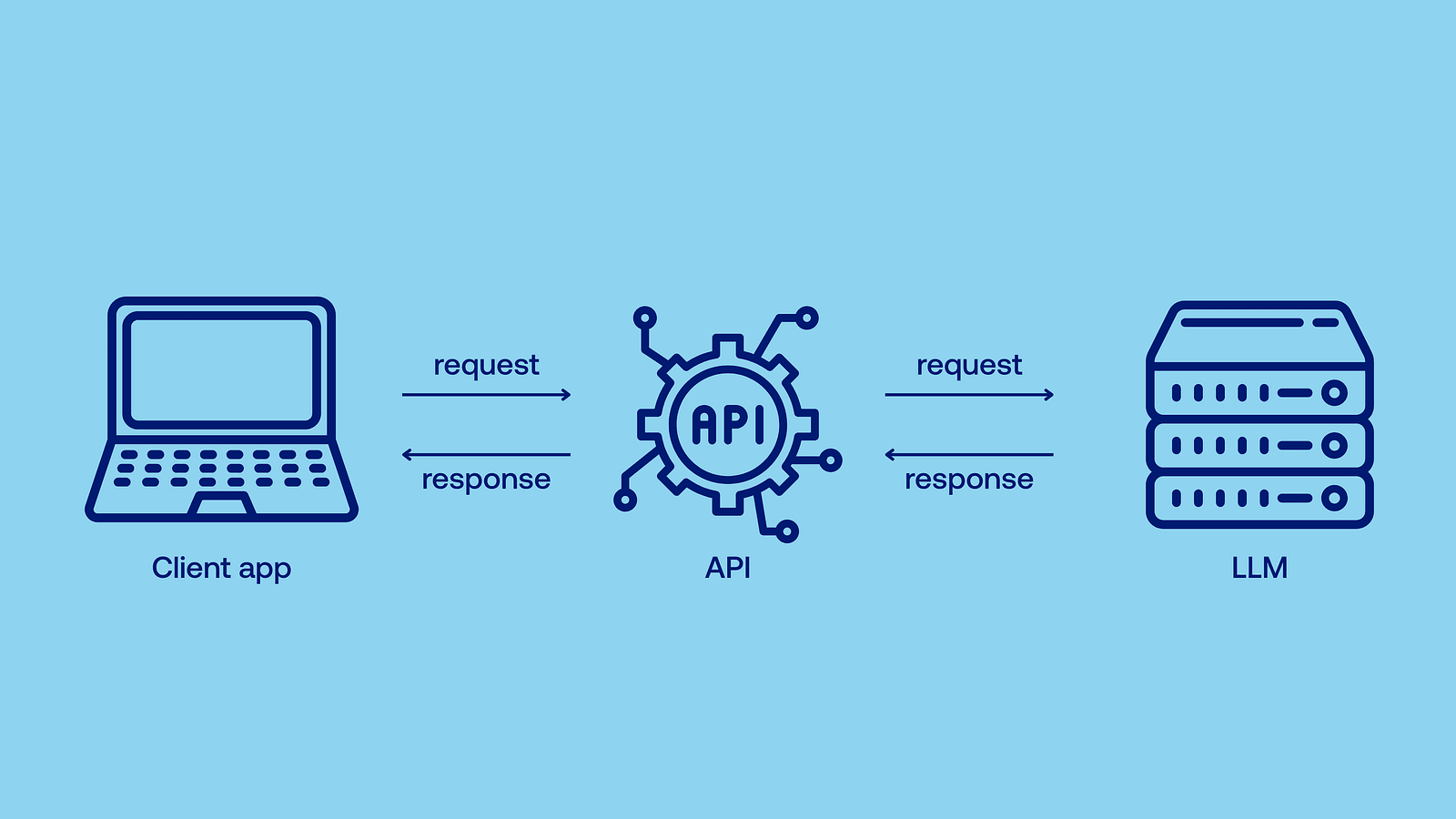
Well, running state-of-the-art AI models requires lots of computing power — after all, they can contain over a trillion (that’s 1 and twelve zeros!) of parameters. Most of us couldn’t do it on our own device, therefore models like GPT-4.1 operate as cloud-based models: instead of calculating everything locally, you send a demand (API call) to the provider through your browser, the model is run on their powerful server, and then the computed results are returned, so you don’t have to do any heavy lifting. Just wait.
Benefits of local AI models
Local AI refers to AI models that run directly on your device. They don’t need to rely on a remote API, and are capable of responding immediately, right when the data is generated. As I’ve mentioned earlier, the most popular models are too much for a typical user device, so you run smaller ones locally, typically with just a few billion parameters. Flagship models of leading companies, such as OpenAI’s GPT-4.1 or Anthropic’s Claude Opus 4, are also not open-source. Even if you had a supercomputer in our garage, you wouldn’t be able to run them locally.
So why go through the trouble of running a smaller model yourself when you could just use a bigger one online? Well, there are at least a few reasons for using local AI models.
Increased privacy
With local AI, your data never leaves your device. The provider doesn’t use it for training or ads, and it won’t leak if there’s a security breach (which might be especially useful when you’re using your company’s sensitive data). No cloud, no middleman.
Better scalability
Cloud AI, facing increasing demand, can result in processing delays or higher transaction costs as we scale. Scaling it also poses greater security risks — in order to scale effortlessly and keep confidential information secure, local AI is the way to go. Developers don’t need to spend time adjusting the architecture to handle increased use of cloud infrastructure.
Lower costs
Popular models are proprietary and bill users per token (small units of text which make up words and sentences, both the question and the answer) or per month. When you run an open-source model locally, electricity is pretty much the only cost. No subscription needed.
Ultra-low latency
When you use an online API, you need to send the data, the data needs to be processed, and then returned — all of which takes time. Local AI delivers responses instantly when they’re created.
Offline capabilities
No connection? No problem. Local AI works during flights, in remote locations, and anywhere else where connectivity is unreliable or nonexistent. Just think about all the possible use cases.
Unmatched stability
No matter how many users globally are currently using the model or how good your connection is, local AI works equally well. You just need a device powerful enough to run a certain model.
High customizability
Open-source local models can be retrained or fine-tuned on your own data (it’s called retrieval-augmented generation, or RAG, and you can build such models effortlessly with React Native RAG). It means that you can, for example, use your company’s internal knowledge base to make the AI model’s answers more accurate. You also have full control over the model’s deployment and updates.
AI on mobile
While local AI encompasses all edge devices, local AI on low-power mobile devices (mobile phones, tablets, embedded systems, wearables) is where the real opportunity lies. These are the ones you’re most likely to take with you to places where there’s no connection, where real-time language translation or vision tasks are used, where minimal latency is crucial, or where you might be concerned about your privacy.
At Software Mansion, we’ve been testing the possibilities of local AI for quite a while now — both for our clients and for internal projects. Let’s explore 6 local AI models that we’ve found to be especially useful in various scenarios.
Top 6 local AI models
Gemma 4 E2B

Gemma 4 is a new open model from Google, and E2B is the variant built for mobile devices. The "E" stands for effective. The model carries 5.1 billion parameters on disk, but a clever embedding trick means only about 2.3 billion of them are doing work. That's why it runs on hardware where a model of this size normally wouldn't fit. It's also multimodal: Gemma 4 reads text, looks at images and listens to audio, all offline, across more than 140 languages.
Parameters: 5.1 B (2.3 B effective)
Size: 10.2 GB (BF16) / 2.6 GB (int4)
Qwen 3.5-2B

The direct successor to the Qwen 3 1.7B we recommended last year, from the Chinese giant Alibaba. It's still the model to pick if your users don't speak English, since the Qwen3.5 family covers over 200 languages and dialects. It handles images too, not just text. Go for the 4B variant instead if you're only targeting flagship phones.
Parameters: 2 B
Size: 4 GB (BF16) / 1.1 GB (int4)
Mistral 3 3B

Last year we recommended Mistral 7B from the French startup Mistral AI, with the honest caveat that it was really a laptop model. Ministral 3 fixes that. The 3B fits comfortably on mobile, is licensed under Apache 2.0 and understands images. It's particularly good at the grunt work: pulling structured data out of a document or returning clean JSON your app can actually parse.
Parameters: 3 B
Size: 6 GB (BF16) / 2 GB (int4)
LFM2.5-1.2B

Every other model on this list started life as a big model and got shrunk. Liquid AI works the other way around. LFM2 was designed against phone constraints from day one, and the results are hard to argue with: their smallest variants generate over 200 tokens per second on a Galaxy S25 Ultra and still run comfortably on hardware as old as an iPhone 13 Mini. It supports fast and reliable tool calling.
Parameters: 1.2 B
Size: 2.4 GB (BF16) / 0.7 GB (int4)
Moonshine v2

Now, this post is still not only about models that read and write text! Moonshine v2, from Moonshine AI, takes the lead as our speech recognition pick. It processes only the audio that is actually there, which is why it can keep up with live captions on a phone. It comes in three sizes, and the English weights are licensed under MIT. Other languages fall under a separate community licence, so check before you ship.
Parameters: 34 M / 123 M / 245 M
Size: 68 MB / 246 MB / 490 MB (BF16), 37 MB / 135 MB / 270 MB (int8)
Harrier-oss-v1-0.6b

The last spot goes to a model that never writes a word. Embedding models like Microsoft's Harrier turn text into vectors, which is what lets an app search by meaning instead of keywords. That's the missing half of RAG on the device. Point any model above at your own documents, company wiki or years of notes, with nothing ever leaving the phone. Harrier is licensed under MIT and beats every other open embedding model under 7B parameters at retrieval. Pair it with React Native RAG.
Parameters: 0.6 B
Size: 1.19 GB (BF16) / 0.63 GB (int8)
Try out local AI models on your phone
Enough theory, it’s time for practice. To let you test these local AI models in real life, we’ve created an app just for that — say hello to Private Mind, an offline AI chat app. Everything runs on your own machine, so you can use the model as much as you like and it costs you nothing beyond the hardware you already own. It’s available on both the App Store and Google Play:
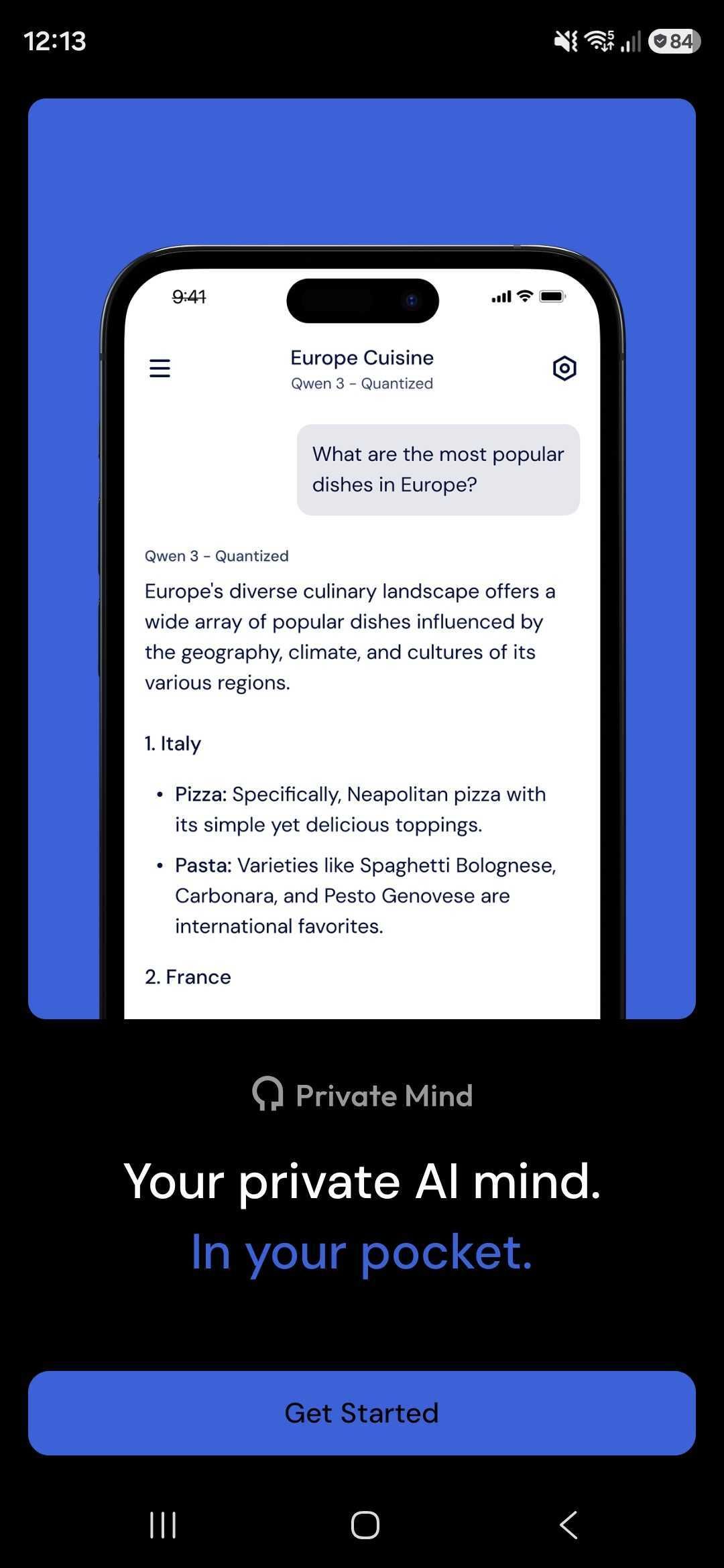
A quick tour of what's inside
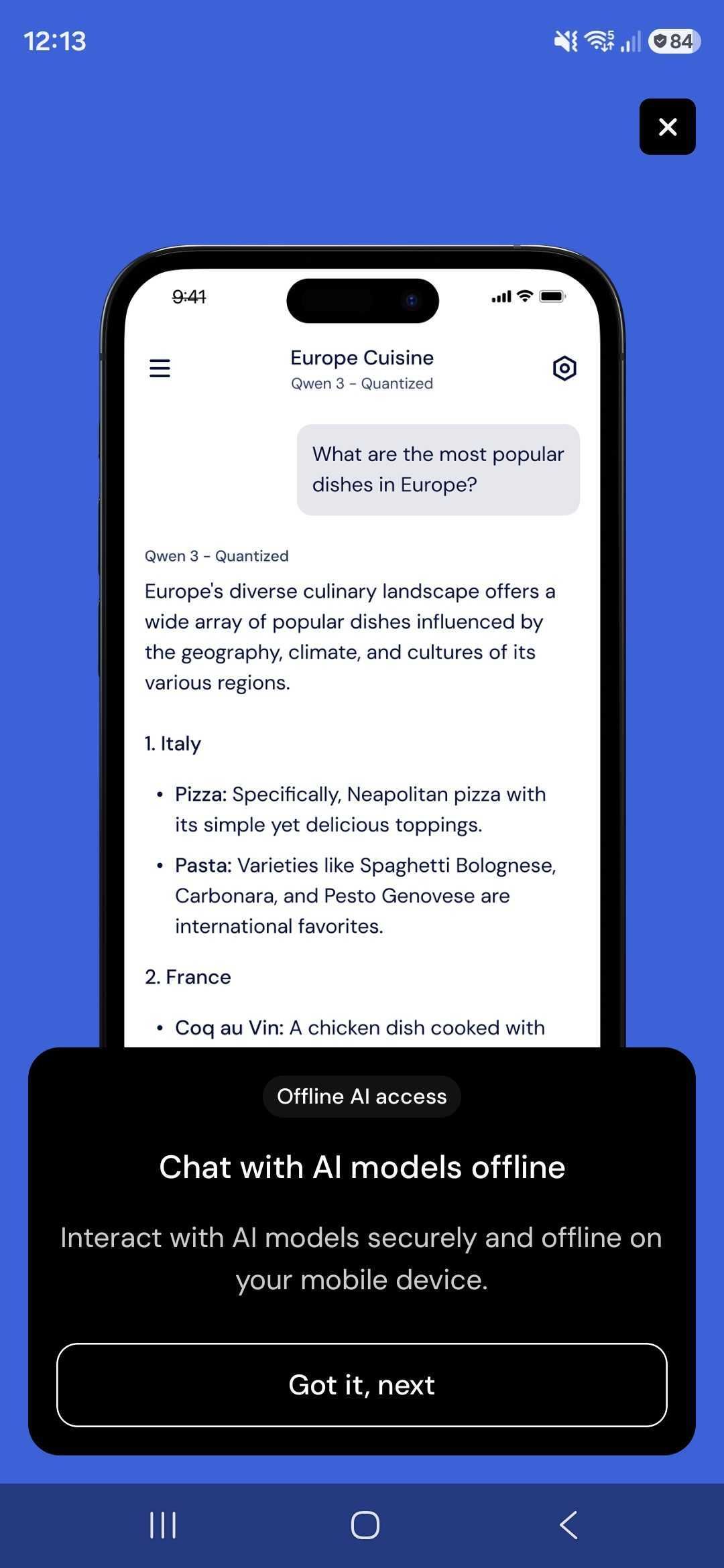
When you open the app for the first time, a short walkthrough runs through what Private Mind can do.
Once a model is on your device, the app never needs a connection again. The chat behaves exactly the same on a plane because there was never a server in the loop to begin with.
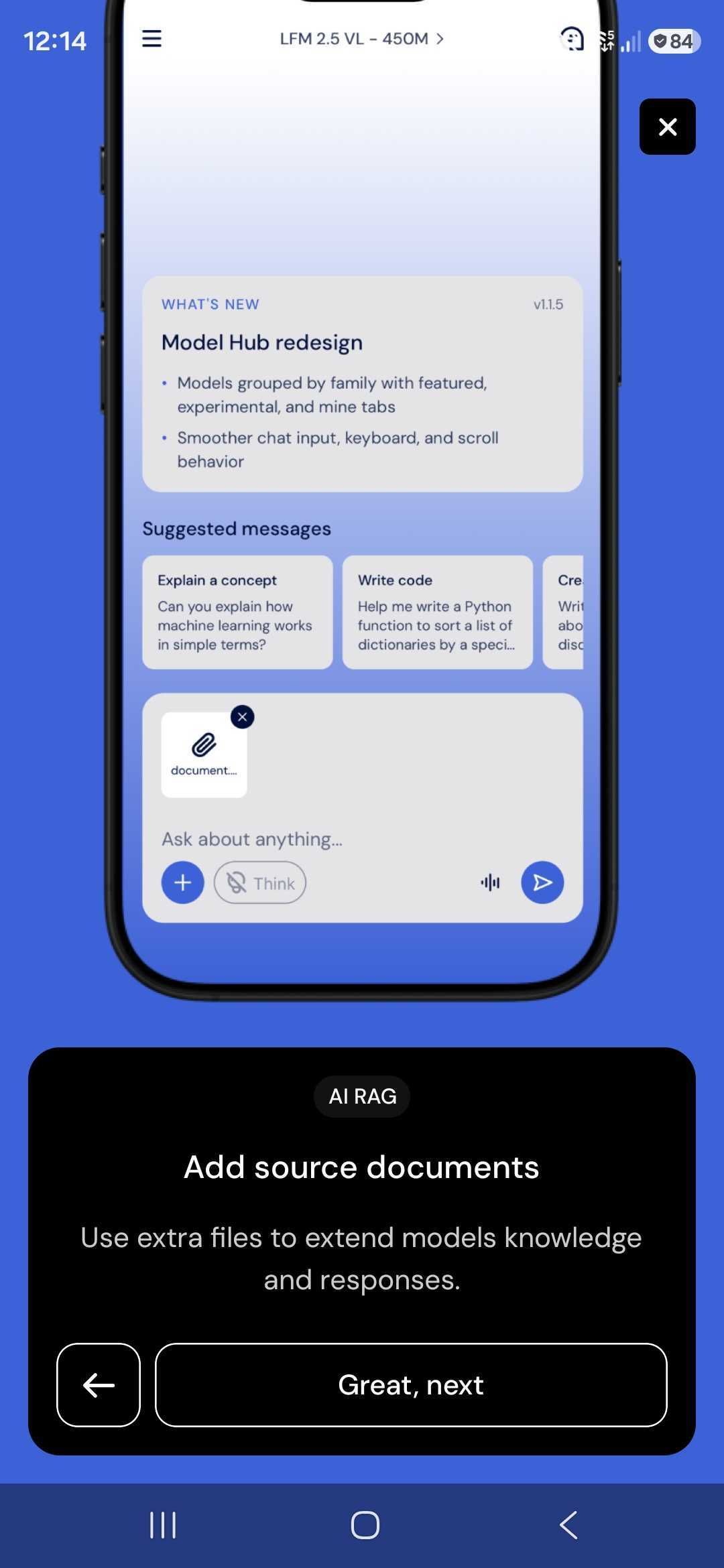
Attach a file to a conversation and the model will answer from it, with citations pointing back to the source passages. This is retrieval-augmented generation running end to end on the phone. It's the same setup you can build into your own app with React Native RAG.
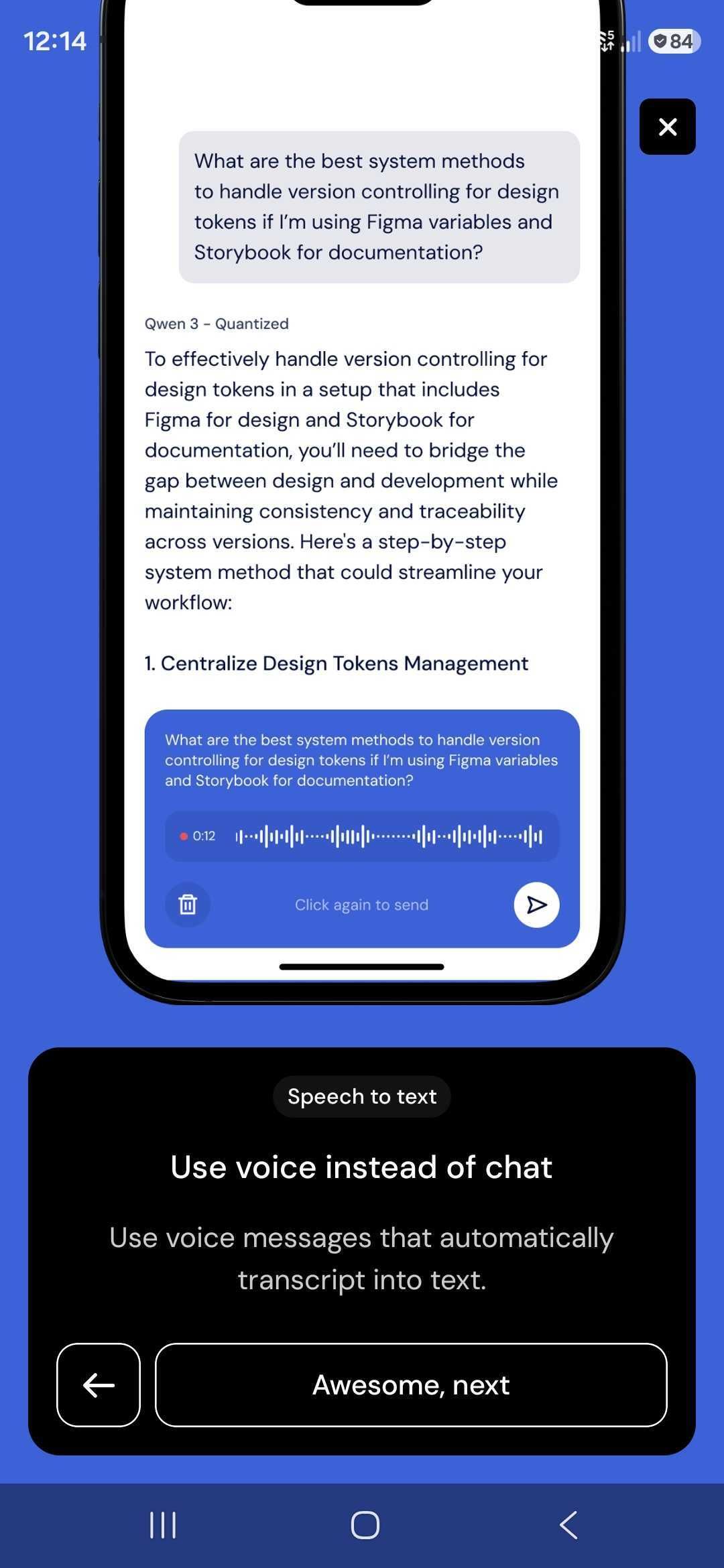
Long prompts are painful on a phone keyboard, so you can record a voice message instead and have it transcribed into text. The audio is processed locally and never sent off for transcription.
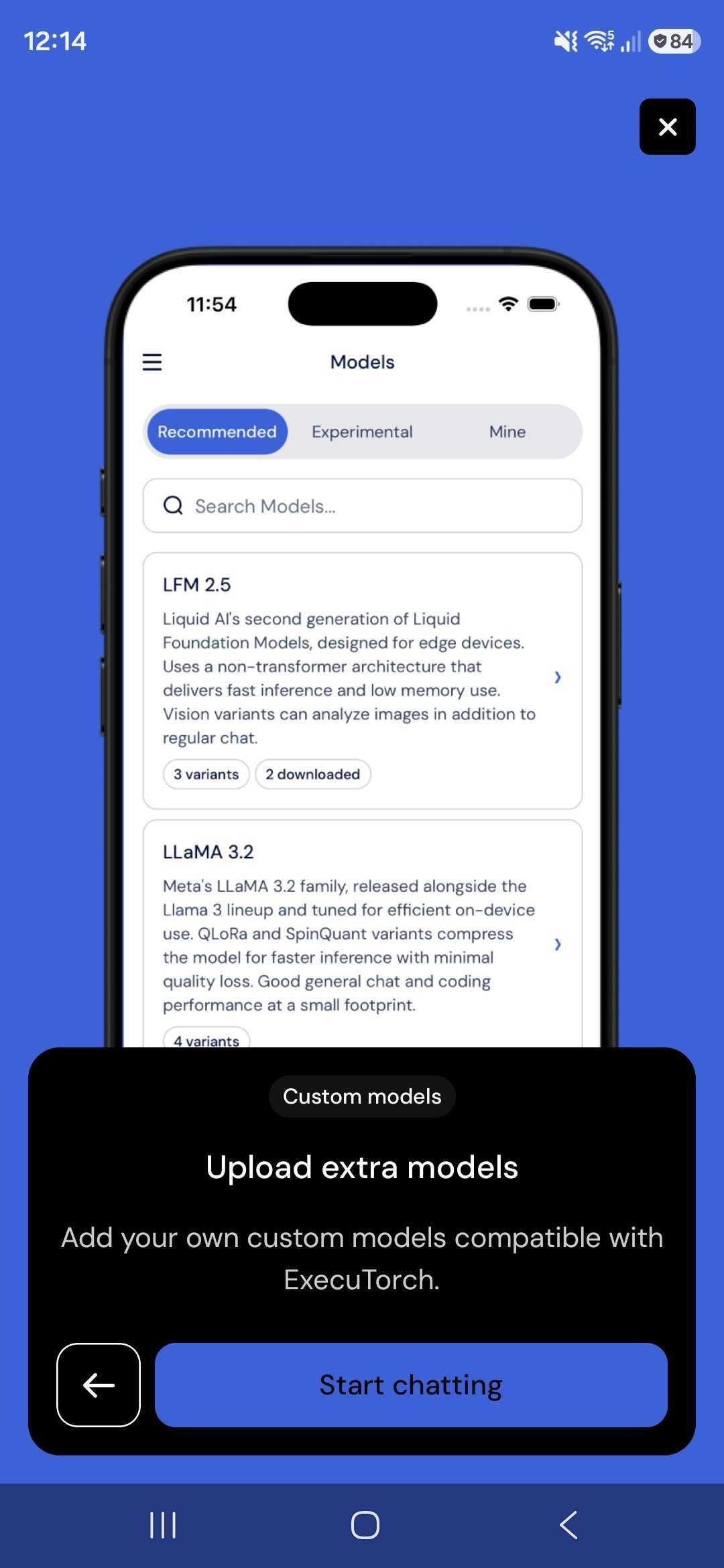
The recommended list is a starting point, not a limit. Anything exported to ExecuTorch's `.pte` format can be side-loaded, either from an external URL or from local files – including the models we publish at huggingface.co/software-mansion. Models are grouped by family and split across Recommended, Experimental and Mine tabs, with each family showing how many variants exist and how many you've already downloaded.
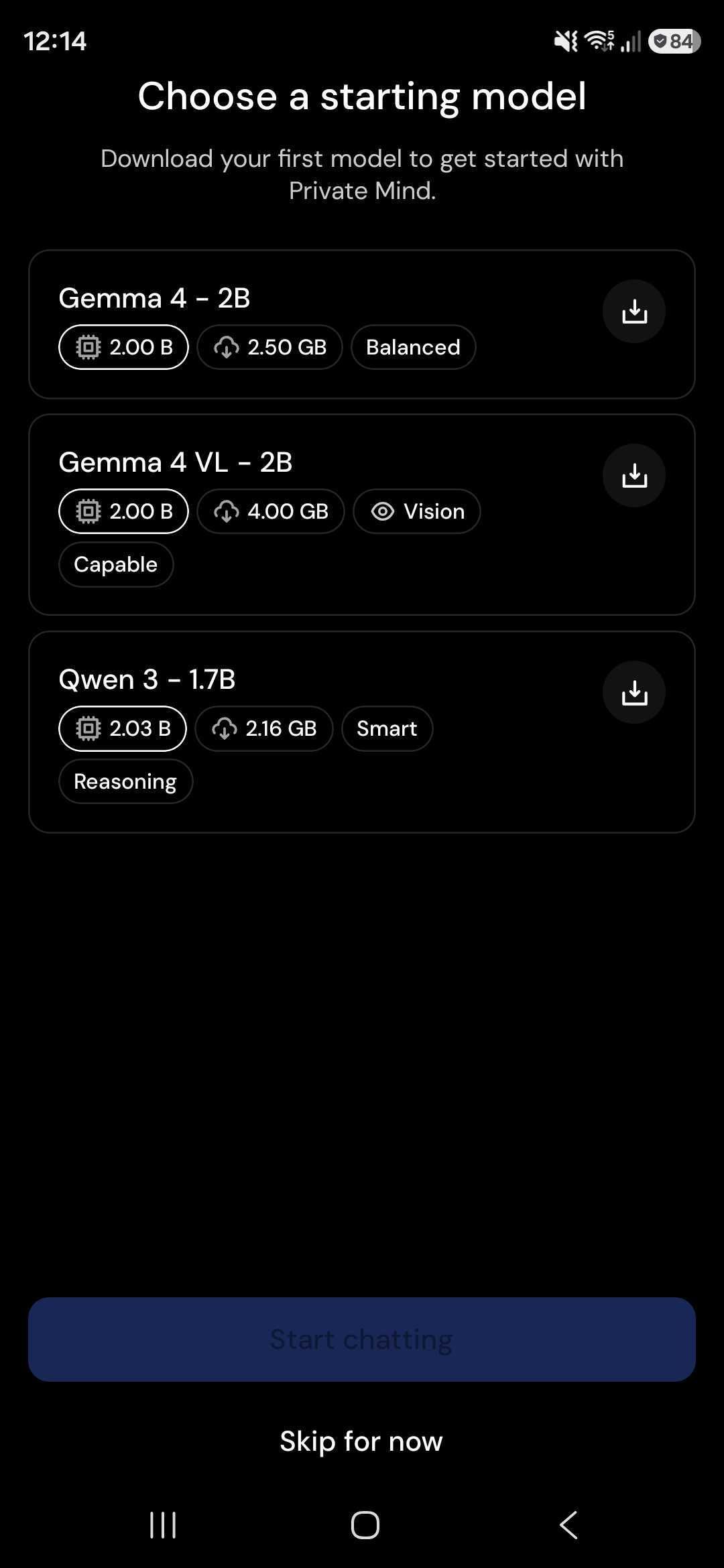
With the tour done, you choose a model to download. Each card shows the parameter count, the download size and a few tags describing what the model is actually good at – Balanced, Vision, Smart, Reasoning – so you can match the model to what you plan to do with it rather than guessing from the name.
One thing worth calling out: the app only offers models your specific device can run. Rather than letting you download 4 GB of weights and discover at load time that they don't fit in memory, Private Mind filters the list against the hardware it's running on.
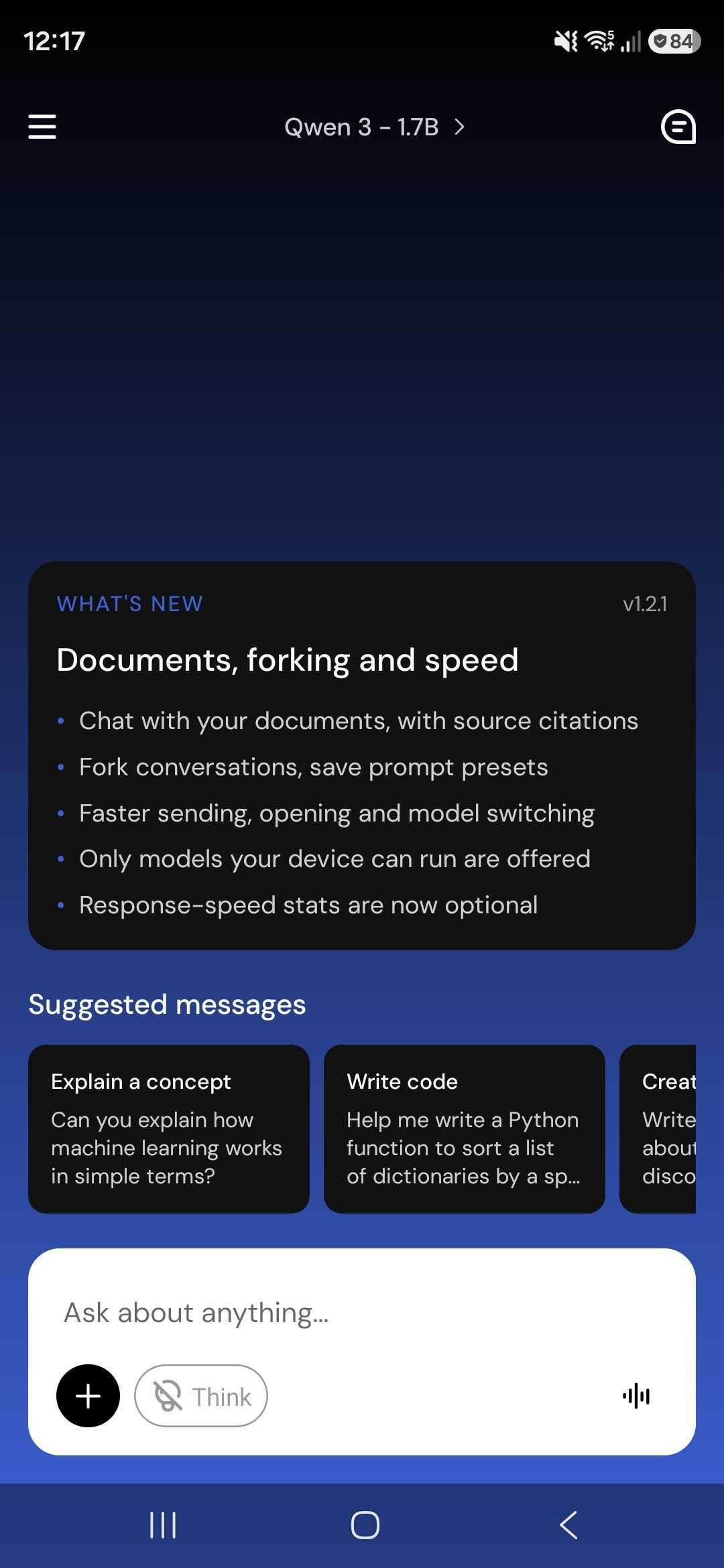
Once the download finishes, you land in a new chat. The current model sits at the top of the screen and switching to another one is a single tap away. Suggested messages give you something to try immediately, the Think toggle turns extended reasoning on for models that support it, the + button attaches documents, and the waveform icon starts a voice message.
Ask a question and the answer streams back token by token, generated entirely by the model sitting in your phone's memory.
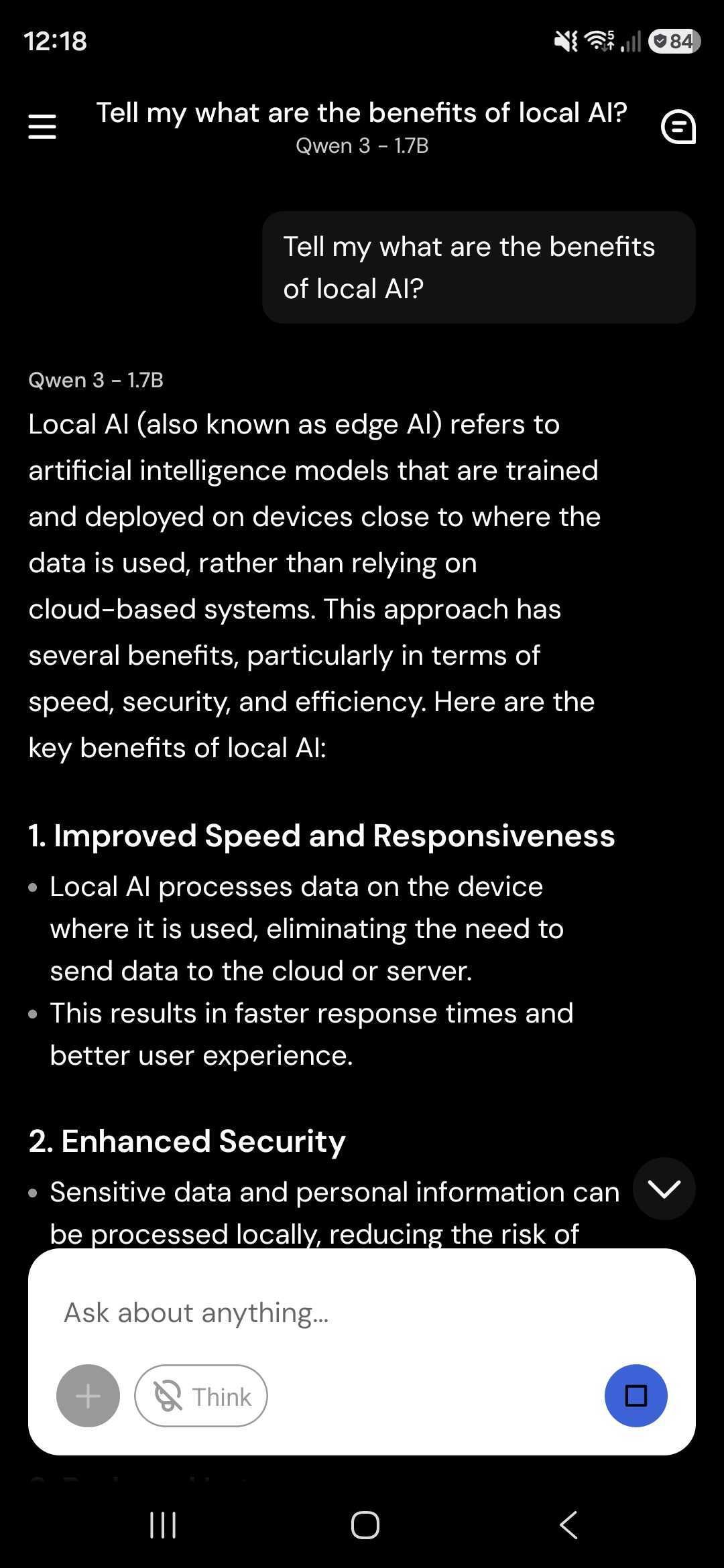
Conversations can be forked if you want to explore a different direction without losing the original thread, and prompt presets let you save a system prompt you keep reusing.
Introduce local AI models in your app
The Private Mind app is based on React Native ExecuTorch – yet another technology created by us at Software Mansion. It provides a declarative way to run AI models directly on-device, powered by ExecuTorch, a framework from Meta that enables model execution on devices like smartphones and microcontrollers. React Native ExecuTorch bridges React Native with native platform capabilities, making it possible to run AI models locally with state-of-the-art performance — all without requiring deep expertise in native development or machine learning.
So, if you’re developing your own app, you can use React Native ExecuTorch to implement local AI features much easier
- React Native ExecuTorch website
- React Native ExecuTorch repository on GitHub
- React Native ExecuTorch documentation
And if you don’t have tech-savvy people capable of React Native development, you can always reach out to us for help.
We are Software Mansion — software development consultants, a team of React Native core contributors, AI and multimedia experts. Drop us a line at projects@swmansion.com and let’s find out how we can help you with your project.