
Top 6 Local AI Models for Maximum Privacy and Offline Capabilities
 Piotr Zborowski•Aug 6, 2025•9 min read
Artificial Intelligence has already become an important part of the applications we use on our devices. It’s recommending us the next video to watch, correcting our spelling, generating photos or answering our questions.
But while the experience feels seamless, relying on an AI provider doesn’t come without its problems. Every interaction you have with an AI system typically involves sending your data (including private information) off to a remote server, waiting for a response, and hoping nothing goes wrong along the way.
We’re entering a new era: one where AI lives on your device. Read on to learn the benefits of using local AI, which models are worth your time, and how to introduce local AI models in your own mobile app.
How do the most popular AI models work?
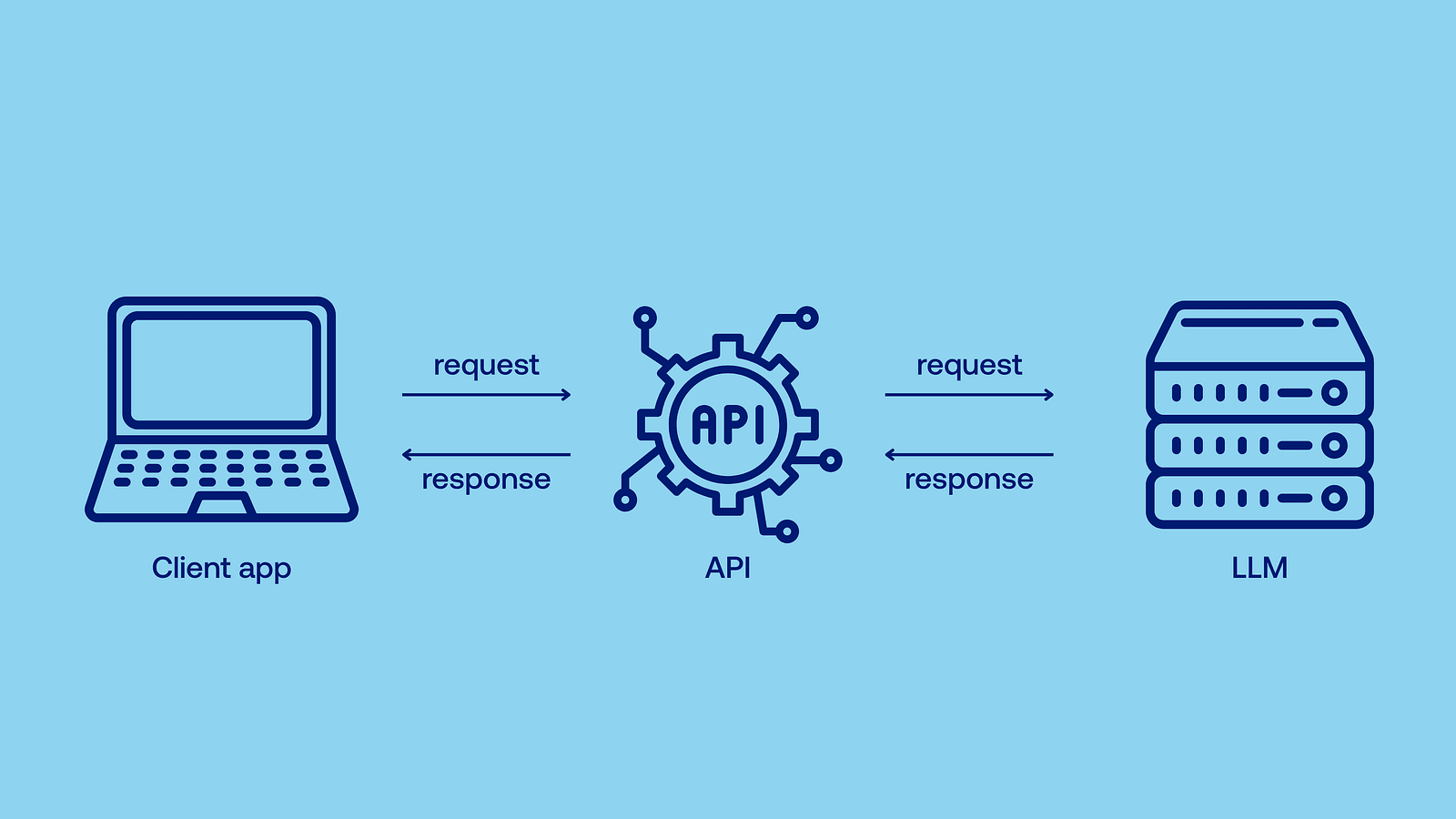
Well, running state-of-the-art AI models requires lots of computing power — after all, they can contain over a trillion (that’s 1 and twelve zeros!) of parameters. Most of us couldn’t do it on our own device, therefore models like GPT-4.1 operate as cloud-based models: instead of calculating everything locally, you send a demand (API call) to the provider through your browser, the model is run on their powerful server, and then the computed results are returned, so you don’t have to do any heavy lifting. Just wait.
Benefits of local AI models
Local AI refers to AI models that run directly on your device. They don’t need to rely on a remote API, and are capable of responding immediately, right when the data is generated. As I’ve mentioned earlier, the most popular models are too much for a typical user device, so you run smaller ones locally, typically with just a few billion parameters. Flagship models of leading companies, such as OpenAI’s GPT-4.1 or Anthropic’s Claude Opus 4, are also not open-source. Even if you had a supercomputer in our garage, you wouldn’t be able to run them locally.
So why go through the trouble of running a smaller model yourself when you could just use a bigger one online? Well, there are at least a few reasons for using local AI models.
Increased privacy
With local AI, your data never leaves your device. The provider doesn’t use it for training or ads, and it won’t leak if there’s a security breach (which might be especially useful when you’re using your company’s sensitive data). No cloud, no middleman.
Better scalability
Cloud AI, facing increasing demand, can result in processing delays or higher transaction costs as we scale. Scaling it also poses greater security risks — in order to scale effortlessly and keep confidential information secure, local AI is the way to go. Developers don’t need to spend time adjusting the architecture to handle increased use of cloud infrastructure.
Lower costs
Popular models are proprietary and bill users per token (small units of text which make up words and sentences, both the question and the answer) or per month. When you run an open-source model locally, electricity is pretty much the only cost. No subscription needed.
Ultra-low latency
When you use an online API, you need to send the data, the data needs to be processed, and then returned — all of which takes time. Local AI delivers responses instantly when they’re created.
Offline capabilities
No connection? No problem. Local AI works during flights, in remote locations, and anywhere else where connectivity is unreliable or nonexistent. Just think about all the possible use cases.
Unmatched stability
No matter how many users globally are currently using the model or how good your connection is, local AI works equally well. You just need a device powerful enough to run a certain model.
High customizability
Open-source local models can be retrained or fine-tuned on your own data (it’s called retrieval-augmented generation, or RAG, and you can build such models effortlessly with React Native RAG). It means that you can, for example, use your company’s internal knowledge base to make the AI model’s answers more accurate. You also have full control over the model’s deployment and updates.
AI on mobile
While local AI encompasses all edge devices, local AI on low-power mobile devices (mobile phones, tablets, embedded systems, wearables)is where the real opportunity lies. These are the ones you’re most likely to take with you to places where there’s no connection, where real-time language translation or vision tasks are used, where minimal latency is crucial, or where you might be concerned about your privacy.
At Software Mansion, we’ve been testing the possibilities of local AI for quite a while now — both for our clients and for internal projects. Let’s explore 6 local AI models that we’ve found to be especially useful in various scenarios.
Top 6 local AI models
Qwen 3–1.7B

Qwen 3 is part of the third generation of language models from the Chinese Alibaba’s Qwen series. It comes in a few size variants, 1.7B being the most suitable one for mobile devices — it offers the best quality out of all the variants that still run fast on low-power devices. You can also see it thinking before answering!
- Parameters: 2.03 B
- Size: 4.05 GB
Mistral 7B Instruct v0.3

One of the flagship large language models of the French start-up Mistral AI, designed to handle a range of tasks like chatting, answering questions, light reasoning, and summarization. It offers a great performance-to-size ratio and outperforms many larger models. Mistral 7B outperformed LLaMA 2 13 B on all tested benchmarks, despite having just half the parameters. It may not be responsive enough for weaker edge devices, but it’s still a great choice for local deployment on PCs, laptops or even some mobile devices, like on iPad Pro.
- Parameters: 7.25 B
- Size: 14.5 GB
Whisper Tiny

Now, this post is not just about text-to-text LLMs! With only 39 M parameters, Whisper Tiny is the smallest variant of OpenAI’s Whisper speech recognition model. It offers reliable transcription performance for clean audio and is optimized for offline deployment on low-power devices. It’s great for tasks like live subtitles, voice-powered note-taking, or quick voice command processing directly on your device. There’s also the Whisper Tiny En version with the same number of parameters, so it works even better if you’re only interested in English speech recognition.
- Parameters: 39 M
- Size: 151 MB
DeepSeek-R1-Distill-Qwen-1.5B

That’s an interesting one! You might’ve heard about DeepSeek R1 and how its responses are on par with those of OpenAI’s top models, which doesn’t sound like a job for a small model. Indeed, it isn’t — DeepSeek R1 has 685 B parameters, way beyond the scope we’re interested in, be it mobile or larger personal devices. However, here comes the process known as knowledge distillation — knowledge from this humongous model was distilled into a smaller one, with just 1.78 B parameters. You may wonder, why not just train the smaller one from scratch? Well, it turns out that distilling knowledge from a larger model oftentimes offers results superior to the classic training process.
- Parameters: 1.78 B
- Size: 3.6 GB
LLaMA 3.2–1B

One of the smallest models from Meta’s LLaMA 3.2 family. It’s suitable for low-resource environments such as mobile devices. It’s ideal for use cases like keyword extraction, lightweight chatbots, or grammar correction tools. Because of its tiny size, it can run on almost any modern device, making it perfect for on-device inference when privacy and speed are more important than deep reasoning.
- Parameters: 1.24 B
- Size: 2.5 GB
Phi 4 Mini Instruct

Phi-4 Mini Instruct is part of Microsoft’s Phi family, known for compact and well-aligned instruction-following models. It handles a broad set of user commands while keeping resource usage low. Phi-4 constitutes a noticeable improvement over earlier versions. It’s not as capable as Mistral 7B, but it is still an improvement over 1–2B models.
- Parameters: 3.84 B
- Size: 7.7 GB
Try out local AI models on your phone
Enough theory, it’s time for practice. To let you test these local AI models in real life, we’ve created an app just for that — say hello to Private Mind. It’s a fully offline app for AI chats, where your data stays on your device: no cloud, no subscription fees or any additional costs. It’s available on both the App Store and Google Play:
When you open the app, you’re asked to select a model you want to chat with.
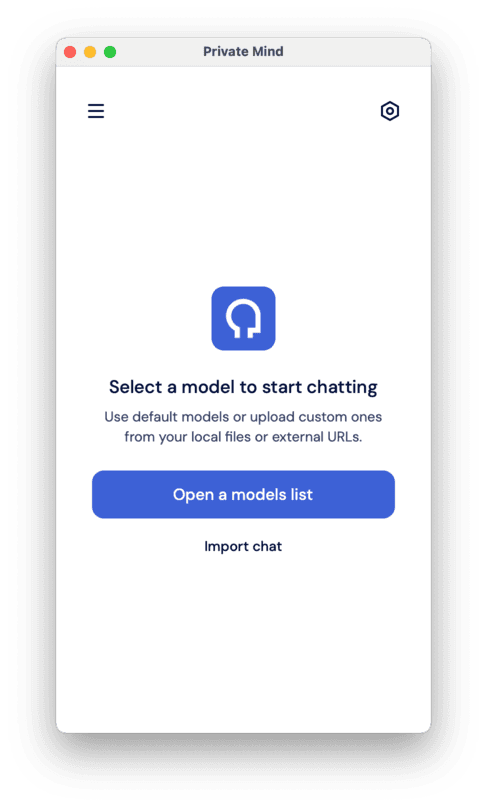
At first, you won’t have any models installed, so you need to select “Models” from the menu.
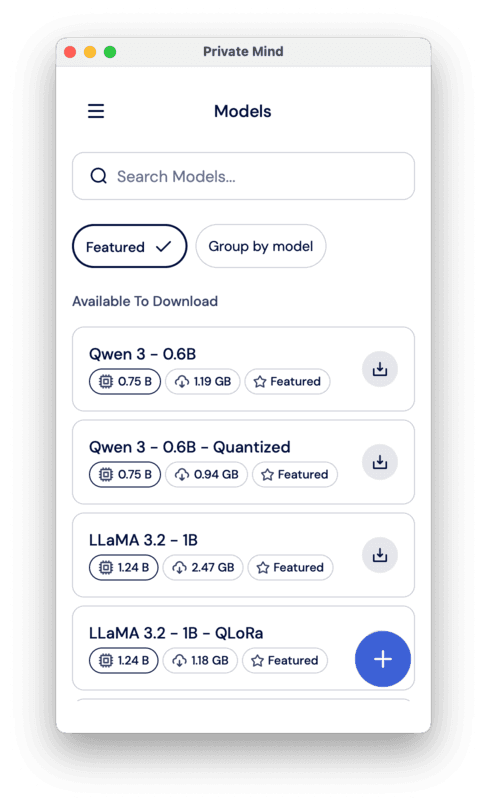
There, you can select from a list of featured models, which includes Qwen 3 and LLaMA 3.2 from the list above and their different quantizations (a technique to make models smaller and faster, while maintaining a comparable level of performance). You can also import another model from the web — click on the little plus in the bottom right corner of the screen and select either “From external URLs” or “From local files”.
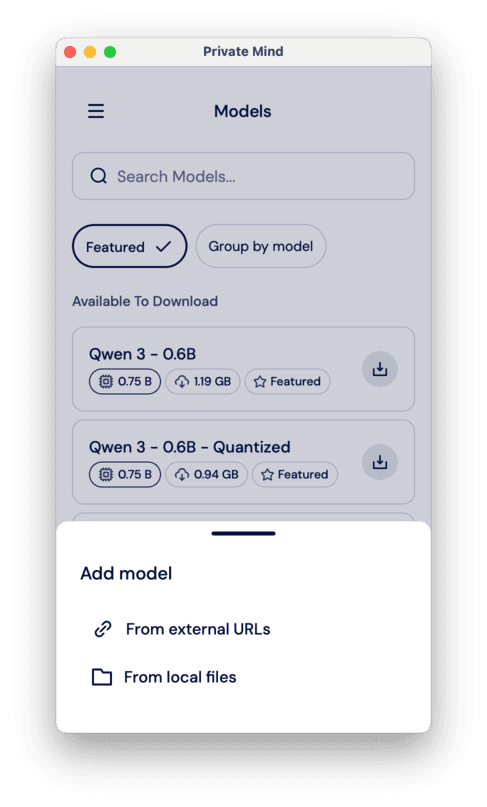
There, you need to post three links: to the model itself, to the tokenizer, and to the tokenizer’s config. You can find all these on HuggingFace repositories of the models. However, the model has to be in the .pte format for ExecuTorch (you can use some of the exported LLMs from here: https://huggingface.co/software-mansion/models)
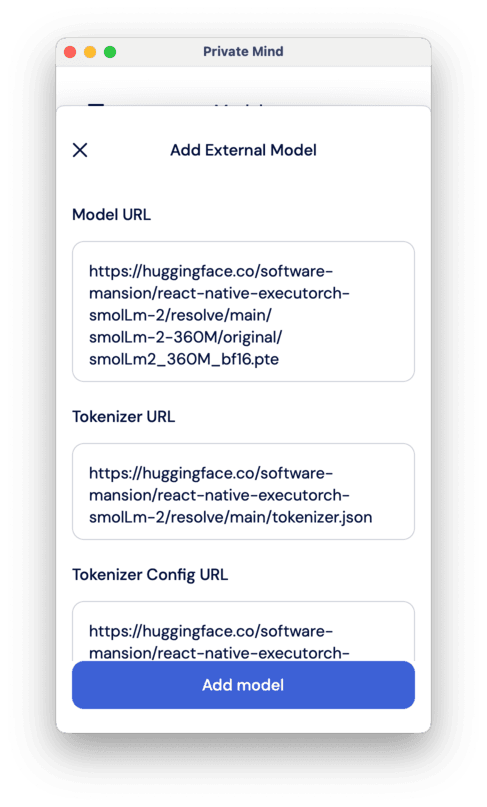
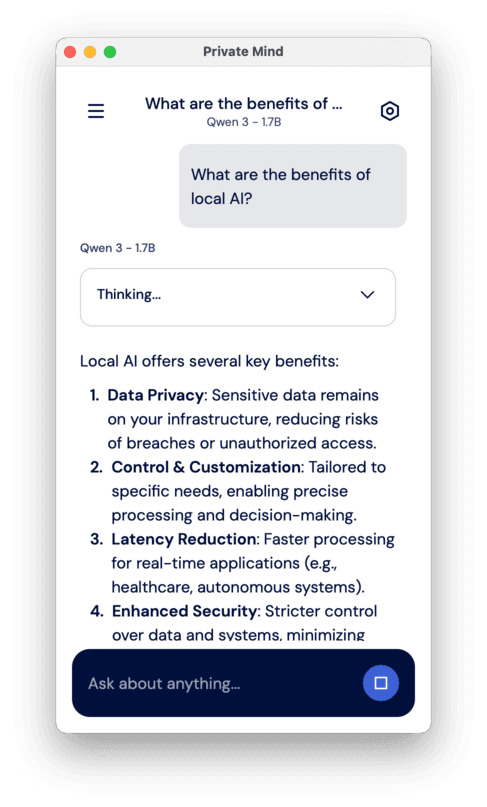
Then, whether you selected a featured model or an imported one, the model will be downloaded, and you’re ready to start chatting! Just go to New chat -> Open a models list -> Select the model (or import a previous chat), and you’re ready to go.
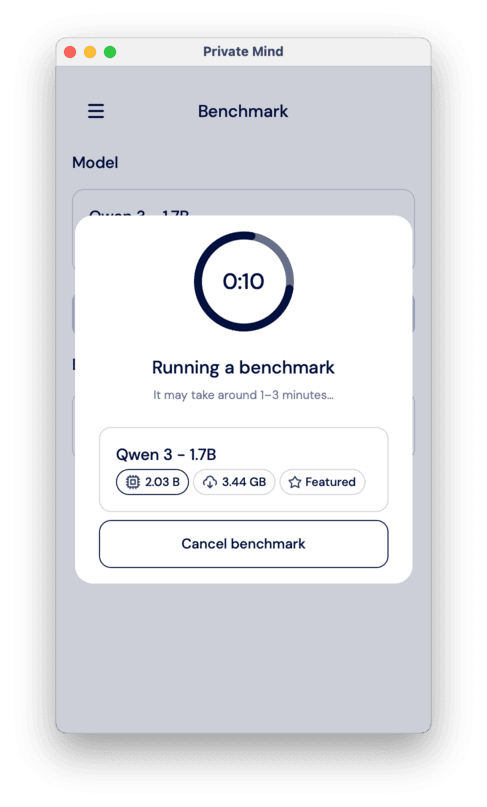
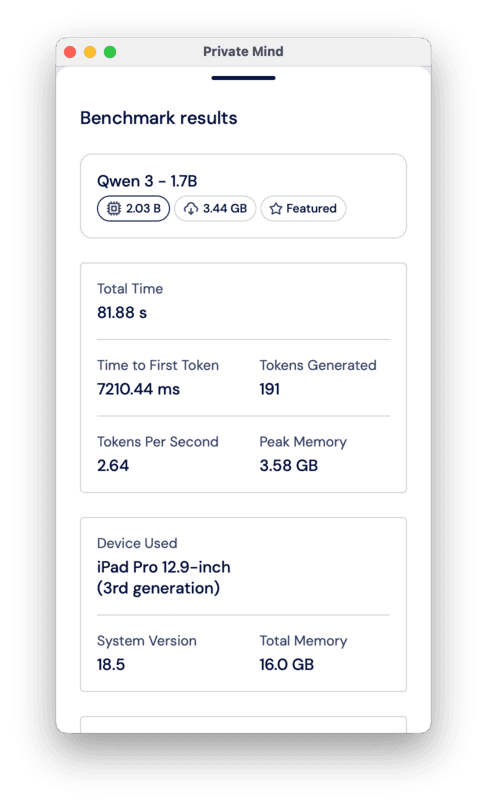
You can also test the model’s performance in the Benchmark section. ou just need to select a model you want to test and click “Run benchmark”.
Introduce local AI models in your app
The Private Mind app is based on React Native ExecuTorch — yet another technology created by us at Software Mansion. It provides a declarative way to run AI models directly on-device, powered by ExecuTorch, a new framework from Meta that enables model execution on devices like smartphones and microcontrollers. React Native ExecuTorch bridges React Native with native platform capabilities, making it possible to run AI models locally with state-of-the-art performance — all without requiring deep expertise in native development or machine learning.
So, if you’re developing your own app, you can use React Native ExecuTorch to implement local AI features much easier
- React Native ExecuTorch website
- React Native ExecuTorch repository on GitHub
- React Native ExecuTorch documentation
And if you don’t have tech-savvy people capable of React Native development, you can always reach out to us for help.
We are Software Mansion — software development consultants, a team of React Native core contributors, multimedia and AI experts. Drop us a line at projects@swmansion.com and let’s find out how we can help you with your project.