
Modernizing Photobucket's React Native App – and the Team Behind It
Photobucket is a private space where people store their photos and videos, and revisit the moments that matter most. With hundreds of millions of images on the platform, Photobucket has offered a cross-platform React Native app experience since 2022.
When they came to us, that app foundation – and the team behind it – was due for modernization. Their engineers were strong in React and largely comfortable with React Native, but the codebase had fallen behind on current best practices and hadn't yet taken advantage of the latest capabilities in the Expo ecosystem. They wanted to modernize that foundation: adopt the React Native New Architecture and Expo, strengthen the build and release pipeline, and build out the capabilities that would let the app grow – all without disrupting a team that would own the result long after our engagement ended.
What started as a focused two-to-three month modernization and team-mentorship engagement grew into an ongoing collaboration. We became embedded members of their product team – shipping features, improving developer experience, and bringing a new design system to life.
- Mobile app development
- Architecture modernization
- Expo adoption (CNG & EAS)
- Creation of EAS pipelines
- AI/on-device inference
- Performance optimization
- Consulting & team education
- Code review
- AI engineering
- React Native
- Expo (CNG & EAS)
- ONNX Runtime (Microsoft)
- React Native Gesture Handler
- React Native Reanimated
- React Native Header Motion
- RNRepo
- Python
- Claude Code
- react-native-best-practices skills by Software Mansion
Challenges & goals
When Photobucket first came to us, their mobile setup had a few fundamental gaps to close:
- Their release process had no over-the-air update path, so every change (even a one-line JavaScript fix) required a full store release and review.
- Their React Native codebase had not yet adopted Expo's Continuous Native Generation (CNG) workflow, leaving native configuration fragile and unpredictable.
- A promising on-device face recognition proof-of-concept existed, but it still needed to be productionalized.
- The client planned to overhaul their design system, which would require rebuilding navigation and core components from scratch.
Adopting Expo CNG
One of our first tasks was moving Photobucket onto Expo's Continuous Native Generation workflow – not a straightforward search-and-replace. We started with a thorough audit of their native folders, mapping every manual configuration to either an `app.json` change, an existing config plugin, or a custom plugin we'd need to build.
Multiple build variants – development, staging, and production – needed a dynamic app config that could switch targets based on environment variables. We also converted their internal native modules, originally implemented as legacy React Native bridge modules in Swift and exposed via Objective-C, to Expo Modules. This ensured CNG would work seamlessly and removed a whole class of build-time surprises.
The benefits extended well beyond cleaner builds: with the codebase fully on Expo's workflow, the client team felt more confident adding native features without modifying platform files directly.
Upskilling the Photobucket team along the way
Embedded collaboration also meant making sure Photobucket's engineering team could benefit from our expertise in the React Native ecosystem and pick up more good practices along the way.
We ran a continuous knowledge-sharing track alongside every phase of the project: regular code reviews with detailed written commentary on the patterns we noticed and how to improve them, observations shared in Slack as we worked, and a dedicated training session on React Native Reanimated – a powerful animation library that can hurt performance when misused.
We made sure the team understood not just what we were building, but why we were building it that way, so they could carry that knowledge forward independently.
Cutting build times from 45 to 15 minutes
Adopting the React Native New Architecture and Expo CNG is the right long-term move, but the transition can push build times up before it brings them down – and during the work, Photobucket's Android builds climbed to around 45 minutes. We brought them back under control. Expo Application Services (EAS) got Android builds to around 22 minutes and iOS builds to 10, and RNRepo – our open-source tool for faster React Native builds – cut Android a further ~30%, to roughly 15 minutes. Faster builds are a direct developer-experience win: shorter feedback loops, less waiting, more shipping.
The customer-experience win came from over-the-air (OTA) updates. For changes that live entirely in JavaScript – UI tweaks, bug fixes, or logic updates – there's no need to go through a store build or review at all.
With OTA, these changes ship directly to users and reach them in minutes rather than the hours or days a full store release can take. By leveraging the Expo Fingerprint API, we built a pipeline that decides whether a given update should ship as an OTA, a store release, or both, with minimal effort from the people responsible for releases.
We also made pre-release builds installable straight from a QR code. Every pull request to `main` triggers an EAS pipeline that produces a build or OTA update and posts QR codes directly in the PR as a comment, and every merge to `main` refreshes a set of development builds on the team's EAS profile (installable via QR code or Expo Orbit).
Either way, anyone on the team – including non-technical stakeholders – can scan a code and test a change on their own phone within minutes, before it's merged, rather than waiting for a build to be distributed.
Turning a FaceFinder proof-of-concept into a production feature
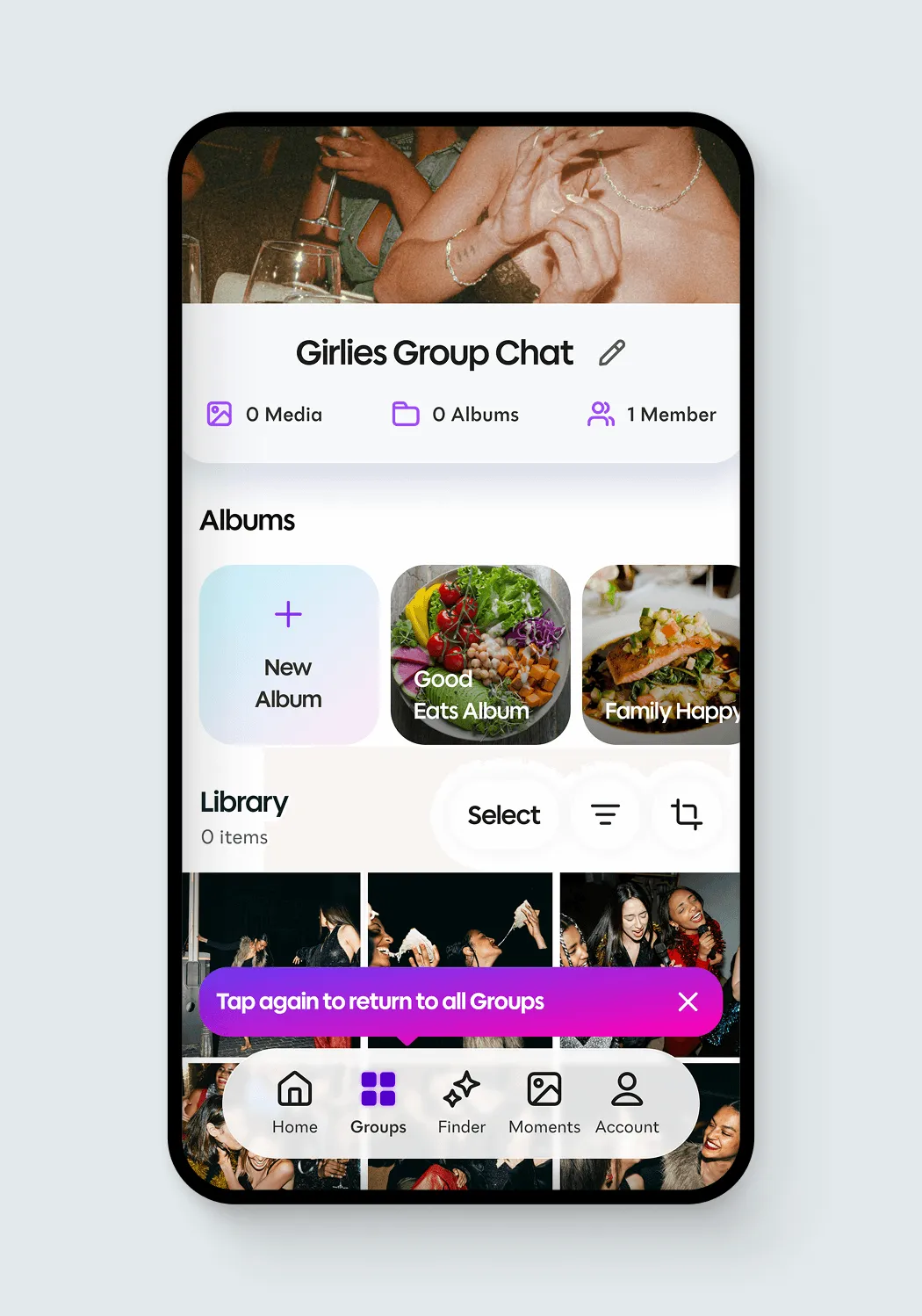
Photobucket's FaceFinder lets users tag a person in one photo and automatically surface every other photo of that person across their Groups. The client had a fast, working proof-of-concept when they came to us; what it needed was to be turned into a production-ready feature.
To make the right architectural decisions for production, we started with extensive benchmarking before touching production code. We compared multiple inference runtimes, face-detection approaches, and recognition models across accuracy, false-positive rates, and latency, giving the client team clear, data-driven evidence for every major decision. We evaluated both detector models and native platform solutions for locating faces in images, plus multiple recognition models for converting detected faces into the vector embeddings used to match people across their Groups.
Beyond model selection, we improved the post-processing pipeline around face detection, optimized native inference performance on both iOS and Android, and wrote the native code responsible for fully local inference using ONNX Runtime.
Once the benchmarks made the case, we settled on a recognition model architecture well-suited to production – one that performs reliably on real-world photos, handling variations in lighting, angle, and image quality. FaceFinder now runs entirely on-device – fast and accurate.
A new design system and a carousel built with structured AI engineering
Partway through our collaboration, Photobucket rolled out a new design system that changed the look and feel of the app entirely. We helped build it – creating the new navigation from scratch, new component primitives, and an integration with React Native Header Motion, a wrapper around Reanimated and Gesture Handler that makes animated header behaviors straightforward to implement.
The most technically interesting part of this phase was the photo carousel: a full-screen, gesture-driven viewer with pinch-to-zoom, focal-point awareness, immersive mode, high-resolution image loading on zoom, overlay support, and animated headers and footers. It required us to get both the design and the business logic right while handling a number of subtle edge cases.
We approached it with a structured agentic engineering workflow that kept quality high without sacrificing speed. Even with a detailed, well-documented vision for the carousel, Claude Code's initial output didn't reflect how we wanted to approach the architecture – and without a shared spec, there would be no reliable way to course-correct. So we invested more heavily in the spec upfront.
The workflow and skills used
Using the grill-me skill, we ran a structured interview session with Claude, feeding it all the design requirements and our initial architectural ideas, and letting it ask clarifying questions and surface edge cases we hadn't considered.
At the end of that session, Claude produced a high-level spec and created eight separate spec files, one for each major component of the carousel:
- Virtualized pager
- Root carousel context
- Gestures
- Header and footer
- Overlays
- Media components
- Zoom reactions
- Fullscreen takeover
For each section, we opened a new Claude Code session – intentionally, to avoid context bleed between components – and ran another focused grill-me session on that section's details. Once the spec was solid, Claude implemented it test-first (TDD): writing tests, then making them pass. When a section produced visible UI changes, Claude used Argent, our agentic toolkit for iOS and Android applications, to validate the behavior on-screen before we moved on. After each section, we did a thorough human review pass.
After all eight sections were complete, the carousel was working correctly with only minor polishing needed – a component built to spec, with full test coverage, using the right React Native primitives throughout.
This workflow – human expertise guiding the spec, AI handling implementation, tight feedback loops at each stage – is something we're refining and bringing to more projects. It's not vibe coding; it's a structured, reviewable approach that produces code we're confident shipping.
Software Mansion brought exactly the technical depth we were looking for. They helped us modernize our React Native app and leveled up our team in the process — by the time the engagement wrapped, we owned the work and the know-how behind it. A genuine partner, not just a vendor.

Results
What began as a consulting and short-term modernization engagement became a long-running product partnership. Some of our favorite highlights:
- After modernizing onto Expo, we kept build times in check with Expo EAS and RNRepo – Android down to roughly 15 minutes (from around 45 during the transition) and iOS at 10 – a direct developer-experience win.
- With OTA updates, JavaScript-only changes now reach users in minutes rather than hours or days, instead of waiting on a full store release – a direct customer-experience win.
- We turned a proof-of-concept into a production-ready, fully on-device FaceFinder, backed by rigorous benchmarking for accuracy and performance.
- Installable QR-code builds let anyone on the team, including non-technical stakeholders, test changes before they're merged, tightening feedback cycles.
- We built a fully functional photo carousel using structured agentic engineering.