
Introducing Voyager: a modern BEAM inspector for Erlang, Elixir and Gleam
Hello BEAM-thusiasts!
A little while ago we’ve opened early access to Voyager - an inspector app for the BEAM virtual machine that lets you explore the internals of your production (and development) applications. We want to share what Voyager does, why we built it and where it’s headed. We’ve had a lot of questions from you so we’re answering them here. If we miss something you are curious about, reach out - we’re happy to answer more.
What is Voyager?
Voyager is a desktop application that inspects BEAM systems: supervision trees, individual processes, memory and IO usage, running applications, and more - all through one modern interface instead of a patchwork of shell commands and copy-pasting them to iex. It connects to any node, local or remote, over plain Erlang distribution (tunneled over SSH when the node is not on your machine) and surfaces the same information the BEAM already exposes, just in a form that's actually pleasant to use.
What led to Voyager?
The first idea for Voyager came up while we were working on LiveDebugger - a tool for debugging LiveView applications, which turned out to be quite useful for the people who tried it. LiveDebugger is dev-only by design, so we started asking ourselves how something like it could work safely in production.
Once we dug into what that would actually require, like memory safety and remote access, it became clear this had to be a separate tool. That led to a bigger question: why limit it to LiveView, or even to Elixir? BEAM is not a one-language VM: Erlang, Elixir, and Gleam all run on it. We broadened the scope from one framework, and even from one language, to the whole BEAM ecosystem.
We looked over available tools such as Observer, Phoenix LiveDashboard and recon and we’ve decided to take the best parts of each to make the All-in-One Plug&Play app which is usable by current standards - not only by engineers but also by AI agents.
What can it do?
We are working hard to deliver more and more features to the Voyager toolkit. What are the core functionalities which are the foundations we’re building the rest of the tools on top of?
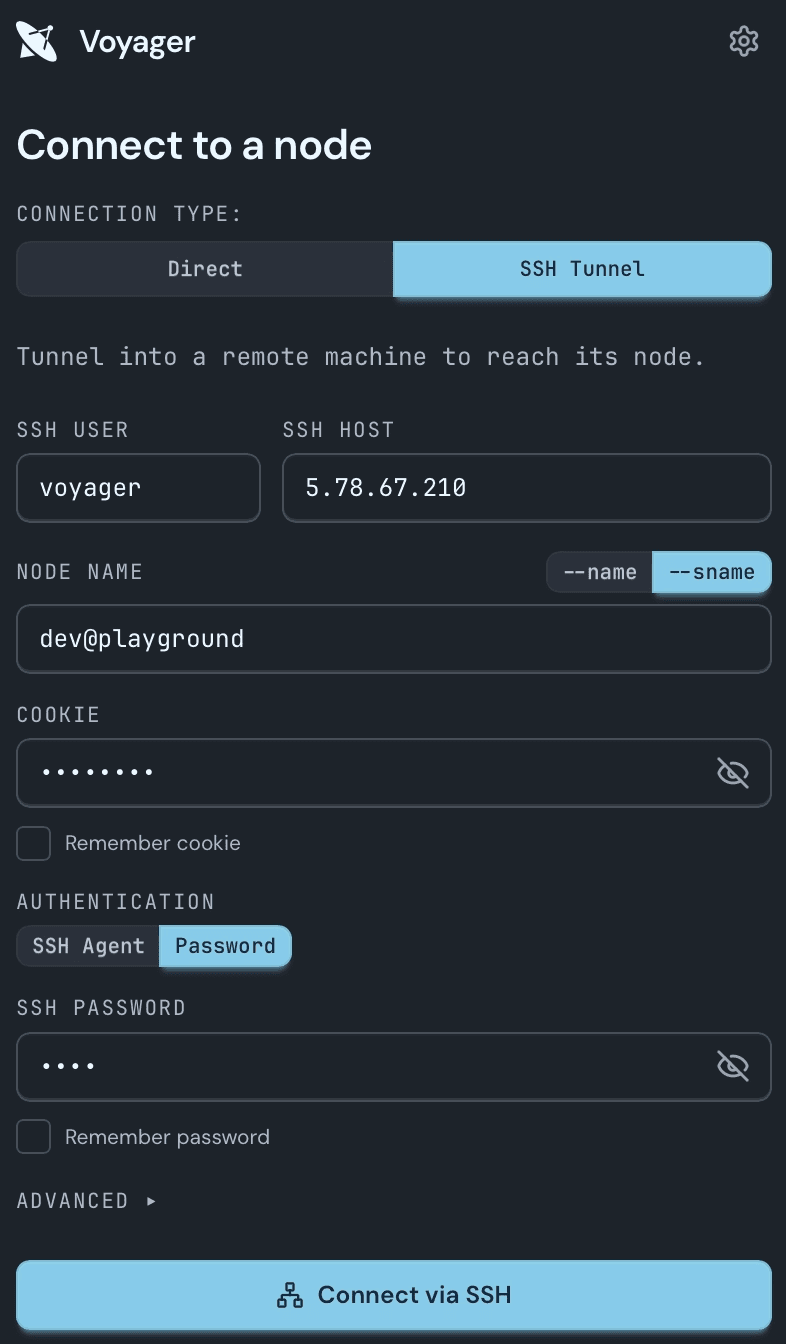
Remote and local connections
You can connect to local nodes on your machine or to remote ones over SSH, so inspecting a production node doesn't mean opening a remote shell first. We're actively working on making that connection flow as smooth as possible.
Node dashboard
Once you're connected, you get an immediate breakdown of the node's memory usage, uptime, IO, and the applications currently running on it - the kind of overview that normally takes several calls to piece together.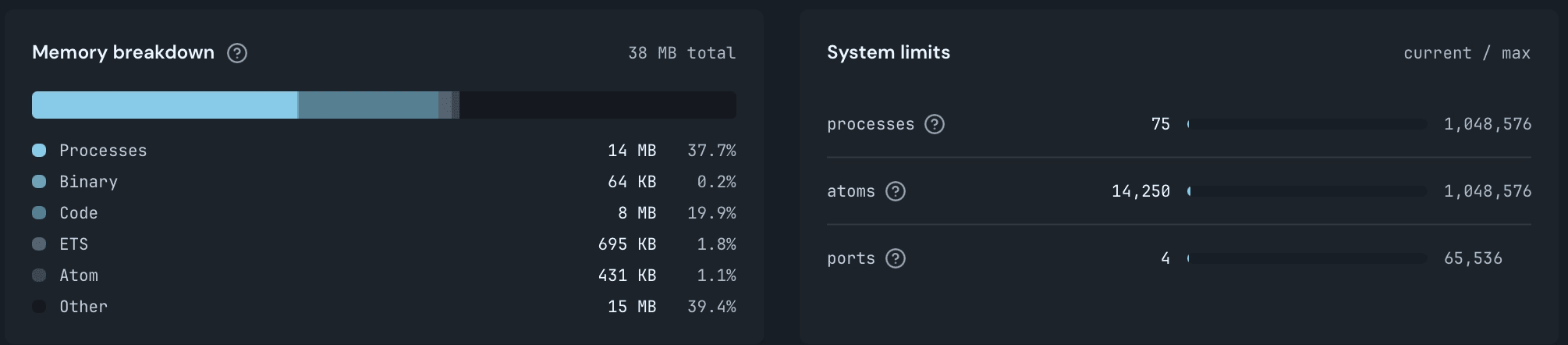
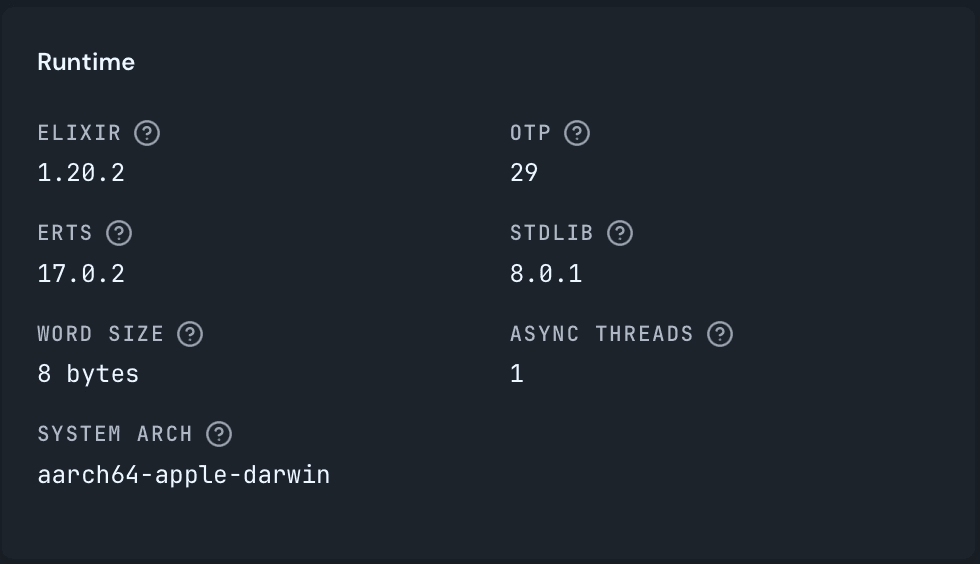
Supervision Tree
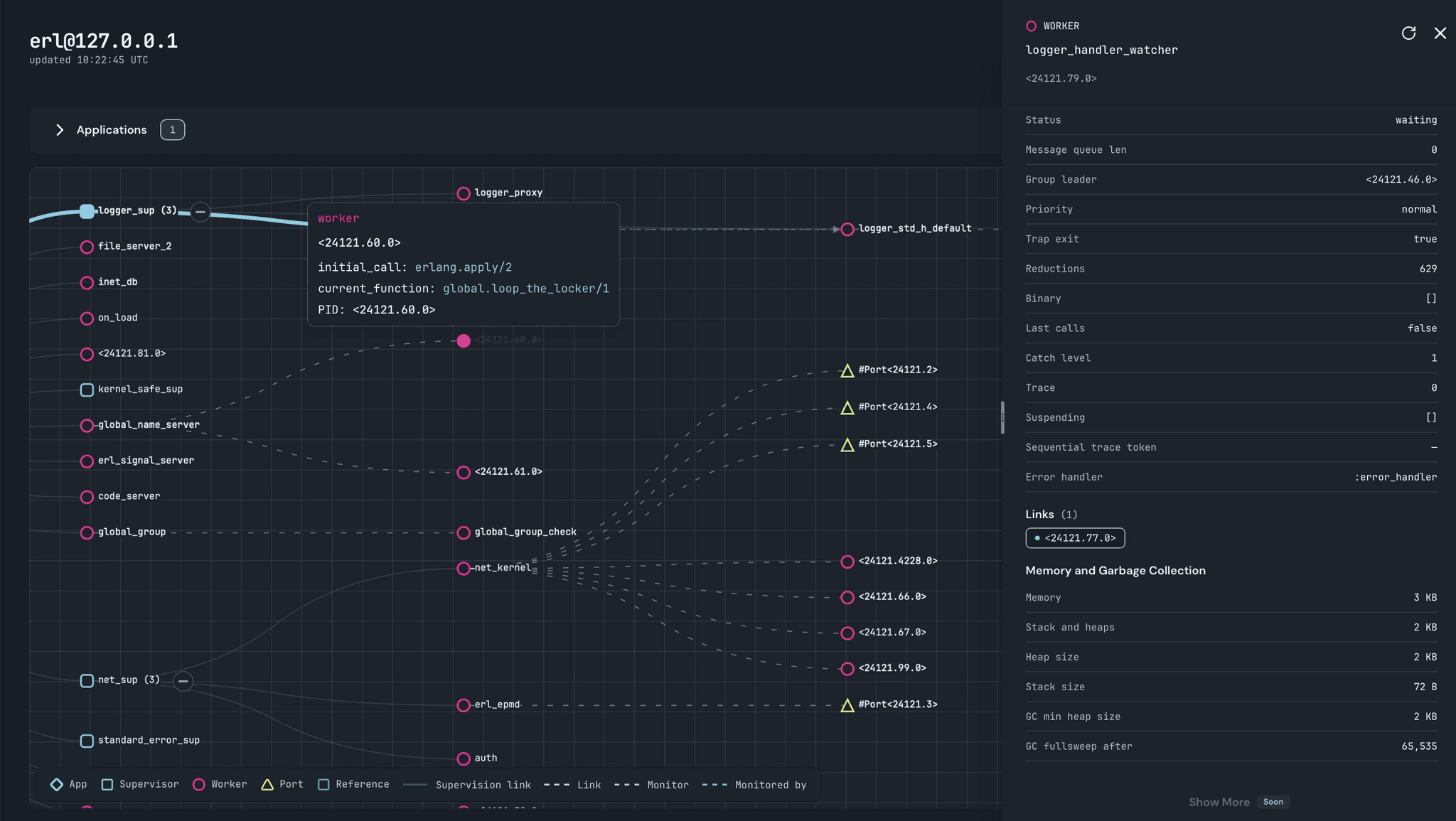
The supervision tree shows you the full process hierarchy, along with the ports and references tied to each process. Want to check whether a process is actually being monitored the way you expect, or inspect what's keeping a reference alive? You can inspect all of that right here with basic info about them. Processes are the backbone of OTP, so we're also building a dedicated, more detailed process page to go even deeper.
First-class AI support
Last but not least, Voyager enables AI-driven research by exposing the same information through Model Context Protocol, not just the UI. AI can help find bottlenecks, bugs and give you insight into your production failures but it needs its own tools to do so. Voyager is the bridge to your production environment which allows exploration by LLMs without constant copy-pasting information to the chat.
The number of exposed MCP tools will keep growing, and if there’s specific data you’d want your agent to have access to, don’t hesitate to tell us.
How Voyager compares to Observer, Phoenix LiveDashboard and recon?
| Voyager | Observer | Phoenix LiveDashboard | recon | |
| Installation | Standalone desktop app | Built in Erlang | Dependency on target node | Dependency on target node |
| UI | Modern Desktop App | Dated Desktop UI | Web Page | CLI |
| AI integration | MCP | None | None | None |
| Remote nodes access | SSH + Erlang distribution (OOTB) | Erlang distribution (manual) | HTTP, or distribution from another Phoenix app (manual). | RPC / Remote shell |
| Number of features | Small - still in development | Large | Medium - basic information | Large |
| Supported apps | All BEAM apps | All BEAM apps | Elixir apps | All BEAM apps |
Who is it for?
Voyager is for anyone who wants to understand in detail your application, how it behaves, and figure out what's going wrong when things feel laggy, in a way that's actually easy to read.
When a telemetry alert fires, you need to swiftly get into the system and find the process or memory spike which caused the trouble. Voyager is a reliable tool that gives you - or your agent - that context, which can be a memory consumption breakdown or a number of dynamically spawned processes. When speed of diagnosis matters, it is good to have something to rely on.
It's also aimed at beginners and anyone curious about how BEAM systems actually work under the surface. The graphical way of showing data and tooltips should help anyone to better comprehend OTP principles.
How does it work under the hood?
Voyager relies on Erlang's built-in introspection functions, like process_info/1, to gather system information, supervision relationships, and everything else you see in the UI. All of it is fetched through Remote Procedure Calls after connecting to the target node over Erlang distribution to achieve Plug&Play feeling. If that node lives on a server rather than your laptop, we first establish an SSH connection and everything else works exactly the same way.
As for how an Elixir application ends up as a native desktop app: we are bundling LiveView application to desktop app using Tauri with ElixirKit, the same combination Livebook uses.
What’s coming next?
ETS inspection alongside that more detailed process page we mentioned above are already on the roadmap. We are planning on expanding the number of platforms for the desktop app as well as improving current functionalities and experience. In the end we want to populate all Coming Soon pages we are just figuring what should come next so don’t hesitate to tell us what you are looking for the most.
Why choose Voyager?
The product is still early and that is the point of trying it now. You can help shape the tool. Right now we focus on hearing your feedback, implementing it and making the app the best version of itself it can be.
Begin with a node you already run locally. Open the supervision tree and check that a DynamicSupervisor is actually spawning the children you expect, under the names you wanted, with the links and monitors you think you configured.
The same checks are worth doing in remote nodes on servers where you often rely on shell commands.
Give it a shot and tell us what you think. Without your feedback, the whole thing gets a lot harder.
Will the source code be available?
For a tool you can attach to a production node, the public code shouldn’t be a bonus. You need to see what runs against your system and have an option to make a straightforward audit. That is why we will be keeping Voyager’s source code public.
We think this kind of inspector is a good way to learn how the BEAM actually behaves, so we want hobbyists and small teams to be able to use it.
Voyager will be available under the user license, which means that non-commercial users as well as small teams can use Voyager for free. For-profit companies with more than 10 people should reach out to us. Of course you have a trial period of 90 days stated in the license.
How can I help?
Voyager is still in development, and we want to make sure it becomes the right tool for the job before we call it done. We're Software Mansion - we've built both open source libraries and production applications in Elixir, and that experience shapes every feature we add. BEAM languages are used in more ways than any one team can anticipate, and what you're building with them might need functionality we haven't thought of yet.
Download the app, try it and let us know what’s missing. If you want to learn more about the app visit our page, and if you don’t want to miss any news sign up to our newsletter.
Over and out,
Voyager Team