

Realtime object detection — fine-tuning and deploying models for processing video streams
Object detection is a well-known problem in which an algorithm is tasked with finding and outlining a given object. Many other solutions were presented, but most of them do not work in real-time and can demand a lot of computing power, while, not producing visually satisfying results.
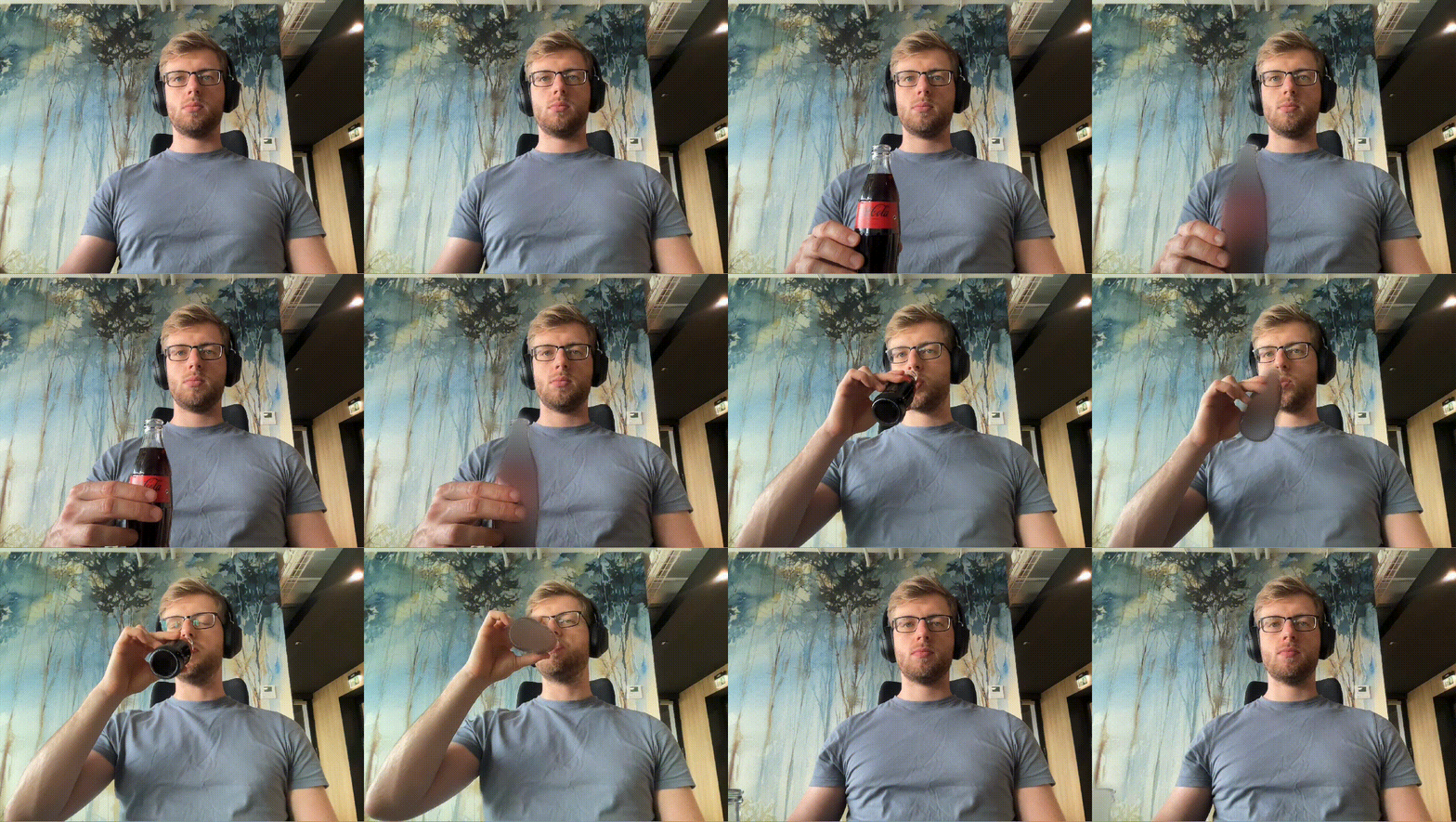
This is why we decided to find a way to process video streams in real-time, allowing us to blur out objects and effectively censor them. This can be useful, for example, for hiding unwanted brand information.
Checkout out the demo and read the article below to find out how we achieved that.
Implementation
After exploring many available models for the task of object detection, we decided to use RTM_DET_INS from OpenMMLab. This model offers fast inference time and produces high-quality results.
Fine-tuning
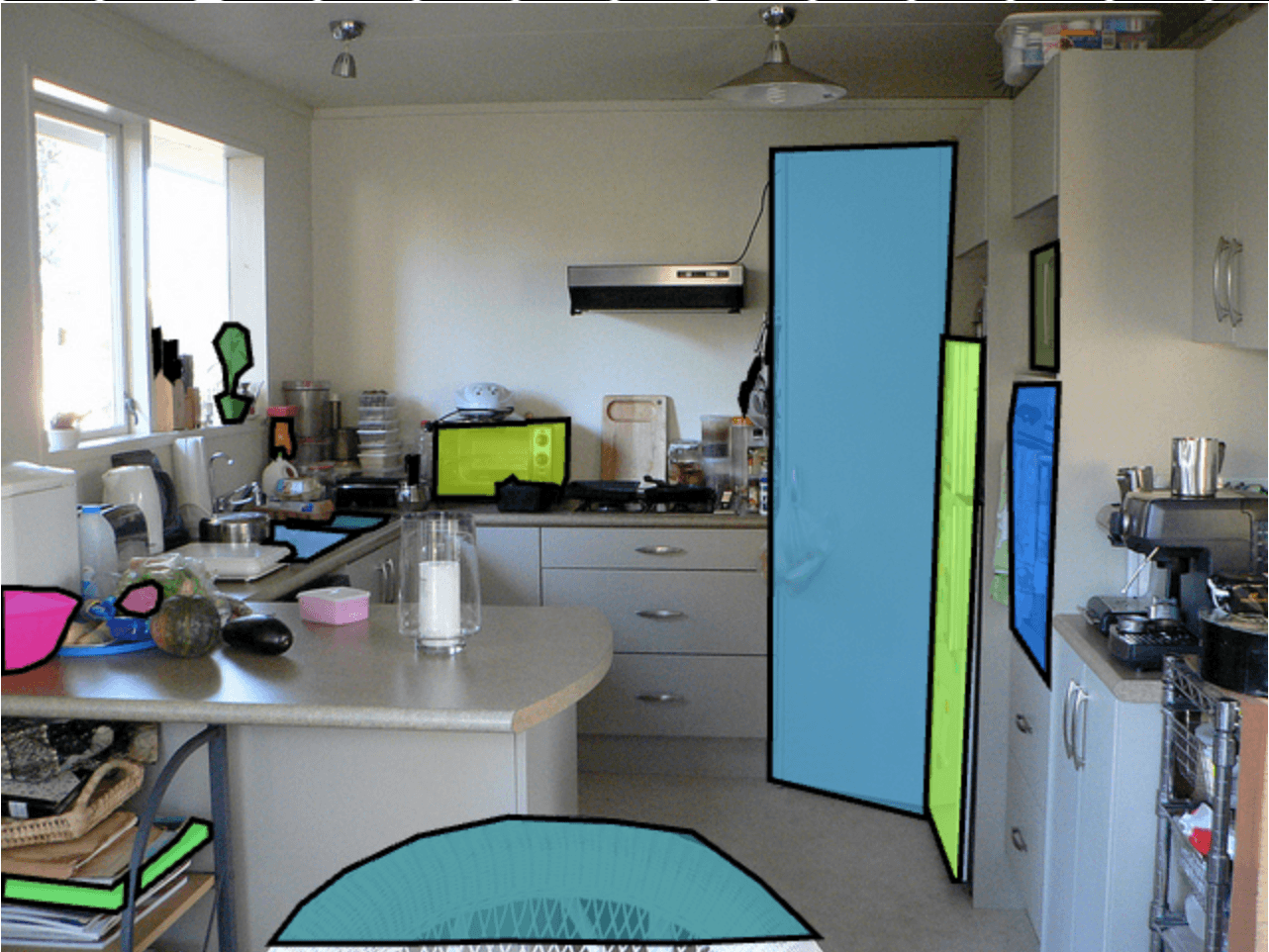
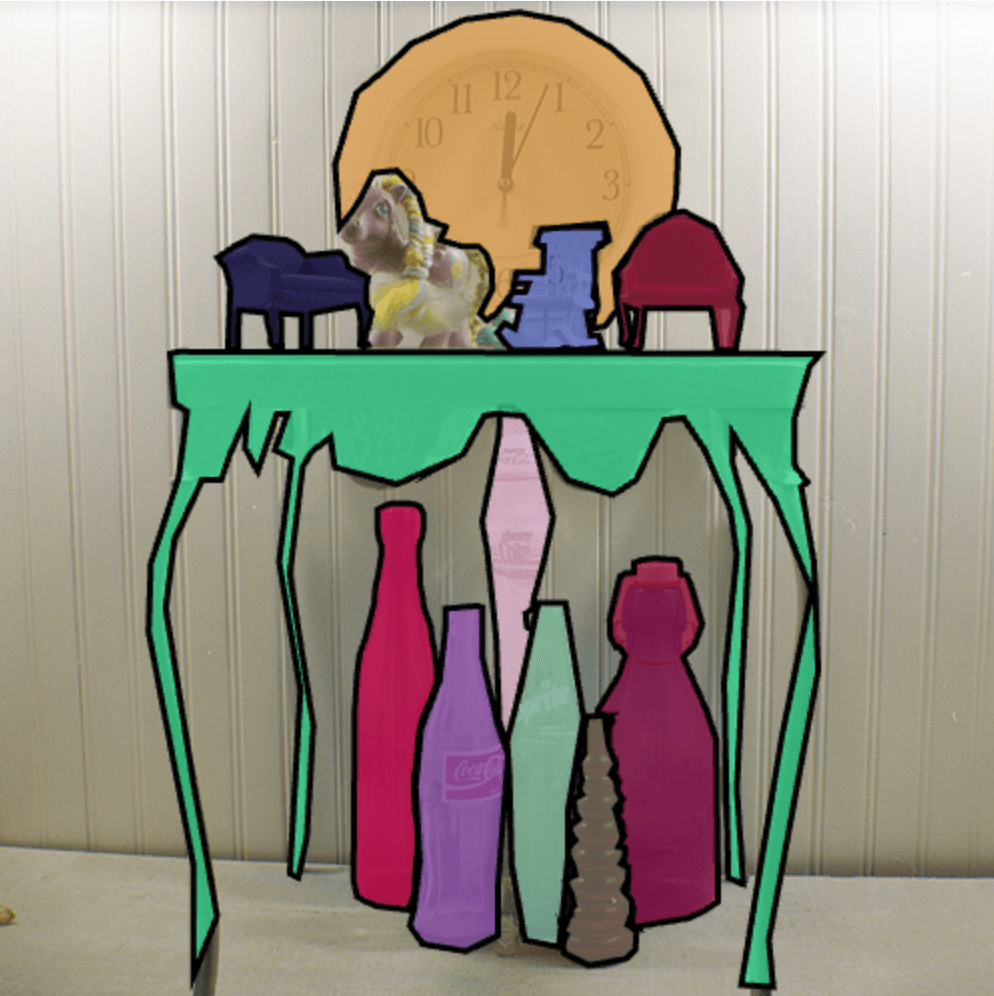
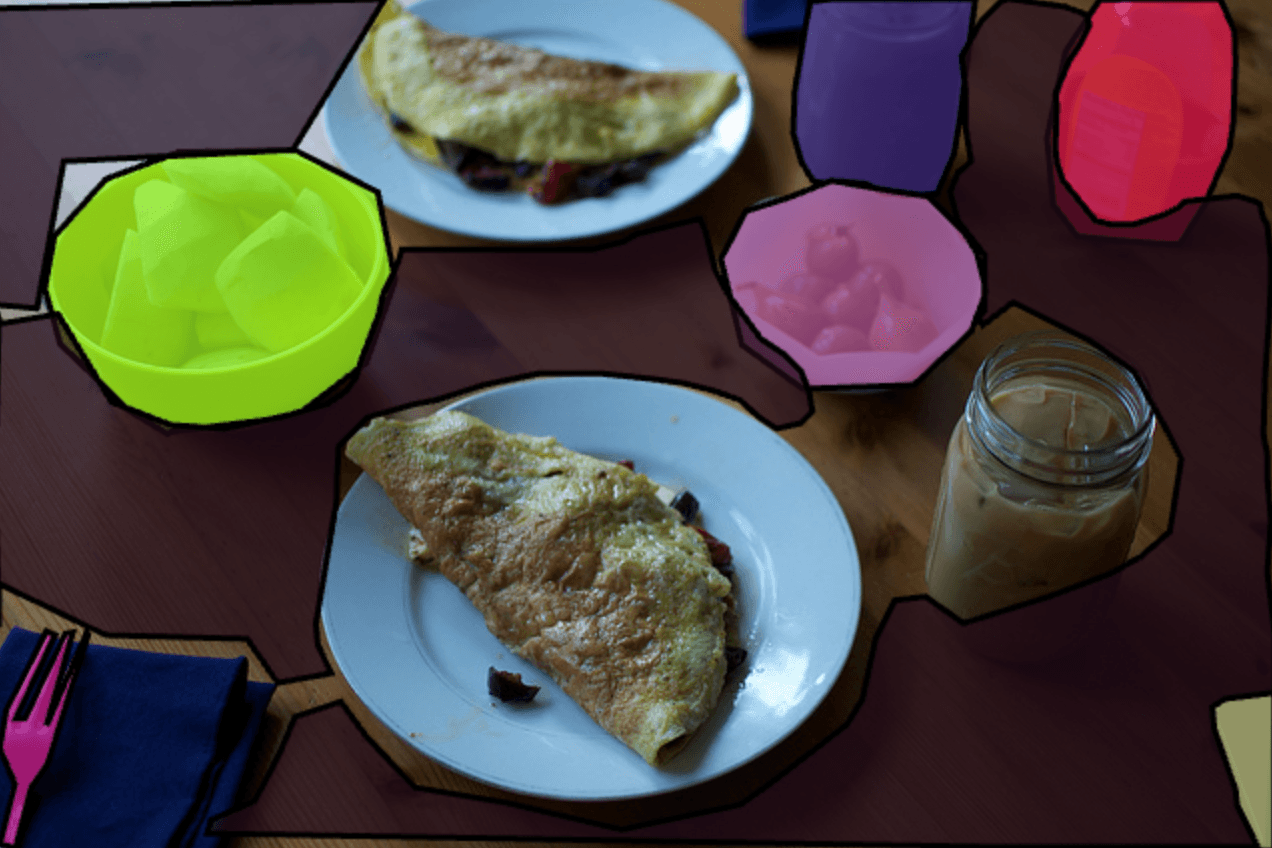
Model weights pre-trained on the MS COCO dataset are available. This dataset contains 330K images with 1.5m instance annotations across 80 different categories. This means the pre-trained model can recognize many classes of objects, but it is not precise enough for any particular one. To resolve this problem we decided on fine-tuning the model.
Dataset
Although the MS COCO dataset is a very good starting point for pre-training models since it has high-quality segmentations and a large variety of images, there are certain drawbacks. The bottle annotations included in the dataset are often small and in the background. This means that the pre-trained model cannot produce a consistent mask over consecutive frames of videos.
To address those issues we created our own small dataset with annotated bottles. Instead of taking individual photographs and annotating them (which can be time-consuming), we recorded short video clips featuring us with bottles. We selected every other frame to avoid redundancy and used a larger model to automatically annotate photographs for us.
Finally, we carefully reviewed the resulting dataset, removing any malformed examples and making necessary touch-ups o ensure high-quality masks.

Model
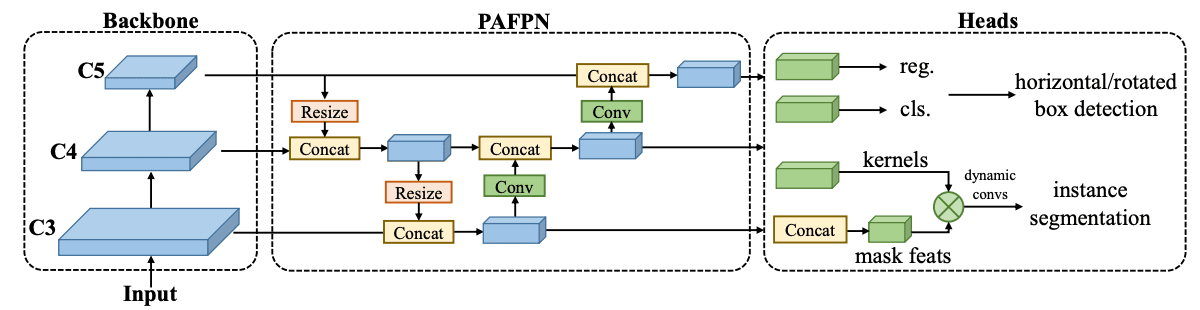
The RTM_DET_INS model follows a common architecture found in computer vision. It consists of three separate stages, namely the backbone, neck, and head.
- The backbone is responsible for generating embeddings of the input image and performing downsampling. In this case, the CSPNet is used as the backbone.
- The neck receives the inputs from the deepest levels of the backbone and further enhances the extracted information without changing the scale. For this model, the CSP-PAFPN (Cross-Stage Partial Network — Path Aggregation Feature Pyramid Network) is used as the neck.
- The head processes the embedded information from the neck and generates the desired outputs. In the RTM_DET_INS model, a custom head is utilized for this purpose.
Overall, this architecture allows for effective feature extraction, information fusion, and output generation in object detection tasks.
Training
To focus on detecting a single class of objects instead of multiple classes, we made the following modifications to the RTM_DET_INS model.
We discarded the pretrained head module and replaced it with a new smaller analogous head module with the number of classes reduced from 80 to just 1. This required retraining the head from scratch. However, training the entire model with a randomly initialized head can lead to poor performance. Random outputs from the newly initialized head can create incorrect gradients that backpropagate through the network, affecting both the backbone and neck.
This can result in a significant loss in performance that may be difficult to recover from. To overcome this issue, we froze both the backbone and the neck, ensuring that they would not be updated. Only the head was trained initially, allowing it to start producing meaningful results while preserving the learned features of the backbone and neck. Once the head began generating sensible outputs, we unfroze the entire model and further fine-tuned it.
Additionally, we encountered challenges due to the small size and lack of diversity in our dataset. This could quickly lead to catastrophic overfitting, where the model performs poorly on new data. To mitigate this problem, we combined our own photographs with bottle annotations from the COCO dataset during the initial stage of training. This provided a broader range of examples for the model to learn from. After this initial stage, we exclusively used our dataset to refine and polish the model to its final state.
Deployment
Model export
To further enhance the model’s performance, we decided to export it to TensorRT. TensorRT provides several advantages over general ONNX exports, including reduced inference latency and improved utilization of Nvidia GPUs. By leveraging TensorRT, we were able to achieve faster inference times, with the larger model (102.7 million parameters) exhibiting a 20% improvement in speed compared to the smaller medium-sized model (27.6 million parameters) in ONNX format.
Demo deployment
To publish our TensorRT model all that was left was to deploy the backend on a machine with a dedicated GPU and stream video from a browser for inference purposes.
The streaming process was facilitated through WebSockets, as we opted against using webRTC due to potential quality and framerate loss. Once the connection was established, the backend read H264 encoded frames from the browser, loaded them into GPU memory, performed inference, and sent the results back to the browser through the same web socket in H264 format.
To ensure efficient GPU utilization, we set a maximum limit on the number of concurrent client connections. Through experimentation, we determined that the optimum limit for our system was 5 concurrent connections, as exceeding this threshold caused the GPU usage to reach above 90% and thus increasing the latency.
Implementing the front end was a more challenging task, as it involved encoding the video from the client’s webcam into H264 format and transmitting it over the WebSocket.
To account for potential small spikes in latency in both the backend and network, we needed to prevent the WebSocket buffer queue from becoming overwhelmed and reduce the input-to-output latency. We devised a simple yet effective solution by counting the difference between sent and received frames. Once a specific threshold was reached, we refrained from sending any additional frames until the backlog was cleared, thereby avoiding congestion in the WebSocket buffer queue, reducing overall latency, and increasing the fluidity of the video.
Future work
We believe that a smaller model should also be capable of similar quality segmentations. Right now we are exploring Knowledge Distillation (KD) and hope to provide a more compact model, one that perhaps could be deployed on edge devices directly making scaling straightforward and cheap.
Final thoughts
Is a bottle not an interesting object for you? — The process described is not limited to just detecting bottles. The methodology can be applied to different object classes or even multiple classes within the same dataset. It is a flexible approach that allows for customizing the model to detect various objects.
By creating a different dataset with annotations for other object classes, the same pipeline can be followed to train and fine-tune the model to detect those specific objects.
The described process serves as a general framework for object detection fine-tuning and can be adapted to suit the specific needs and requirements of different object classes or datasets.