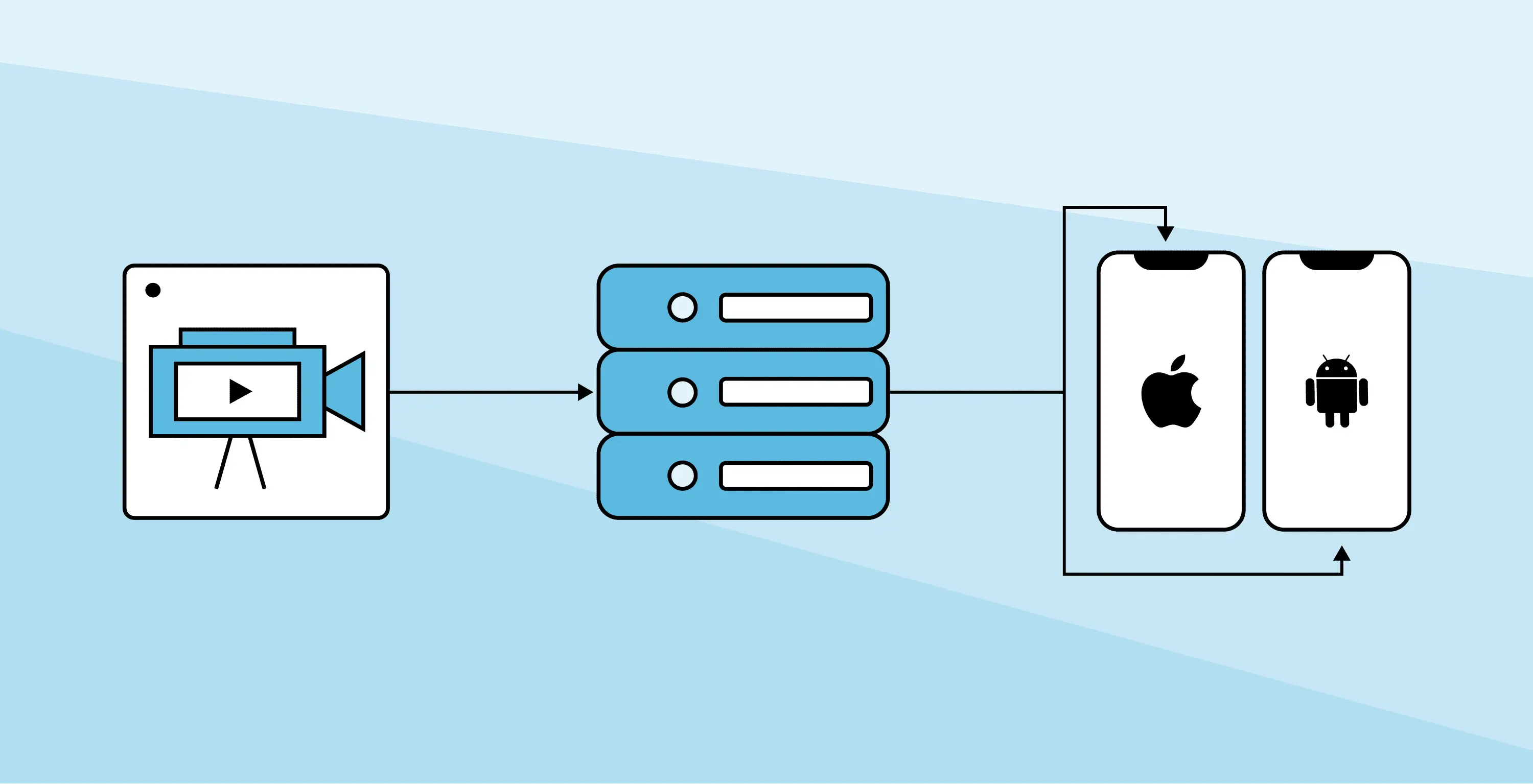

MoQKit: A Native Mobile SDK for MoQ on iOS and Android
MoQKit is a native mobile SDK for MoQ (Media over QUIC), providing Swift APIs for iOS and Kotlin APIs for Android to publish live streams, play broadcasts, and exchange app-defined data over QUIC. It is built on top of Luke Curley's moq-ffi and ships as a Swift Package and a Maven Central artifact.
To understand why MoQ matters, read our overview: The Livestreaming Trilemma – HLS, WebRTC, MoQ.
Most media SDK demos start with playback: connect to something, put video on screen, declare victory. That is useful, but it is not enough for native mobile apps. Phones are not only screens. They are cameras, microphones, control surfaces, sensors, and application runtimes. If MoQ is going to be useful in real mobile products, a native SDK has to play streams, publish streams, discover broadcasts, and move application-defined data without forcing developers to wire every protocol layer by hand.
The fastest way to understand it is to run the demo app.
Try MoQKit: iOS and Android Demo Apps
MoQKit includes native demo apps for iOS and Android. Each app includes four modes:
- Player: connect to a relay, discover broadcasts, select tracks, and play streams.
- Publisher: publish camera, microphone, and screen capture streams.
- Chat: publish and receive JSON messages over raw MoQ data tracks.
- Boy: story coming in a follow-up post.
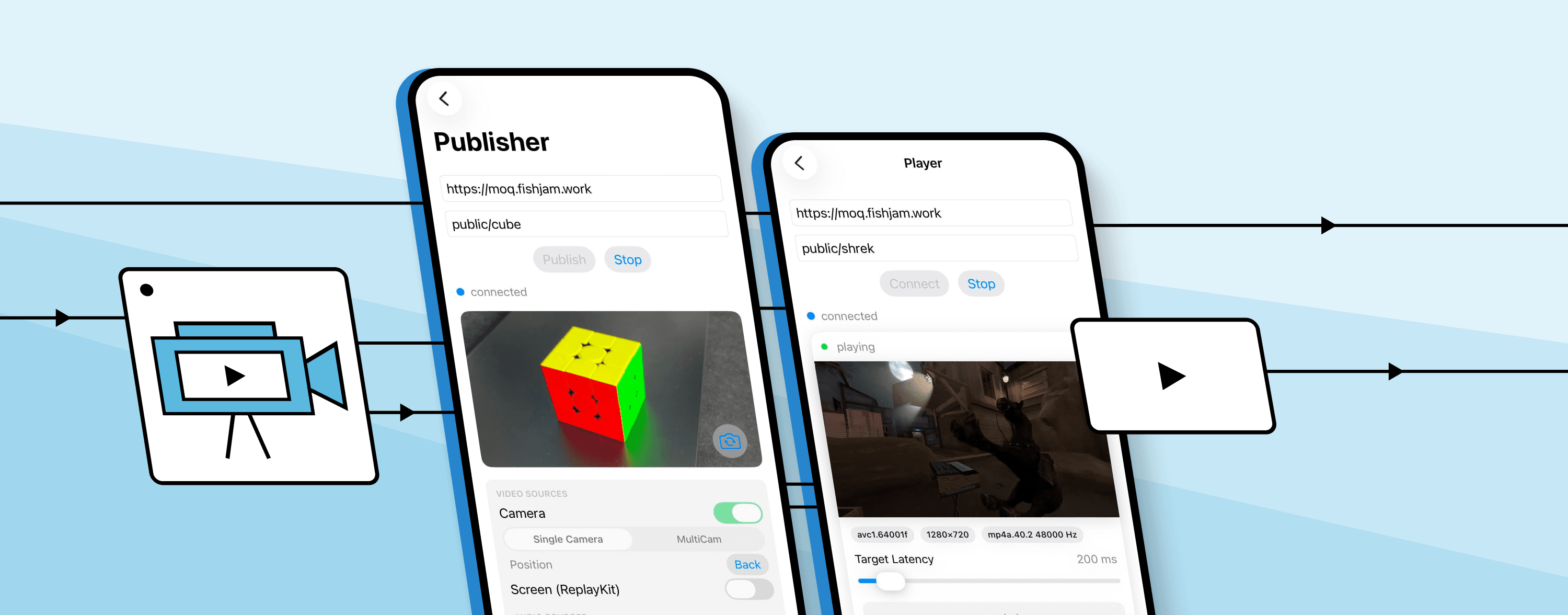
Start with Player. You do not need to run a relay locally just to see the shape. Use Fishjam's hosted MoQ relay, which runs Luke Curley's relay implementation.
Clone the repository, open one of the demo apps, point it at that relay endpoint, and launch Player mode.
https://github.com/software-mansion-labs/moq-kitThe Player flow is intentionally close to how an app would use the SDK:
- Connect to a relay.
- Subscribe to a namespace.
- Receive available broadcasts.
- Inspect the media catalog.
- Choose audio/video tracks.
- Play them through native rendering.
Once playback works, try Publisher and Chat. MoQKit is not a player wrapper – it is a low-latency streaming SDK for mobile apps that need both sides of the media flow.
The MoQKit Session Model
Everything in MoQKit starts with a Session.
A session owns a connection to a relay. From that session, an app can subscribe to a namespace, receive broadcasts announced under that namespace, inspect catalogs, choose tracks, create a player, or publish its own tracks back through the relay.
If you have used AVPlayer or ExoPlayer, the closest mental anchor is that a Session owns the connection state while Player owns the rendering – except a single Session can fan out into many players, publishers, and raw data tracks at once.
The playback path looks roughly like this:
Session
  connects to relay
  subscribes to namespace / prefix
    receives broadcasts
      reads catalogs
        selects audio/video tracks
          creates Player
            renders natively
That model matters because MoQ is not shaped like "open this one video URL and let the black box handle everything." The app stays involved. It decides which namespace to watch, which broadcast to open, which tracks are playable, and which tracks should be rendered for the current screen or workflow.
MoQKit keeps that shape visible while hiding the parts mobile developers should not have to rebuild every time: relay connection management, generated FFI bindings, catalog handling, decoding, buffering, rendering, and platform capture plumbing.
Playing a MoQ Broadcast on iOS or Android
The Swift API uses async/await and platform-native media primitives. A minimal playback flow creates a Session, connects to the relay, subscribes to a prefix, receives broadcasts, reads catalogs, and creates a Player for the selected tracks with a ~100 ms target buffer.
import MoQKit

let session = Session(url: "https://moq.fishjam.work/anon")
try await session.connect()

let subscription = try session.subscribe(prefix: "live")

for await broadcast in subscription.broadcasts {
    for await catalog in broadcast.catalogs() {
        let videoTrack = catalog.playableVideoTracks.first?.name
        let audioTrack = catalog.playableAudioTracks.first?.name

        let player = try await MainActor.run {
            try Player(
                catalog: catalog,
                videoTrackName: videoTrack,
                audioTrackName: audioTrack,
                targetBufferingMs: 100
            )
        }

        try await player.play()
    }
}
The Kotlin API mirrors this shape using coroutines and Flow, with Player.setSurface(...) for rendering. See the README for the parallel Kotlin example and full lifecycle handling.
Publishing Live Streams: Camera, Mic, and Screen Capture
Playback is the easiest demo to start with, but publishing is where native mobile starts to matter.
On a phone, publishing usually begins with a camera and microphone. MoQKit exposes those as native capture sources that can be attached to a Publisher and sent through the same session model.
let session = Session(url: "https://moq.fishjam.work/anon")
try await session.connect()

let camera = CameraCapture(camera: Camera(position: .front))
let microphone = MicrophoneCapture()

try await camera.start()
try await microphone.start()

let publisher = try Publisher()
publisher.addVideoTrack(name: "camera", source: camera)
publisher.addAudioTrack(name: "mic", source: microphone)

try session.publish(path: "live/ios", publisher: publisher)
try await publisher.start()
The Kotlin publishing flow follows the same Session → CameraCapture / MicrophoneCapture → Publisher shape — see the README for the Kotlin snippet.
Camera and microphone are the familiar path, but they are not the whole surface. The built-in capture sources are conveniences, not a closed pipeline. On iOS, you can plug in any source that conforms to FrameSource; on Android, custom video and audio sources can implement VideoFrameSource or AudioFrameSource. If your app already has its own rendering, capture, or audio pipeline, MoQKit can publish from that instead of forcing you through the SDK-provided camera and microphone classes.
MoQKit also includes screen capture support (iOS ReplayKit and Android MediaProjection workflows), plus raw data tracks for JSON messages, chat, telemetry, controls, or other app-specific payloads.
Installing MoQKit on iOS and Android
We just tagged 0.2.0. The leading zero is doing a lot of work – it is semver's polite way of saying we will break the API the moment MoQ does (we hope that it will change sooner than later).
On iOS, add the Swift package and depend on the MoQKit product:
.package(
    url: "https://github.com/software-mansion-labs/moq-kit",
    from: "0.2.0"
)
.product(name: "MoQKit", package: "moq-kit")On Android, add Maven Central and the Android artifact:
repositories {
   google()
   mavenCentral()
}
dependencies {
   implementation("com.swmansion.moqkit:moqkit:0.2.0")
}
MoQKit does not try to take ownership of your entire app setup. It provides the MoQ client SDK and native media building blocks while the application keeps control over lifecycle, UI, capture flows, and platform integration.
Why MoQKit Uses moq-lite, Not moq-transport
MoQ is moving quickly. The moq-transport IETF draft is at revision 17 as of early 2026, and the wire format is still changing. MoQKit currently targets moq-lite, a simpler and more stable profile of MoQ, because moq-lite lets us build and test real native media workflows today: relay sessions, broadcast discovery, catalogs, playback, publishing, and data tracks.
The goal is not to freeze the world around one draft. The goal is to keep a useful native mobile MoQ SDK close enough to the evolving ecosystem that we can adapt as the protocol, relay behavior, and media conventions change. The moq-lite vs moq-transport distinction matters less to most app developers than having a working, stable SDK API – which is what 0.2.0 delivers.
React Native Comes Next
At Software Mansion, React Native is part of the background of almost every mobile infrastructure conversation – we author React Native Reanimated and contribute to the React Native core. We are actively building a React Native MoQ layer on top of MoQKit.
But media plumbing – capture, playback, codecs, lifecycle, rendering, permissions – has to be right on iOS and Android first. A cross-platform layer cannot paper over a weak native foundation, which is why MoQKit starts with Swift and Kotlin APIs that feel natural on their platforms. Keeping those APIs aligned is what makes a future React Native binding realistic instead of a pile of platform-specific surprises.
Get Started
Start with the repository:
https://github.com/software-mansion-labs/moq-kitRun the Player demo against:
https://moq.fishjam.work/publicThen try Publisher and Chat. The Boy demo is also in the repo if you want the more playful version, but we will save that story for a follow-up post.
MoQ is still evolving, and that is exactly why native SDK work should happen now. The only way to learn what mobile MoQ needs is to put it in real apps, run it on real devices, and find the places where the API gets in the way. Try MoQKit, break it, and tell us what the SDK needs before your app would trust it.
Want to bring low-latency MoQ playback or publishing into your iOS, Android, or React Native app? Let us know what you need — we are happy to help teams ship native MoQ in production.
Frequently Asked Questions
What is MoQKit?
MoQKit is an open-source native mobile SDK for MoQ (Media over QUIC). It provides Swift APIs for iOS and Kotlin APIs for Android that let apps publish camera and microphone streams, play back live broadcasts, and send app-defined data over QUIC without building the protocol layer from scratch.
What is MoQ (Media over QUIC)?
MoQ (Media over QUIC) is an IETF protocol being standardized to deliver sub-second-latency media at CDN scale. It is built on QUIC, runs over WebTransport in browsers, and directly over QUIC in native apps. It aims to combine the low latency of WebRTC with the scalability of HLS in a single architecture.
What is moq-lite, and why does MoQKit use it?
moq-lite is a stable, simpler profile of MoQ that allows building and testing real media workflows today while the full moq-transport IETF draft (currently at revision 17) continues to evolve. MoQKit targets moq-lite to provide a usable, stable API now, with a path to upgrade as the standard matures.
Is MoQKit a WebRTC replacement for mobile?
MoQKit targets use cases where WebRTC is overkill or too complex — one-to-many live streaming, broadcast discovery, and app-defined data delivery at low latency. For true peer-to-peer bidirectional calls, WebRTC remains the right tool. For scalable low-latency live streaming on iOS and Android, MoQKit is a simpler alternative.
Does MoQKit support React Native?
A React Native MoQ layer is in active development at Software Mansion. The native iOS and Android APIs are being stabilized first to ensure the media foundation is solid before the cross-platform binding is built.
How do I install MoQKit on iOS?
Add the Swift package from https://github.com/software-mansion-labs/moq-kit (version 0.2.0 or later) and depend on the MoQKit product.
How do I install MoQKit on Android?
Add Maven Central to your repositories and include com.swmansion.moqkit:moqkit:0.2.0 as a Gradle dependency.
What relay does MoQKit use?
MoQKit works with any MoQ-compatible relay. The demo apps connect to Fishjam's hosted relay at https://moq.fishjam.work/public, which runs Luke Curley's open-source relay implementation. You can also self-host.