
We just shipped a skill that migrates your Expo app to Meta Quest – one AI prompt away from running on Horizon OS. It builds on expo-horizon-core, the library we authored to power Expo on Meta Quest.
It pairs nicely with Meta's official MCP server for Horizon OS development, which gives your AI agent hands and eyes on the device: installing builds, reading logs, capturing screenshots, querying up-to-date docs.
Together, they cover the full development loop: migrate with the skill, debug and iterate with the MCP. Quest development feels less like archaeology and more like, well, an actual development.
Here's how to use them.
The SWM Migration Skill: "Hey AI, Make This Spatial"
A skill is a markdown file that gives your agent the exact knowledge it needs for expo-horizon. Ours encodes the migration playbook: which dependencies to swap, how to configure Android product flavors, when to reach for isHorizonDevice() guards, and which libraries have Quest-compatible forks.
Install it in Claude Code:
/plugin marketplace add software-mansion-labs/skills
/plugin install skills@swmansion
/reload-plugins
Once it's in your project, the agent picks it up automatically. For other editors and more details, see Software Mansion Skills.
Meta's Horizon Debug Bridge & MCP: Agentic Tooling
The development workflow for Meta Quest is split into two parts: the SWM skill handles the initial migration, while Meta’s Horizon Debug Bridge (hzdb) handles the rest. It acts as the direct bridge between your AI agent and the headset.
You can explore the CLI and view all available commands by running:
npx @meta-quest/hzdb
Beyond specialized engine skills (for Unity/Unreal Engine), the CLI handles the 2D development essentials: streaming logs to monitor for crashes, capturing screenshots to verify UI, and deploying builds directly to the headset.
You can find the full CLI documentation here.
 Markus Leyendecker, Product Manager @ Meta
MCP Integration
hzdb comes with a built-in Model Context Protocol (MCP) server, which gives your agent "hands and eyes" on the device—enabling it to install builds, stream logs, and capture screenshots directly.
To get started with Claude Code, run:
npx @meta-quest/hzdb mcp install claude-code
This command automatically configures the MCP server for you. You can use it for other agents as well (such as Cursor or VS Code); for a full list of supported editors and setup details, see Meta's setup instructions.
Zero to VR in 5 Minutes
Enough theory. Let's build something.
Step 1: Set up an Expo app
Start with any Expo app – new or existing. For this walkthrough we'll use a plain app that fetches the current location via expo-location, because it exercises both the config-plugin migration and a library swap (expo-location depends on Google Play Services, which Horizon OS doesn't have).
npx create-expo-app my-spatial-app
cd my-spatial-app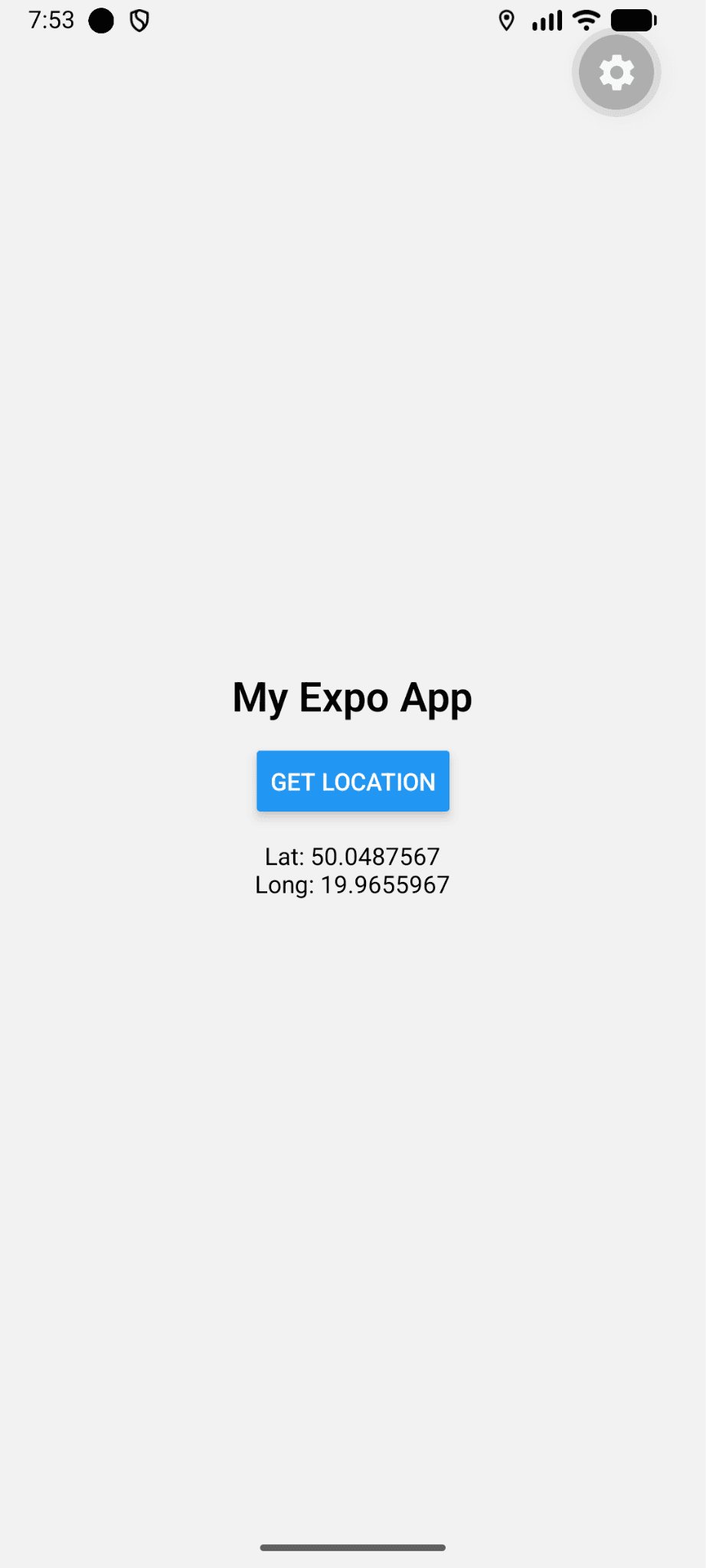
Nothing spatial yet – just a plain Expo app on mobile, to give the skill something to work with.
Step 2: Add Meta Quest Support with the SWM Skill
This is where it gets interesting. Software Mansion's skill teaches your AI assistant how to migrate an Expo project to expo-horizon – Meta Quest's React Native bridge. Instead of reading migration docs yourself, you hand the job to the agent.
Open Claude Code and ask:
Add Meta Quest support to my Expo app.
The agent reads the skill, and walks through what needs to change: dependencies, app.json config, Android product flavors, and the library swap. It auto-detects that expo-location needs a Quest-compatible alternative and asks for confirmation:
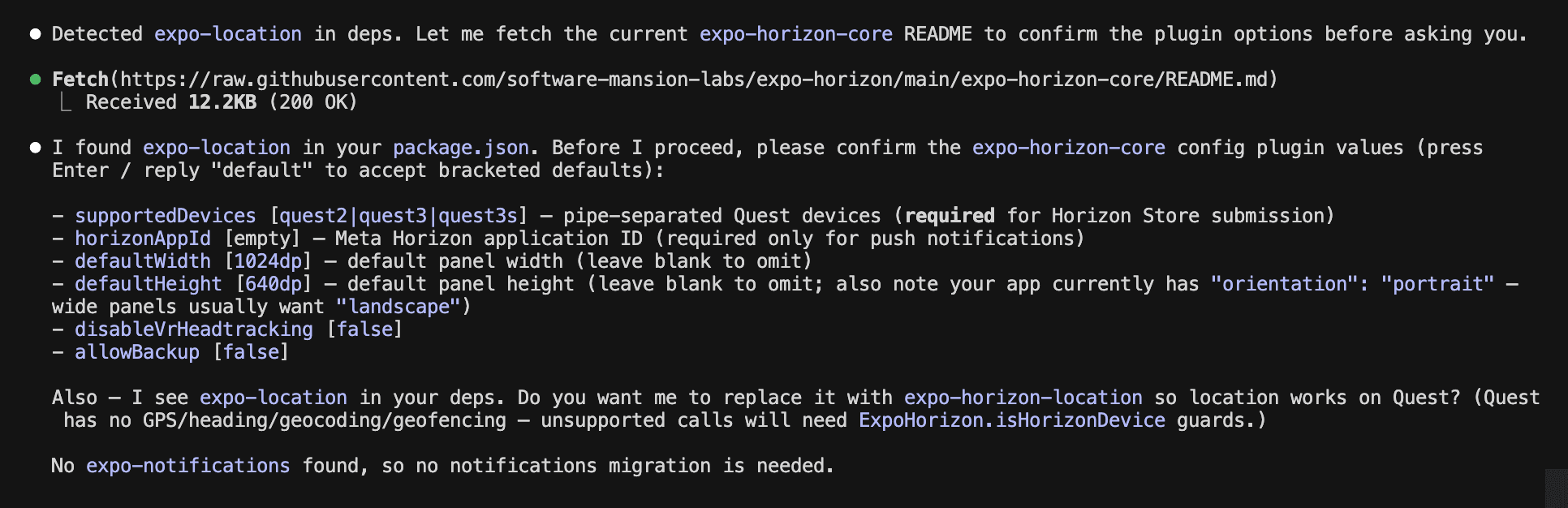
Let’s tell the skill to:
Default config. Yes, use expo-horizon-location.
A few seconds later, the migration is done. Under the hood, the skill has:
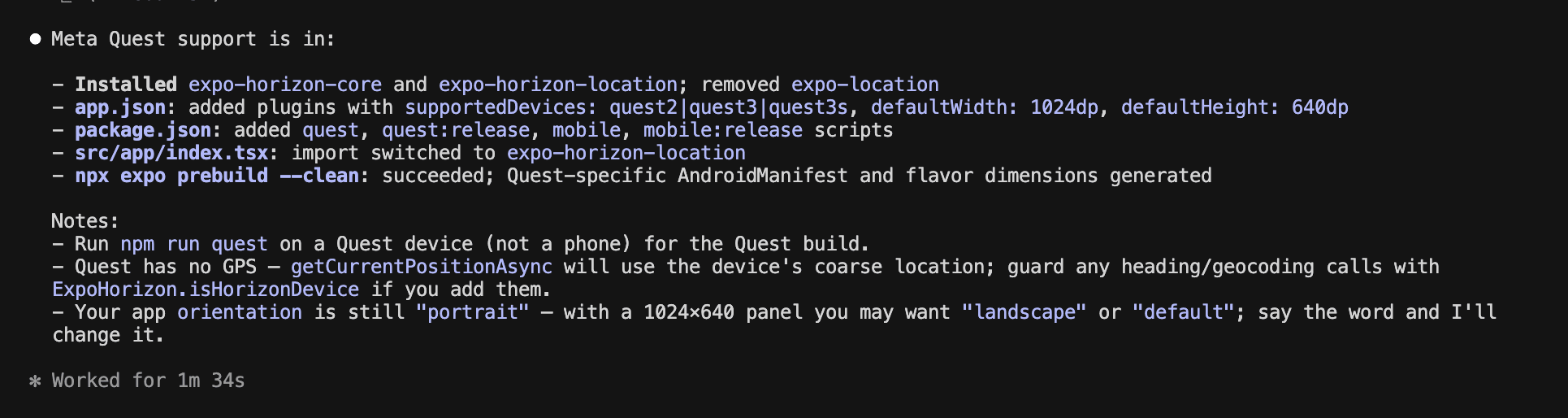
And that’s it!
Run it on the device:
npm run quest
And voila – our app is running on Meta Quest!
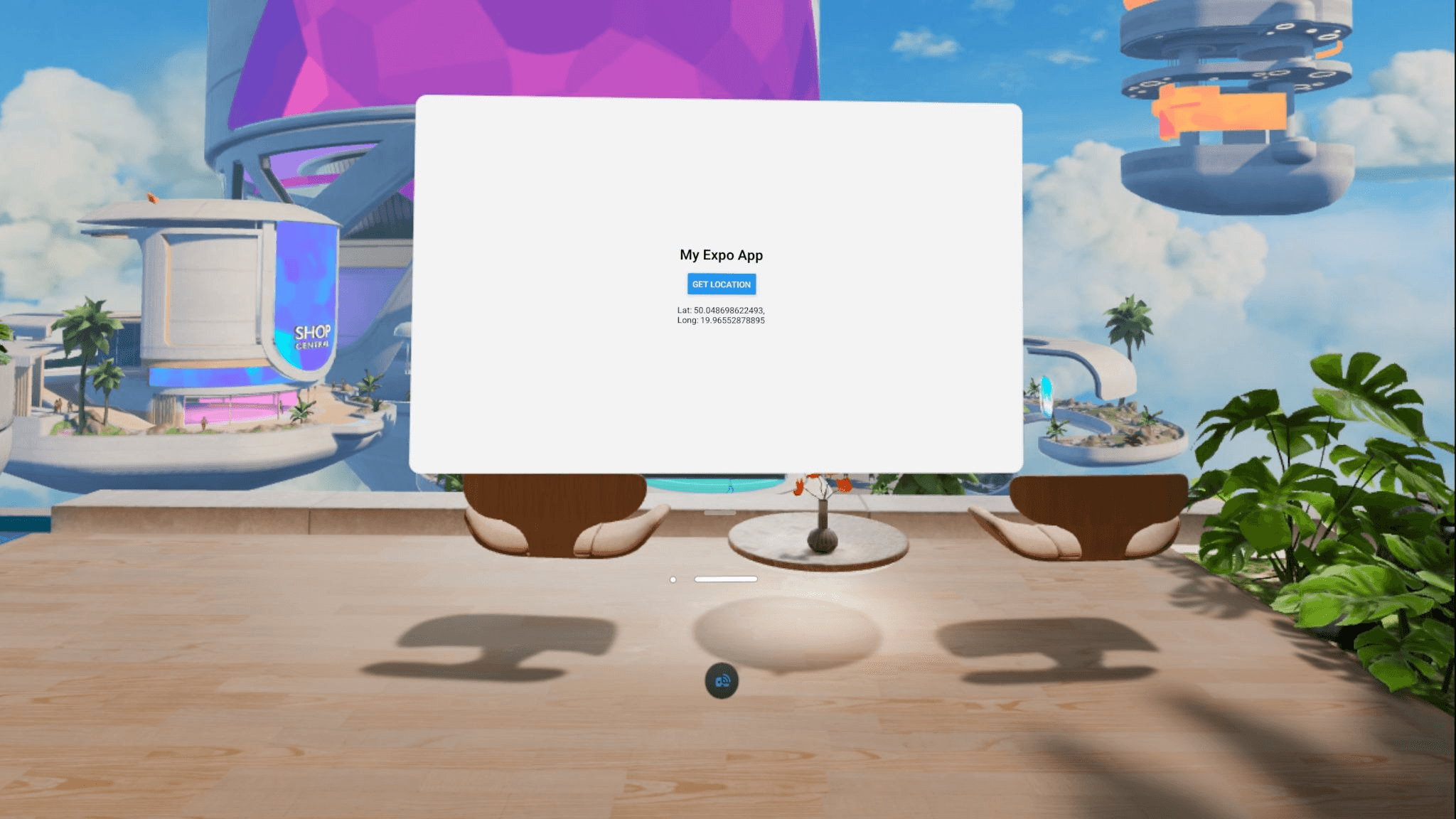
While complex apps may require additional VR adjustments, the SWM skill provides an immediate, perfect starting point.
Step 3: Use the MCP for Debugging and New Features
The migration is done. Now Meta's MCP server earns its keep – it's the agent's hands and eyes on the device.
A few things worth showing:
App lifecycle in a loop
During active iteration, the agent can close the loop by itself: reinstall the APK, relaunch the app, and verify:
Reinstall the latest build, launch it, and take a screenshot so we can confirm the layout
One prompt — `app_install` → `app_launch` → `take_screenshot` – and the agent tells you whether the fix landed.

⚠️ A note on screenshots: the MCP captures the full stereo framebuffer (both eyes) or the passthrough camera, not a flat 2D panel. For 2D app screenshots, launch your panel app first so it's rendered in the compositor.
Reading up-to-date documentation
Horizon OS moves fast, and LLM training data gets stale within months. Instead of letting the agent guess:
Search Meta Quest docs about how to send notifications
The agent queries Meta's developer docs directly, gets current API shapes, and uses them in its next edit.
Runtime logs without leaving the editor
You've pressed "run". Something breaks. Normally this is where you alt-tab to a terminal, run `adb logcat`, and grep for your package name.
Stream logcat from the Meta Quest and find the last error from my app.
The agent filters logcat to your package, surfaces the stack, and proposes a fix. This matches how you'd debug a native RN app, minus the terminal juggling.
The Horizon is Closer Than You Think
Meta’s MCP server, the expo-horizon libraries, and our migration skill have fundamentally changed the barrier to entry for VR development. At Software Mansion, we didn't just build the skill; we built the foundation.
A quick reality check: The migration itself is fast, but some libraries (specifically those tied to Google Play Services or restricted mobile permissions) might still require manual attention. While we have already authored Quest-compatible forks for location and notifications, other niche libraries may require custom work to function correctly in the new environment.
Ready to Go Beyond 2D?
Our AI tools make the initial migration a breeze, scaling a production app for Horizon OS often requires a deeper touch. Moving from a flat panel to a fully immersive experience involves optimizing native modules, refining UX, and handling Quest-specific hardware integrations.
Software Mansion can help. As the authors of expo-horizon libraries, we are uniquely positioned to accelerate your VR roadmap.
Work with Software Mansion to bring your app to the Meta Horizon Store.