

Edge AI in Production: What Apple, Meta, and Google Already Ship On-Device
People picture a chatbot the moment they hear "AI." The kind that actually matters rarely looks like that: it's a feature that quietly works in the background, without any chat window or hype in sight. Edge AI, also called offline AI or on-device AI depending who you ask, still has a reputation problem: impressive on stage, and then nobody actually uses it in a real product. So we went looking for where it's already running in production, in apps used by millions of people, and here's what we found.
Edge AI: what does it actually mean?
First, the quick definition, because the three terms really are describing the same thing. Edge AI (or on-device AI) means the model runs directly on your hardware, your phone or your computer, instead of on someone else's server. That gets you three things at once: privacy, since your data stays on the device; a compute bill you keep to yourself instead of paying a provider; and it keeps working fully offline.
That convenience comes with real trade-offs, though. Bigger models mean a bigger binary to download, sometimes a couple of gigabytes, and running inference locally costs battery and generates heat. Whether that's a dealbreaker depends on your use case – for a lot of teams it isn't, and the examples below show why they're building around those trade-offs anyway.
Snapchat Lenses: any developer can ship an AR filter that runs on-device
Snapchat's filters are called Lenses, and the interesting part is that any developer can build one in a tool called Lens Studio. You train your own model in PyTorch, export it to a format like TFLite or ONNX, and Lens Studio treats it as a black box: it hands the model a camera frame and gets back a camera frame with the effect applied. That's how you get things like the dog filter everyone remembers, or a Nike virtual try-on where the camera detects your foot and renders a shoe on top of it before you buy.
Running that on-device is the only option that actually makes sense here. The filter has to process roughly 30 frames per second, and streaming that much video to a server, at Snapchat's scale, with real-world connection quality, would be slow and expensive for everyone involved. The models involved are also genuinely small, often around 10 MB, light enough to just run on the CPU that's already in your phone.
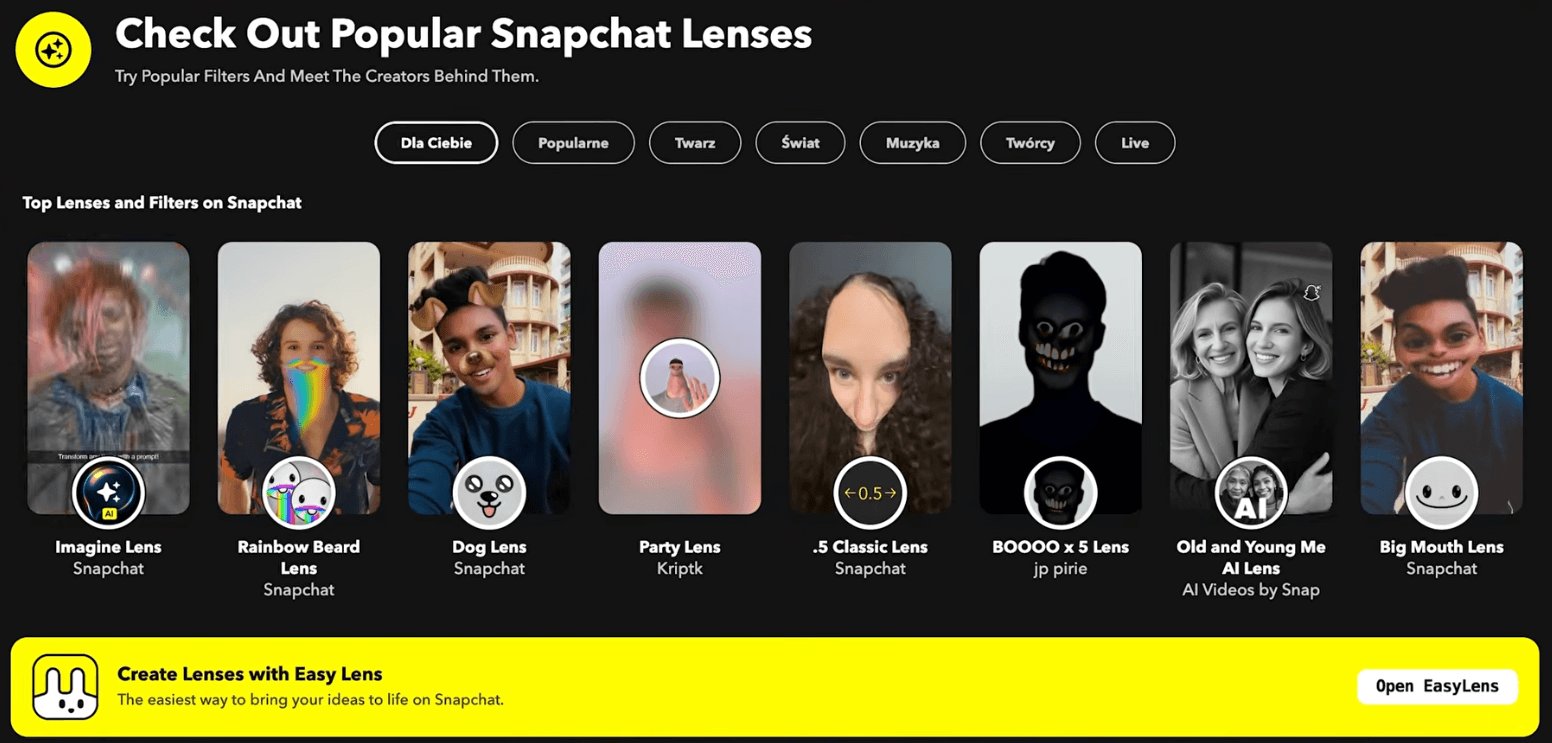
Source: snapchat.com/lens
Apple: semantic photo search, and a Siri that isn't chasing the AGI headlines
One of our favorite on-device AI features is semantic search in the Apple Photos gallery. It’s powered by multimodal embeddings – models trained to map both images and text into the same vector space. In case you’re not familiar: embedding models turn both images and text into high-dimensional vectors that encode meaning, so when you type "dog" into the search bar, every photo with a dog in it shows up. It's a feature a lot of us use daily without thinking about what's powering it. We actually put together a tutorial on building this exact feature with React Native ExecuTorch, so if you want to add it to your own app, it's linked below!
Zooming out, Apple's overall approach is worth noticing: they're staying a bit on the sidelines of the AGI race in favor of features that are useful and tightly integrated with the hardware. The new Siri is a good example: speech-to-text and text-to-speech happen on-device, and a chunk of the language-model tasks are computed on-device too, only routing to a model running in Apple's private cloud when a request is complex enough that a small on-device model can't handle it well. That matters for privacy reasons that are pretty easy to picture: you don't want your private photos or requests handed to an external provider by default. Apple also introduced new building blocks for this at WWDC, including what they're calling the Core AI framework, so expect more of this direction from them.
Grammarly: fine-tuning is what makes a small model good enough
There's a popular belief that small language models can't handle general use well, and it's partially true. Downloading model weights is genuinely a hassle. But how a model behaves out of the box and how it behaves after fine-tuning are different claims. You can take a pre-trained model, fine-tune it on your own data, and it'll perform a lot better at the one task you actually care about.
Grammarly is a clean example of this. They took a pre-trained model, fine-tuned it specifically for grammar correction, and implemented it using MLX. They’re already shipping this to a subset of users – and the performance gains they managed to pull off are the reasons it’s viable on-device at all. The result: they went from a baseline of 50 tokens per second to around 210 tokens per second. That matters for a product like Grammarly specifically because you don't want to send confidential emails or documents to an external LLM provider, and you don't want writing assistance to stop working the moment you lose your connection.
Efficient On-Device Writing Assistance | Grammarly
On our side, we recently shipped support for Gemma 4 in React Native ExecuTorch, also running on MLX under the hood, and it's fast. Between Gemma 4 and other options like Qwen 3.5, Gemma 4 is what we'd currently call the gold standard for on-device use, and it's genuinely capable even before any fine-tuning.
Google Messages and Chrome: on-device scam detection and translation
Most messaging apps that try to catch scams only look at the first message from an unknown sender and route it to a separate inbox if it looks suspicious. Google Messages does something more interesting: it keeps monitoring the conversation as it continues, in real time, so it can still catch a scammer who only turns suspicious a few messages in. That has to happen on-device, because the messages are end-to-end encrypted and the server never sees the content. The same detection works on audio calls too, built on Gemini Nano: if a call starts looking like a scam, you get haptic feedback and a warning message right there on the call.
Gemini Nano also ships inside Google Chrome itself, powering a set of new browser APIs like a translator and a summarizer. They're high level enough that integrating them takes close to zero effort, and they're available to any web developer, you can try them straight from the dev tools console today.
Translation with built-in AI | AI on Chrome
Meta's ExecuTorch: quietly shipping on-device AI across WhatsApp, Instagram, and Messenger
Meta built its own on-device AI runtime called ExecuTorch, and React Native developers can use it through React Native ExecuTorch, which is our own library and the one we use under the hood ourselves. What's notable is how quietly Meta has been rolling on-device features into its apps.
In WhatsApp, a model predicts and classifies how good your network connection currently is, purely to pick the right video quality for a call. That makes it infrastructure-saving work happening entirely in the background, arguably one of the more interesting use cases here: on-device AI optimizing the infrastructure itself rather than powering a feature you'd ever consciously notice.
In Instagram, the Cutouts feature works similarly to Apple's stickers: point at an object in a photo and it gets cut out and saved as a sticker you can send as a message. It's built on Meta's own Segment Anything Model, and Instagram specifically uses a lightweight version of it called SqueezeSAM, detecting the object at a per-pixel level so the cutout is clean.
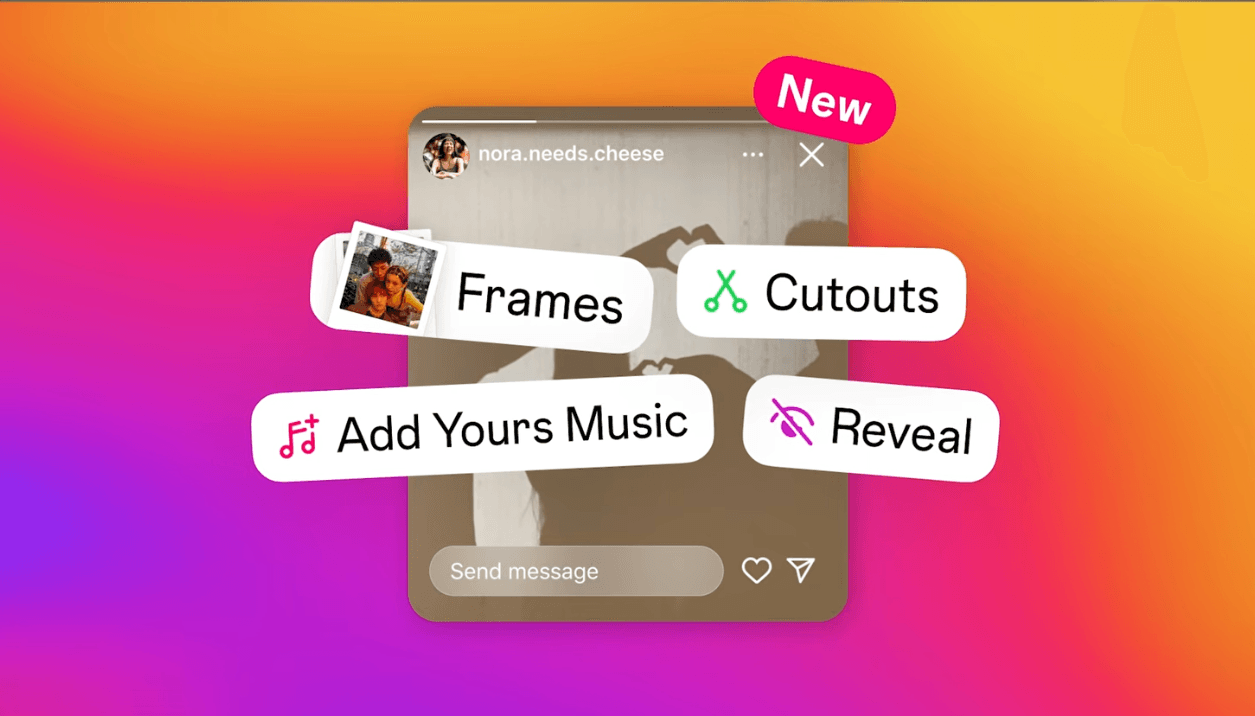
Source: about.fb.com/news/2024/05/new-stickers-in-instagram-stories/
And in Messenger, end-to-end encryption means processing has to happen on-device by necessity. One of our favorite features to come out of that constraint is transcription of audio messages: instead of listening to a voice message, you can just read what was said.
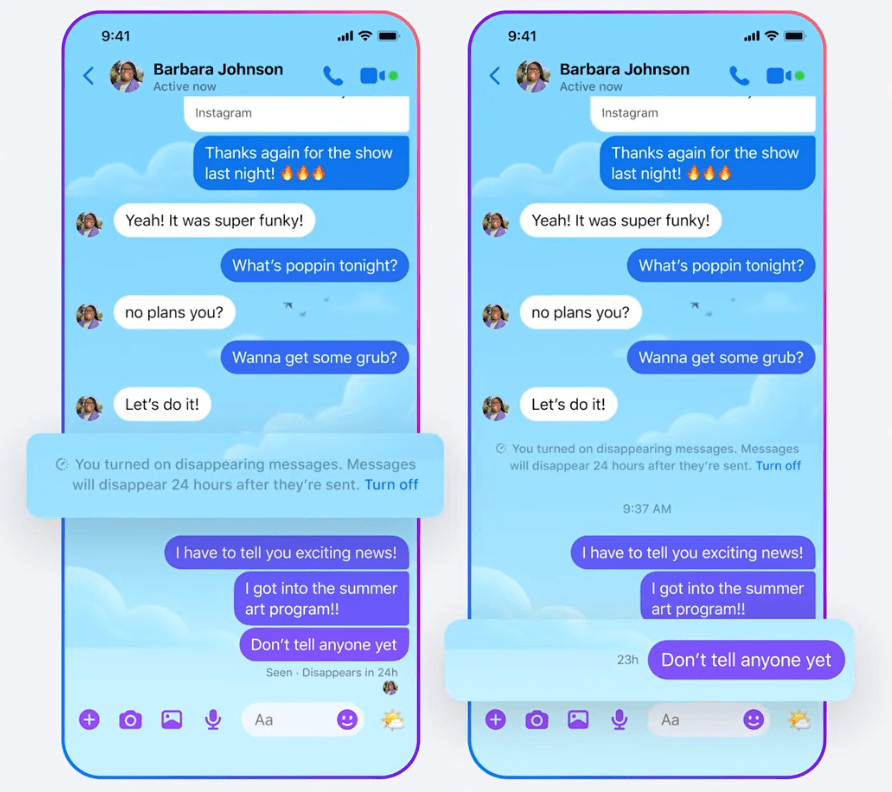
Source: about.fb.com/news/2023/12/default-end-to-end-encryption-on-messenger/
Speech-to-text in general is close to a solved problem on mobile at this point. Models like Parakeet and Whisper are small and fast enough to transcribe in real time, and a quantized Whisper Tiny can be as small as 30 MB. You can use it in React Native ExecuTorch too.
Wearables: Meta Ray-Ban glasses and live translation in AirPods
This is where on-device AI gets genuinely exciting: deploying a model on something you wear. Meta's Ray-Ban glasses are a good example, mostly because they just look like normal sunglasses, nobody can tell you're wearing "AI glasses." Our favorite feature is reading text in the real world: the glasses OCR whatever you're looking at, detect the language, and translate it, so if you're on vacation and want to know what a poster says, you just look at it.
Apple's live translation in AirPods is a similar idea, though the AirPods themselves are only the input and output device, the actual computation happens on your iPhone. It lets you understand a language you don't speak while you're traveling. It's still rough around the edges today, but the potential already shows.
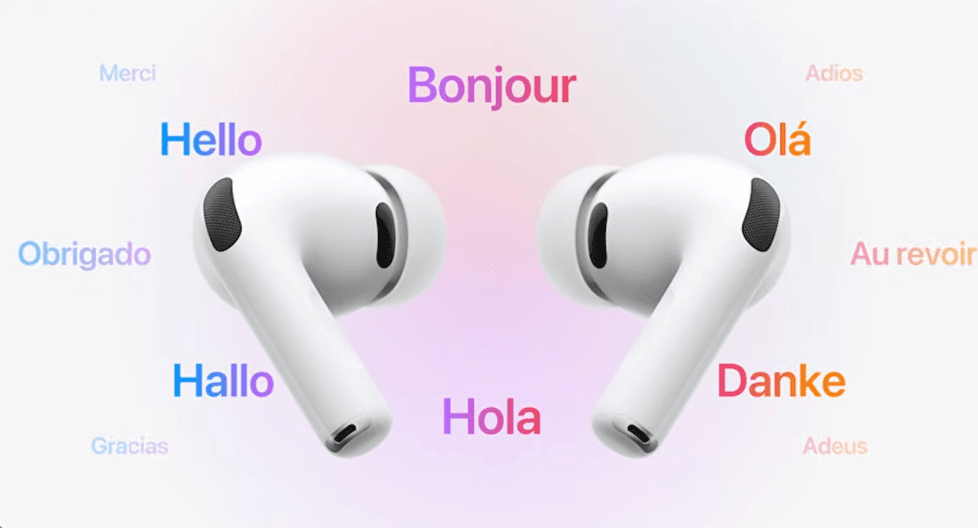
Source: apple.com/pl/newsroom/2025/11/live-translation-on-airpods-expands-to-the-eu/
The takeaway
The tooling here is moving fast. What needed deep machine learning expertise a few years back is now a high-level API, which puts shipping the kind of features covered above within reach of any working app developer.
If there's one thing to take from all of this, it's that edge AI already works, quietly, inside apps used by millions of people. The real work now is figuring out your own use case: what feature would actually make your users' lives better if it just ran locally, instantly, and privately. That's the part worth spending time on.
There's more to unpack on each of these examples. Norbert and Jakub from our AI team go into all of it in the full episode on YouTube, so if you want the deeper cut on any of the use cases above, that's where to head next!