
Offline Text Recognition on Mobile: How We Brought EasyOCR to React Native ExecuTorch
 Norbert Klockiewicz•Apr 17, 2025•9 min read
With the release of React Native ExecuTorch v0.3.0, we introduced OCR (Optical Character Recognition) — a technology that converts an image of text into a machine-readable text format. Running OCR offline on mobile devices using React Native ExecuTorch posed a unique set of challenges. In this blog post, we’ll walk you through how we brought EasyOCR to React Native and overcame those technical hurdles.
Video 1: Tutorial on how to incorporate OCR in React Native application.
What is EasyOCR and how it works
EasyOCR is an open-source OCR library built using Python and based on deep learning techniques. It is designed to extract text from images in a wide variety of languages with high accuracy, using modern neural network architectures.
It consists of two main parts — text detection and recognition — surrounded by additional pre- and post-processing steps.
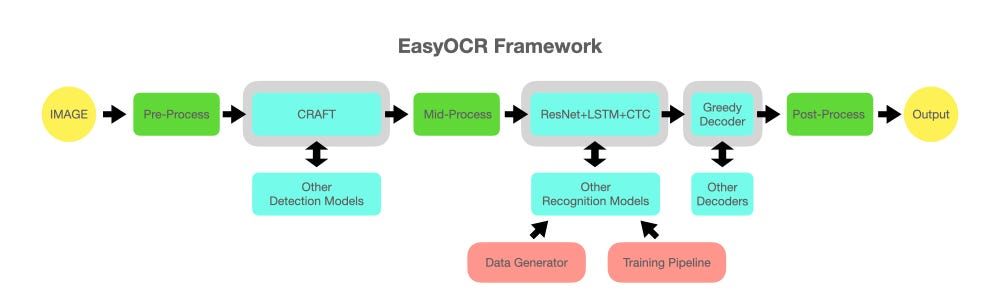
Text Detection is the initial phase in the OCR pipeline, and it focuses on identifying regions within an image that contain text. EasyOCR uses the well-known CRAFT (Character Region Awareness for Text Detection) neural network.
CRAFT outputs two crucial heat maps:
- Region score: Highlights the location of individual characters within the image.
- Affinity score: Identifies the spaces between characters and helps group them together into coherent words.
Once detection is complete, word-level regions are cropped from the original image. These cropped regions are converted to grayscale and passed to the next stage — Text Recognition.
The Recognizer in EasyOCR is a CRNN (Convolutional Recurrent Neural Network), a model architecture designed to handle sequential data in image form. It treats the grayscale word image as a sequence of vertical pixel columns, processing them to generate a probability distribution over possible characters for each time step (column).
Finally, the output character probabilities are passed to a decoder. It converts the sequence of character probabilities into the most likely text string — effectively reconstructing the word.
Constraints of mobile version
Porting EasyOCR to React Native using ExecuTorch was far from straightforward. Mobile environments come with their own unique set of limitations, and we faced several challenges during development, including:
- Fixed input size requirements: Dynamic dimensions are not fully supported in ExecuTorch yet.
- Limited RAM: Memory availability on mobile devices is significantly constrained compared to desktop or server environments.
- Restricted compute power: Mobile CPUs and GPUs offer less computational power, making efficiency and optimization essential.
In the following sections, I’ll walk you through how we addressed these challenges and optimized our implementation to run OCR efficiently on mobile devices — all while maintaining its accuracy and performance.
Optimizing the OCR pipeline
To help you better understand the entire process, I’ll guide you through our improved OCR pipeline step by step — highlighting the key modifications we made and the reasoning behind each decision. Most of these steps will be illustrated using visual examples to make the concepts more intuitive. For demonstration purposes, we’ll use an image of a receipt as our reference throughout the pipeline.
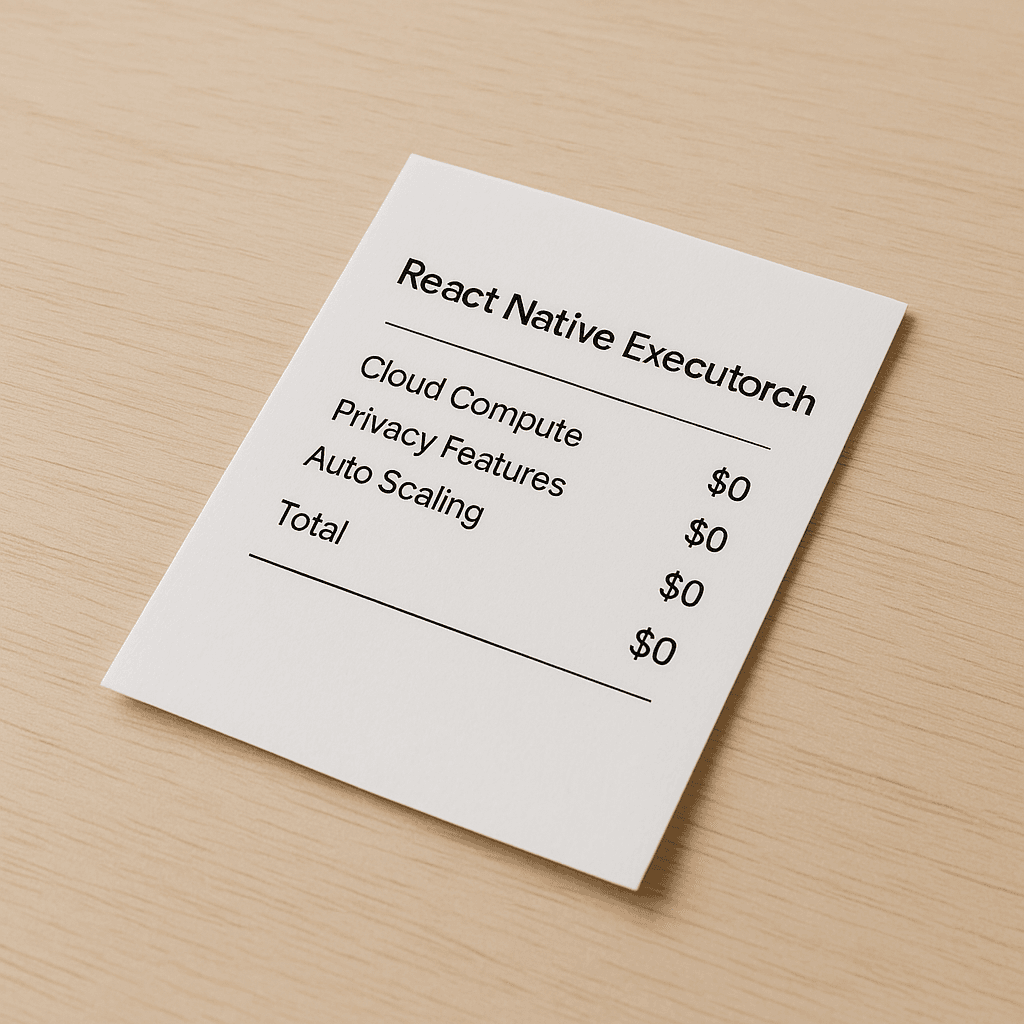
Detection
When exporting models with ExecuTorch, one important constraint is that models must have fixed-sized input dimensions. This required us to choose a target resolution to which all input images would be resized. After a series of experiments, we settled on a resolution of 800×800 pixels. This size offered a good balance between computational efficiency and the level of detail needed to detect even small text segments.
Note: On more resource-constrained devices, a smaller input resolution can be used. However, to preserve the necessary level of detail, it’s recommended to crop the image rather than simply resizing it.
To maintain the original aspect ratio of each image, we apply padding around the resized image, rather than stretching or distorting it.
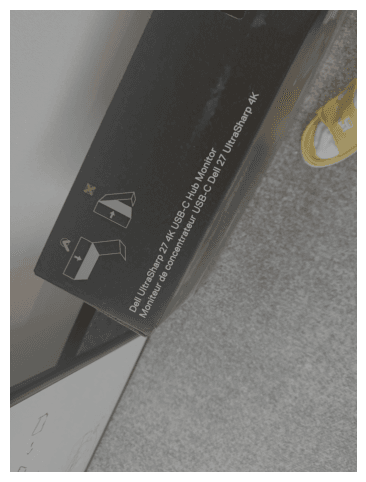
The detection model then processes this padded image and outputs the two heat maps described earlier. After applying a threshold to these heat maps, we combine them to produce a text map , which highlights areas of the image likely to contain text.
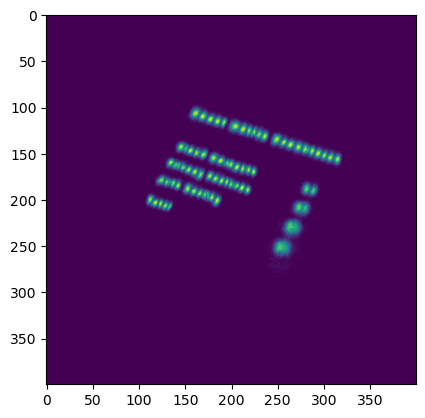
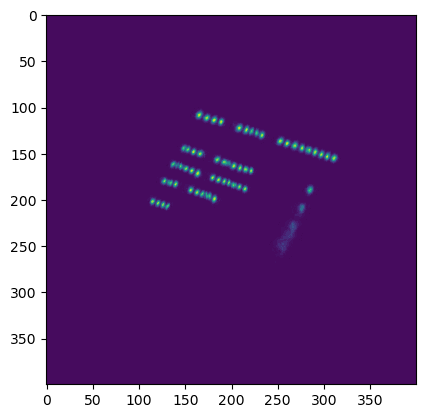
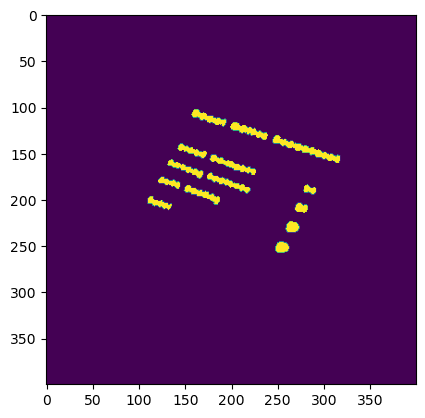
To extract individual word boxes from the text map, we make use of classic image segmentation techniques. In particular, we leverage OpenCV’s connectedComponents function, which groups together connected regions of text to form bounding boxes around entire words.
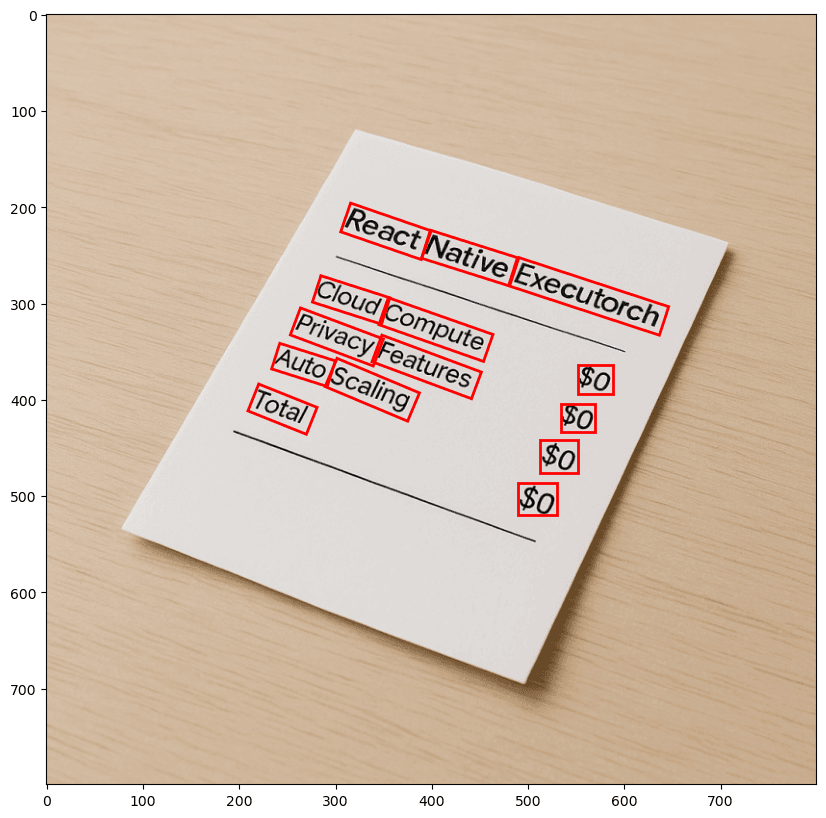
Grouping bounding boxes
One of the most complex and crucial parts of our pipeline and enabling OCR in React Native is the mid-processing step — specifically, the grouping of bounding boxes. This is where we focused most of our optimization efforts.
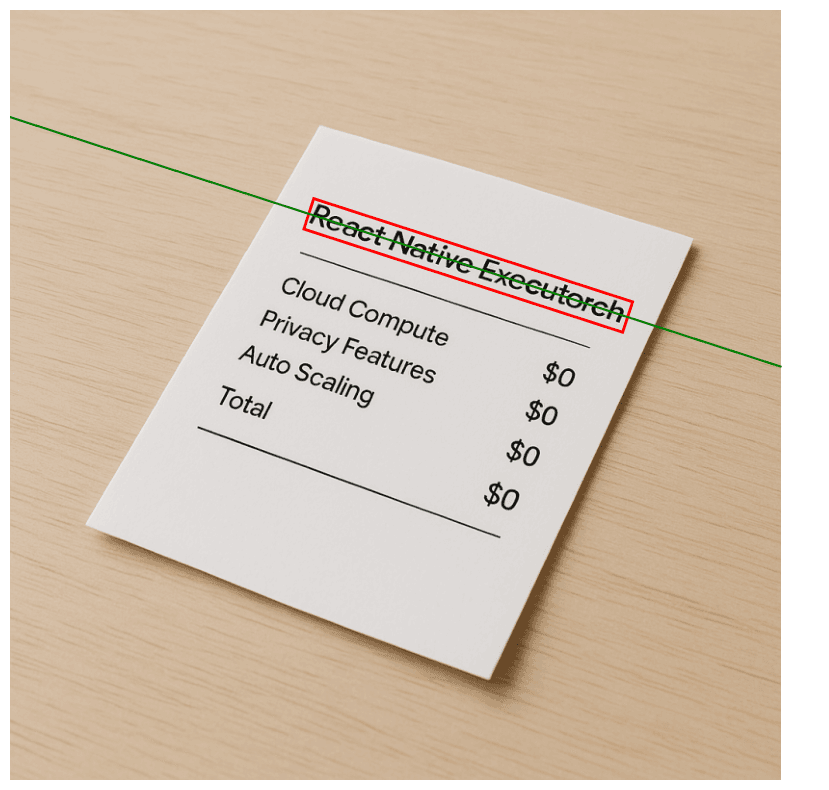
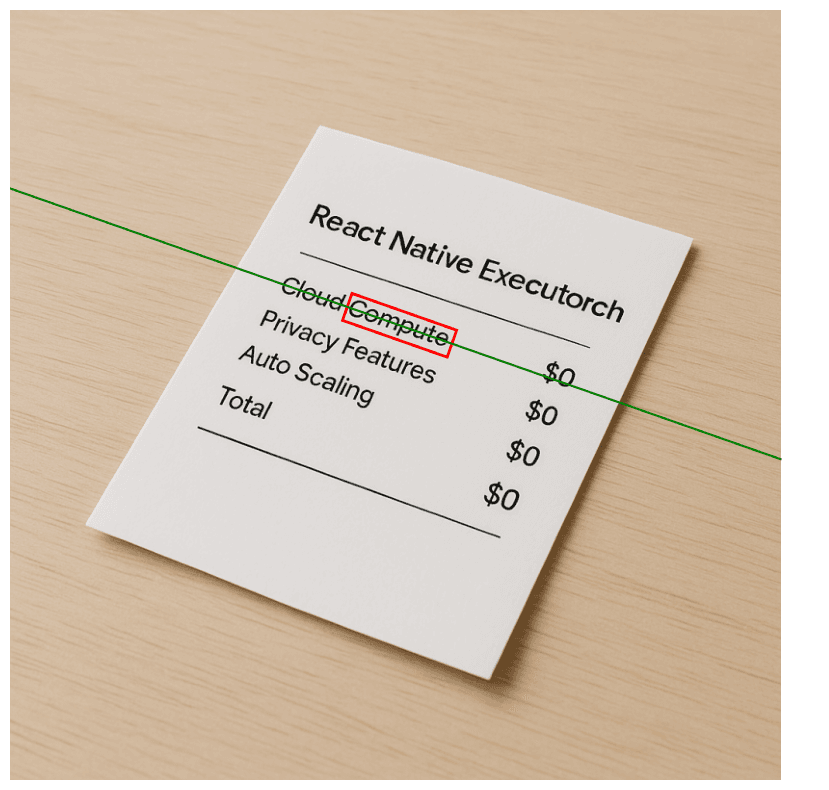
The algorithm originally proposed in the CRAFT paper offers a solid baseline. However, it falls short when handling scenarios with rotated text, which is a common occurrence in real-world mobile photos. Since we’re targeting mobile users, it’s very likely that input images may be skewed or contain multiple regions of text at different angles. While rotating the entire image to align text might help in some cases, it fails when multiple text blocks have different orientations.
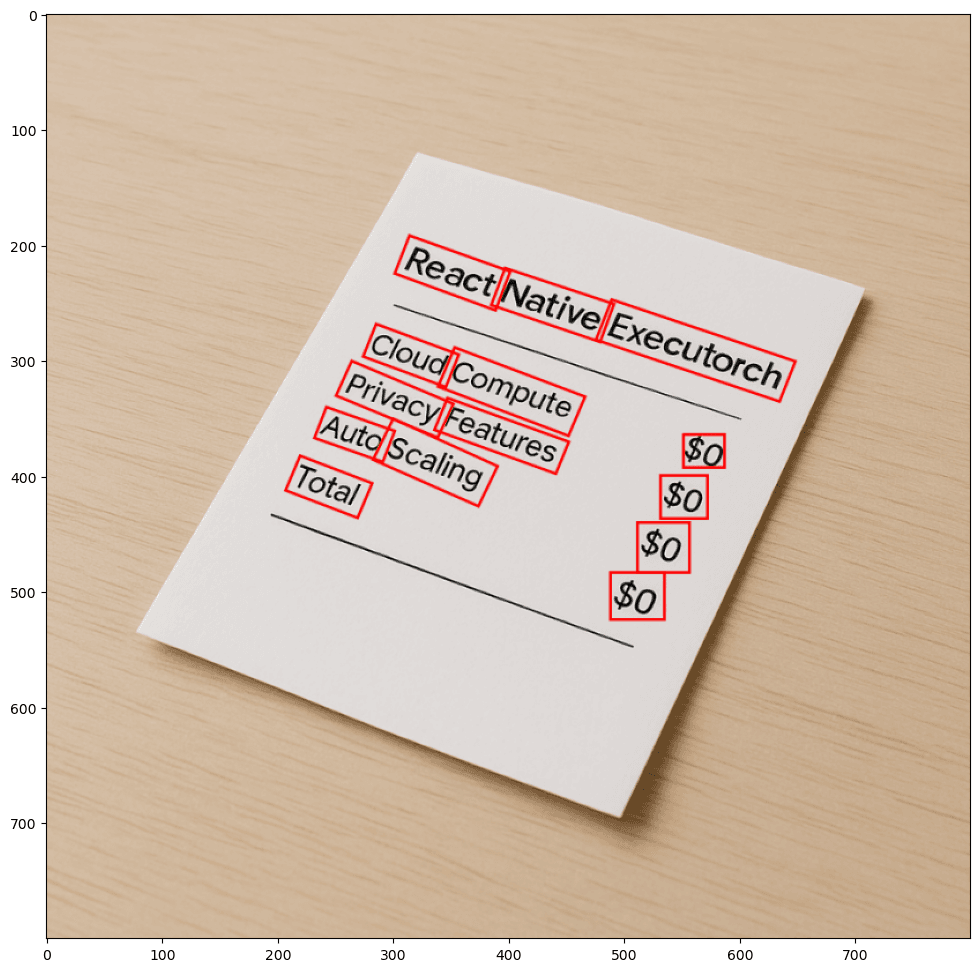
Another issue with the original grouping method is that it can sometimes produce excessively long text boxes. This becomes problematic because our recognizer model accepts input images of fixed size. To fit a long text region, we’d have to downscale the cropped image significantly, often resulting in noticeable quality degradation and poorer recognition accuracy.
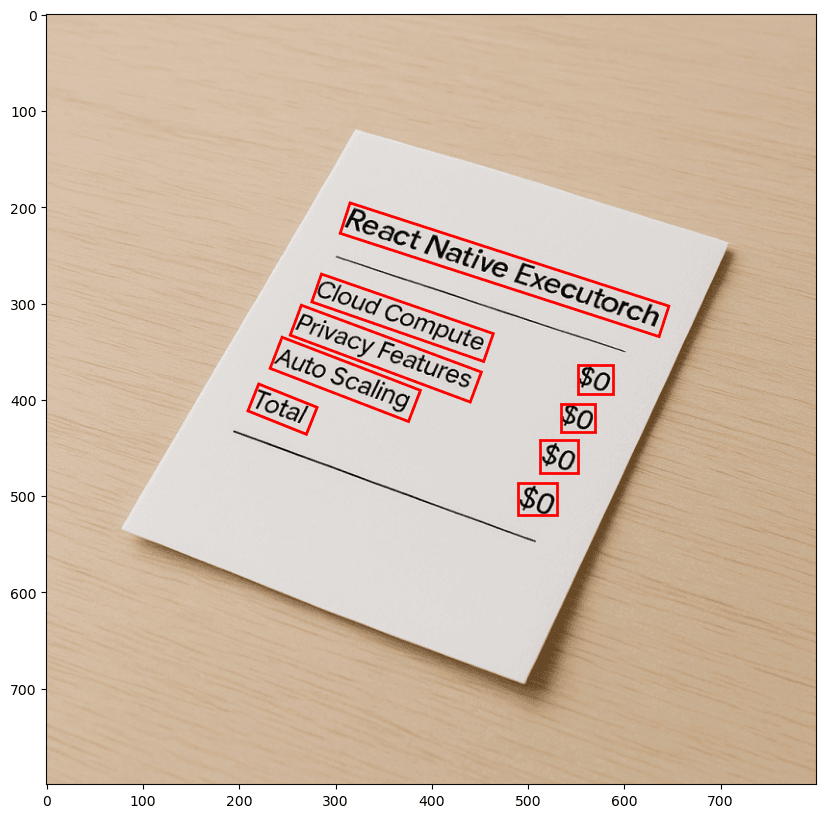
To address these shortcomings, we designed an improved grouping algorithm tailored to our needs.
After the detection phase, we obtain a list of bounding boxes along with their rotation angles. Here’s how our custom grouping algorithm works:
- Start with the longest box: The algorithm begins with the longest detected box.
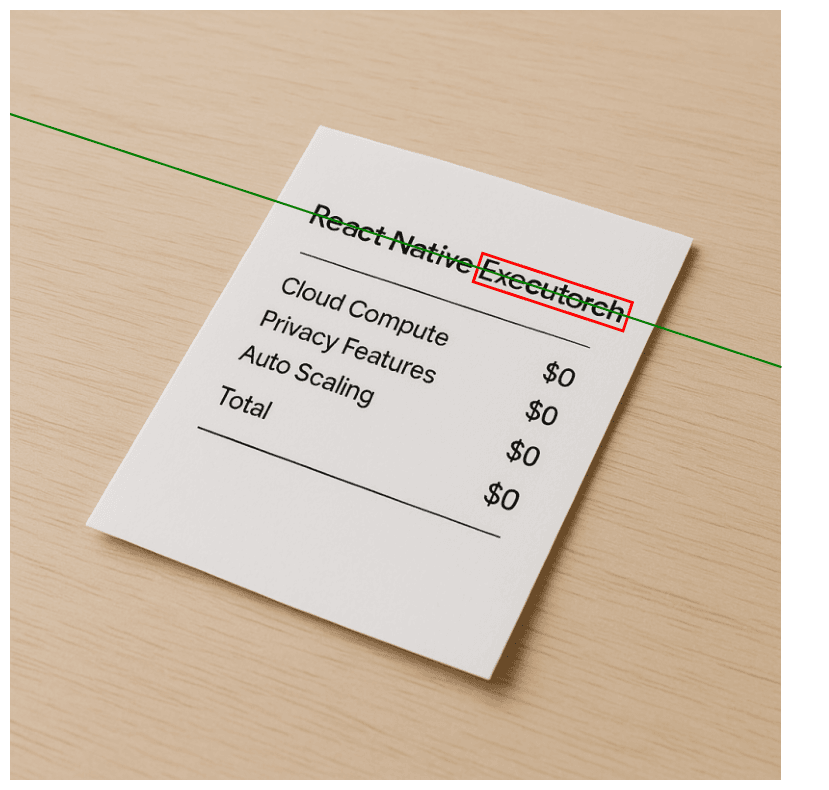
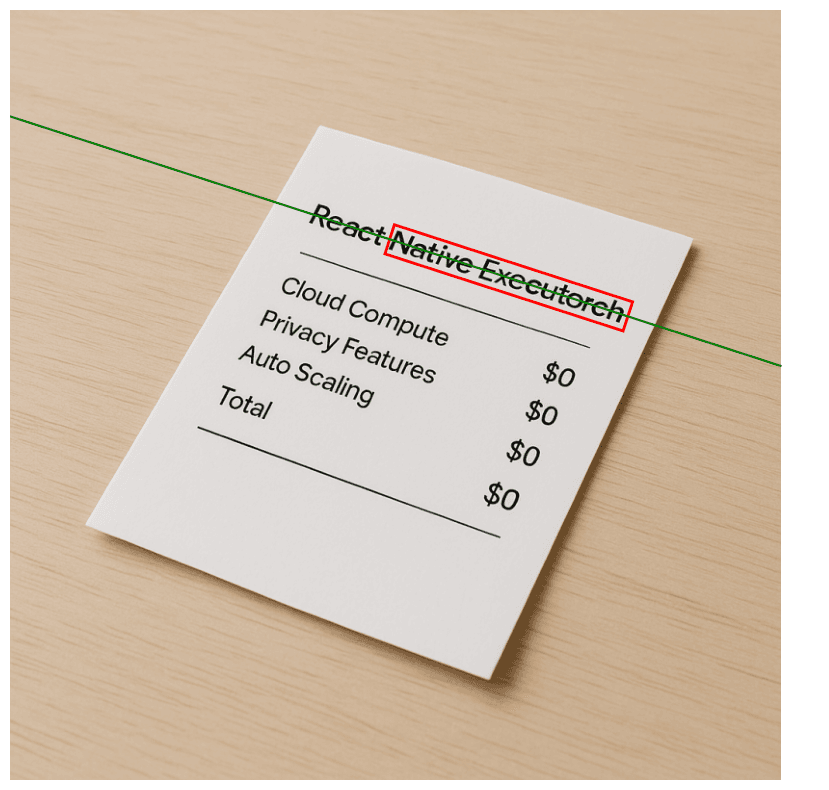
- Fit a line: It fits a line connecting the short sides of the box to define its orientation.
- Search for neighbors: It then searches for the nearest neighboring box and calculates the distance from the center of that box to the fitted line.
- Merge boxes: If the distance is within a predefined threshold (i.e., the neighbor aligns well with the line), the boxes are merged.
- Repeat: The process repeats iteratively until all possible boxes are checked for potential merging.
- Enforce length constraints: To avoid creating boxes that are too long, we define a maximum box length — specifically 678 pixels in our implementation. This ensures that, once resized, the final image fits within the recognizer’s 512-pixel input size without significant quality loss. If this threshold is exceeded, a new group is started even if the next box still aligns with the original line.
This custom grouping algorithm allows us to handle rotated, multi-directional, and multi-line text more gracefully while preserving recognition quality — effectively addressing the real-world inconsistencies found in mobile-captured images. Moreover, the reduced number of bounding boxes results in fewer recognizer inferences, leading to improved efficiency. Based on our tests, the optimized pipeline produces, on average, 33% fewer bounding boxes compared to the baseline approach.
Text recognition
For our text recognition in React Native we decided to prepare three models with a different input widths:
- 512 pixels
- 256 pixels
- 128 pixels
The appropriate model is selected based on the width of the input image. If the image is wider than 512 pixels, the largest model is used. For images wider than 256 pixels but up to 512 pixels, a medium-sized model is selected. If the image is narrower than 256 pixels, it is resized to 128 pixels and processed with the smallest model.
This multi-scale approach helped minimize the adverse effects of resizing text boxes, particularly for shorter text fragments. Similar to the detection stage, input images were resized with padding to maintain the original aspect ratio of characters. This strategy helps ensure that the text remains legible and properly proportioned after resizing.
Additionally, to reduce distortion, we enforced a maximum length constraint on each text box. Longer text regions result in excessive padding and smaller character sizes, which significantly degrade recognition quality.
Since the CRNN used for recognition accepts only single-channel input, all cropped text box images were converted to grayscale before being passed into the model.
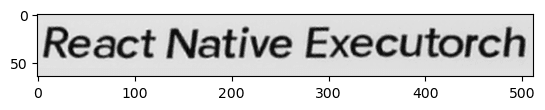
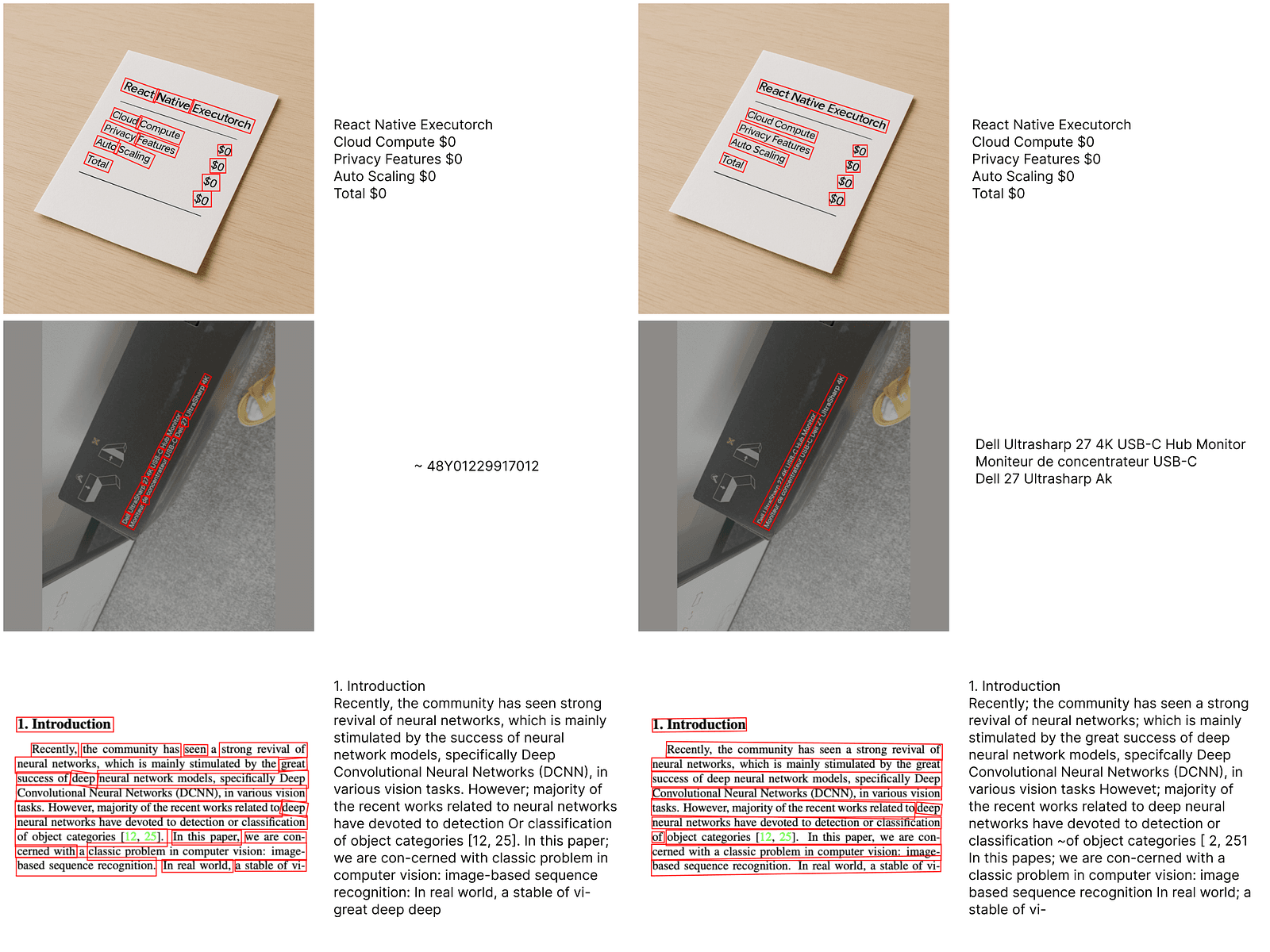
Aside from these preprocessing steps, the rest of the pipeline aligns closely with the implementation used in EasyOCR. The output for each recognized text instance is an object that contains three properties:
- Text : The string recognized within the bounding box
- Confidence score : A float value representing the model’s confidence in the prediction
- Coordinates : The four corner points of the recognized text box
This architecture allows the system to deliver both accurate text recognition and spatial information for downstream processing or visualization.
Vertical OCR in React Native
While exploring the world of OCR, we found a missing functionality. No existing solution could reliably read vertically arranged text — from top to bottom — without requiring extra preprocessing. This sparked the idea to implement vertical OCR directly into our React Native ExecuTorch library. We came up with two use-cases for this solution:
- Reading complete words arranged vertically.
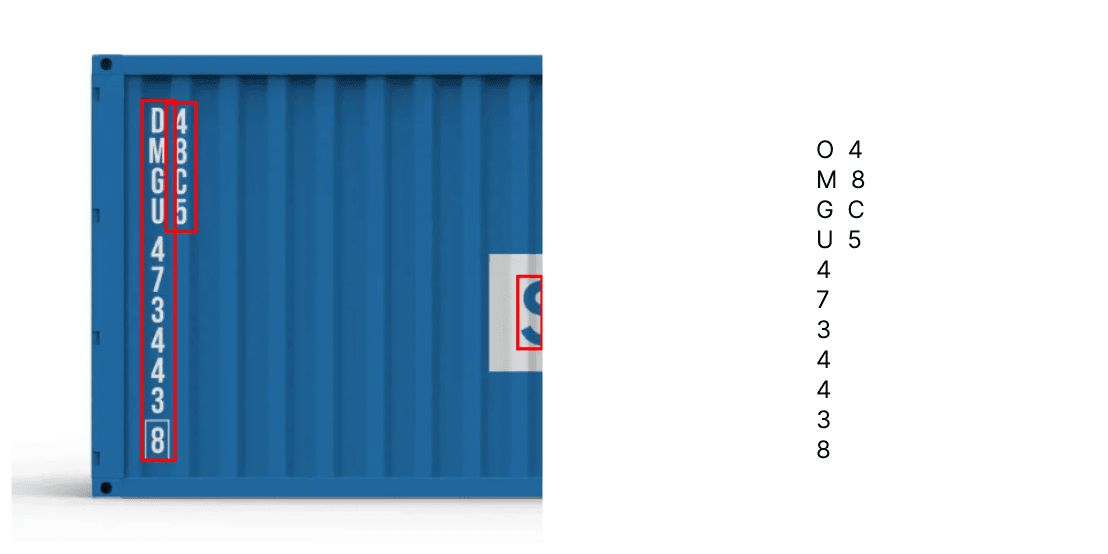
- Reading character-based text without semantic meaning, such as serial codes.
Both use cases are built on top of the classic OCR pipeline we developed. However, the key difference is that the detection step is performed twice:
- First pass — To detect text regions in the full image
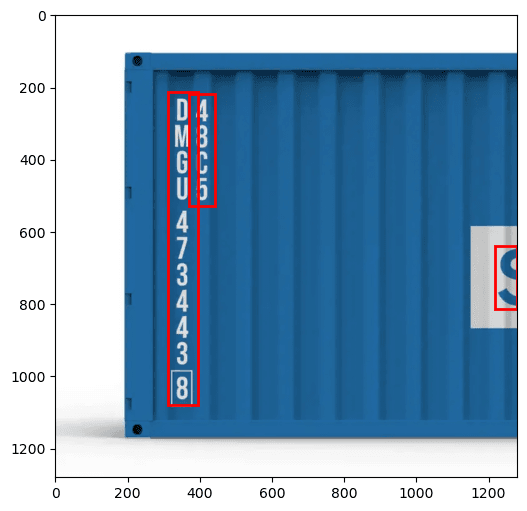
- Second pass — To segment individual characters within the cropped text region
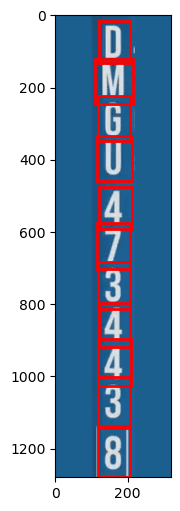
This dual-pass approach allows us to isolate individual characters and feed them directly into the recognizer. For complete words, the detected letters are stitched together in horizontal order to form the word. For use cases like container codes, each character is scanned and recognized individually. This method bypasses the decoder’s error-correction phase, which is beneficial when every character must be captured exactly as it appears.
The CRNN model used was primarily trained to recognize sequences such as words or sentences. As a result, when decoding single characters, a different model may yield better results. Fortunately, thanks to the modularity of the EasyOCR framework, alternative models can be seamlessly integrated into our pipeline with minimal adjustments.
Conclusion
Bringing EasyOCR to React Native ExecuTorch was a challenging yet rewarding journey. By carefully adapting the original pipeline to meet the constraints of mobile environments — such as fixed input sizes, limited memory, and reduced compute power — we were able to deliver a highly optimized and fully offline OCR experience for React Native applications.
Thanks to EasyOCR’s modular architecture, the entire pipeline is highly adaptable, allowing for easy customization to suit specific use cases. Most adjustments require minimal or no changes to the core components. This flexibility enables developers to build tailored pipelines — for example, selecting only the largest word region to conserve resources on constrained devices.
To learn more about performance benchmarks or to get started with your own integration, be sure to check out the React Native OCR section in our documentation. To dive deeper into our implementation you can visit our GitHub repository.
Currently, our React Native OCR implementation supports only English. However, we are working on adding support for multiple languages in React Native ExecuTorch v0.4.0, scheduled for release at the end of May, so stay tuned!
We’re Software Mansion: multimedia experts, AI explorers, React Native core contributors, community builders, and software development consultants. Hire us: [email protected].